Ripscope documentation
Find your way around C code with familiar cscope searches, a single executable and your favorite editor.
Install Ripscope, search your C project and connect your editor. Start with the steps below, then use the guides and reference as you need them.
Keep navigation in your editor
Jump from a symbol to its definition, open a caller or inspect a result list without leaving your code. Each editor guide includes setup and useful commands.
A little more context
- Coming from cscope? Read Differences from cscope for the familiar parts and the changes.
- Automating a workflow? The JSON interface gives scripts structured results, including paths with spaces and Unicode.
- Keeping an editor connected? Sessions explains the line protocol and index refreshes.
- Want to contribute? Start with Contributing and the architecture overview.
Installation
Install Ripscope for x86-64 Linux or Windows in one step, then open a C file and search. Pick the way you prefer.
The installer
The installer verifies and installs Ripscope in ~/.local/bin
(%USERPROFILE%\.local\bin on Windows) and sets up Vim and Neovim, which load
Ripscope by themselves from then on. Neovim set up with lazy.nvim needs the one line
the installer prints, as below.
Linux
In your terminal, run:
curl -fsSL https://ripscope.com/install.sh | sh
Windows
In PowerShell 5.1 or newer, run:
irm https://ripscope.com/install.ps1 | iex
Emacs and lazy.nvim
The installer also prints one line to add to your Emacs init file, such as:
(when (load "~/.local/share/ripscope/emacs/ripscope" t) (ripscope-setup))
Neovim set up with lazy.nvim (as LazyVim, kickstart, AstroNvim and NvChad are) loads only the plugins in its list. Where the installer finds lazy.nvim, it prints the line to add there too.
Your plugin manager
One line installs the editor plugin, and its build step installs the ripscope
executable.
| Editor | Add this |
|---|---|
| Neovim, with lazy.nvim | { 'pederbe/ripscope', branch = 'release', build = ':RipscopeInstall' }, |
| Vim, with vim-plug | Plug 'pederbe/ripscope', { 'branch': 'release', 'do': ':RipscopeInstall' } |
| Emacs 30 or newer | (use-package ripscope :vc (:url "https://github.com/pederbe/ripscope" :branch "release" :lisp-dir "contrib/emacs" :rev :newest) :config (ripscope-setup)) |
The release branch holds the latest release, and the build step installs the
executable of that same version.
The Vim, Neovim and Emacs guides cover other plugin managers and Emacs 29.
Start searching
Open a C file in your project and search: :cs find g main in Vim,
:RipscopeFind g main in Neovim, or C-c s g in Emacs. The first search indexes
the project into your cache directory, and later searches see your saved edits.
To search from the command line too, check that your terminal finds Ripscope:
ripscope --version
If the command is not found, add Ripscope to PATH. The editors find it either way. Then continue to the quick start.
For system packages, manual downloads or source builds, see other installation methods.
Quick start
Install Ripscope, then open a terminal in your C project. Keep the project index on a local disk. For other storage arrangements, see index locations.
1. Find a definition
Search for a function in your project. This example finds main.
ripscope -R -L -1 main
Ripscope creates the index, searches subdirectories and prints each matching
file, function, line number and source line. Replace main with another function
name to explore your code.
2. Find more code
Use the search that fits your question.
| Find | Command |
|---|---|
| A definition | ripscope -L -1 NAME |
| Callers of a function | ripscope -L -3 NAME |
| Functions it calls | ripscope -L -2 NAME |
| Assignments to a variable | ripscope -L -9 NAME |
Replace NAME with a function or variable from your project. Command-line
searches refresh the index automatically after edits.
3. Search from your editor
With the installer or one plugin-manager line, open a C file in
your project and search: :cs find g main in Vim, :RipscopeFind g main in Neovim,
or C-c s g in Emacs. The first search indexes the project into your cache
directory, and later searches see your saved edits. The Vim,
Neovim and Emacs guides explain how
the project is found, file-list selection and optional manual updates.
Prefer a guided example? Follow the example project. For include directories, file lists and other project options, see building an index.
Example project
This optional tutorial uses a tiny project. Install Ripscope first. Every output shown is what Ripscope prints.
Four steps to a working workflow. Create the example files below, build the index, ask a few questions and connect your editor.
demo/
├── greet.c
├── main.c
└── include/
    └── greet.h
/* include/greet.h */
void greet(const char *name);
extern int greet_count;

/* greet.c */
#include <stdio.h>
#include "greet.h"

int greet_count;

void greet(const char *name)
{
    greet_count = greet_count + 1;
    printf("Hello, %s!\n", name);
}

/* main.c */
#include "greet.h"

int main(void)
{
    greet("world");
    return 0;
}
1. Build the index
From the project directory:
$ ripscope -bk -I include
-bbuilds or updates the index, as in cscope. With no file arguments, Ripscope usescscope.filesif it can be read, otherwise the source files in the current directory with cscope’s suffixes (.c,.hand others). Add-Rto include subdirectories.-kleaves out the system include directory, as in cscope; without it, headers such asstdio.hare indexed too.-I includelets#include "greet.h"resolve, soinclude/greet.his indexed too.- Ripscope creates
ripscope.dbin the project directory for you;-fnames another.
2. Ask questions
Each query names a field (-0 to -9) and a pattern. -L prints matching rows as
file context line text.
$ ripscope -L -1 greet          # where is greet defined?
greet.c greet 6 void greet(const char *name)

$ ripscope -L -3 greet          # who calls greet?
main.c main 5 greet("world");

$ ripscope -L -2 main           # what does main call?
main.c greet 5 greet("world");

$ ripscope -L -9 greet_count    # where is greet_count assigned?
greet.c greet 8 greet_count = greet_count + 1;

$ ripscope -L -8 greet.h        # who includes greet.h?
greet.c <global> 2 #include "greet.h"
main.c <global> 1 #include "greet.h"
The second column is the context: the enclosing function, <global> for file scope,
or <unknown> where it does not apply. See Queries for all the
fields.
3. Keep it fresh
-L brings the index up to date before answering, analysing only files that changed.
Add a new caller and ask again:
$ echo 'void helper(void) { greet("x"); }' >> main.c
$ ripscope -L -3 greet
main.c main 5 greet("world");
main.c helper 8 void helper(void ) { greet("x"); }
Use -dL to query the index as it is. Stored queries work even when the source files
are gone.
4. Use it from your editor
Vim and Neovim keep a Ripscope Session open and send one query per line:
$ printf '1greet\n3greet\nq\n' | ripscope -l
>> cscope: 1 lines
greet.c greet 6 void greet(const char *name)
>> cscope: 2 lines
main.c main 5 greet("world");
main.c helper 8 void helper(void ) { greet("x"); }
>>
You rarely type this yourself. With Vim,
Neovim or Emacs set up, open
main.c and search there instead. The editors keep their own index of the project in
your cache directory. Save an edit and search again to see it. Each editor reuses its
session between searches.
Exact output
Paths are printed as they are, spaces included, as cscope prints them. Add --json to
get one JSON array per row, which carries every byte:
$ ripscope --json -L -3 greet
["main.c","main",5,"greet(\"world\");"]
["main.c","helper",8,"void helper(void ) { greet(\"x\"); }"]
See the JSON interface.
Building an index
ripscope -b [-R] [-k] [-u] [-I DIR]... [-f INDEX] [--] [SOURCE...]
ripscope -b [-R] [-k] [-u] [-I DIR]... [-f INDEX] -i LIST
-b builds the index, or updates one that exists, then stops. The index is one file,
ripscope.db unless -f names another. It is created only where no file exists, in an
empty file, or over an index Ripscope made: a cscope database or any other file at that
path is left untouched and the index build fails.
Every readable file contributes navigation facts. The analyzer reads C as the reference cscope does, with Corrections where cscope misreads it; code it cannot read well costs accuracy only where it is.
Choosing the files
Ripscope saves how you selected files (the selection rule), and every later update applies it again, as cscope does at each index build. The first matching rule wins:
-
A file list,
-i LIST. File names given beside it are not read, as in cscope. -
Source files given as arguments. A name given twice is read once.
-
Automatic discovery, when neither is given:
cscope.filesin the current directory, if it can be read;- otherwise the source files directly in the current directory, or in the whole
tree with
-R.
Because it is applied again at every update, creating or deleting
cscope.fileschanges what the next update indexes.
A named file (an argument or a list entry) that does not exist or is not a regular file is
reported, as cscope reports it (ripscope: cannot find file X), and the rest is indexed;
one that cannot be read is reported as cannot read X. When none of the selected files
can be indexed, the index build fails with no source files found: a new index is not
made, and an index that already existed keeps what it had. Unlike cscope, a symbolic link
you name is followed.
In every case, literal #include directives are followed (see
Include directories), so headers reached from the selected files
are indexed too.
Directory discovery
Source files are regular files whose last suffix is one of cscope’s: .c .h .l .y .C .G .H .L .bp .qc .qh .sd .cc .hh .tcc .cpp .cxx .hpp .hxx (case-sensitive).
SCCS-style names such as s.file.c are skipped, as in cscope. Symbolic links found in
a directory are not followed, as in cscope. With -R, discovery also descends into subdirectories. A directory that
cannot be read is reported; its files keep what the index knew about them.
File lists
A file list names one source per entry, relative to the directory you build the index in:
src/main.c
src/util.c
"src/file with spaces.c"
-I include
-k
- Entries are separated by spaces, tabs or newlines. Double quotes allow spaces;
inside quotes,
\"and\\are the only escapes. - A list may hold the options cscope reads there:
-I DIRand-k, and-q,-cand-p N, which change nothing in Ripscope’s answers.-Twould cut symbols to eight characters, so a list naming it is refused. - A name the list gives twice is indexed twice, as cscope does.
- The list is read again at every update, so editing it changes what is indexed.
Reading a list from standard input (
-i -) is not supported.
Include directories
#include "file.h" is looked up first relative to the directory the index is built in;
then, for both forms, in each -I directory in the order given, the list’s -I
directories, the directories in the INCLUDEDIRS environment variable, and last the
system directory (/usr/include, or INCDIR) unless -k is given, as cscope does.
Headers that cannot be found are skipped. A computed include such as #include MACRO is
not followed.
Updating
Run the same -b command again, or query with -L or use r in a
session: each brings the index up to date. An update:
- applies the saved selection rule again;
- re-reads a file when its size, modification time or identity changed, or when it was modified too close to its last read to trust the timestamp, and analyses it again only if its bytes changed;
- publishes a new revision in one transaction when anything changed (re-reading a file whose bytes did not change publishes nothing), so a query or session always reads a complete revision, and sessions see the new one at their next query.
-u updates unconditionally, as cscope says: every file is read and analysed again,
and nothing the index held is kept. It is also how a damaged index is repaired (see
Checking and repairing).
A -b with different sources, -i, -R or -I replaces the saved selection rule. A
file that cannot be read keeps its last facts in an update and is tried again next
time; an index build (-b) leaves it out.
Where the index may live
SQLite’s write-ahead log, which lets queries read while an update runs, is unsafe on network file systems. Ripscope therefore does not create or update an index on NFS, SMB and other network or cluster file systems, on WSL’s view of Windows drives, on FUSE mounts other than a block device’s (sshfs, cloud-sync clients, and also gocryptfs or mergerfs over a local disk) or on Windows shares. Keep the index in a local folder; the sources may be anywhere.
An index may live in a folder OneDrive synchronises, such as a Documents or Desktop
folder OneDrive backs. OneDrive may lock the index or copy it while it is written, so
the index build that makes the index there warns once, and -f can keep it in a folder
OneDrive leaves alone. Ripscope knows OneDrive’s folders by the OneDrive,
OneDriveCommercial and OneDriveConsumer environment variables. If the index is ever
damaged there, -bu builds it again.
Use an index from one machine only. SQLite’s write-ahead log needs every process that uses the index to run on the same machine, so a query from another machine, over NFS or a share, is unsafe, although it is not refused.
Sharing an index between users (Unix)
A new index gets the permissions the umask gives any new file, as cscope’s database does. An index rebuilt over another keeps that index’s permission bits, and its group when the user rebuilding it belongs to that group (root keeps its owner too). Only a user who may write an index can rebuild it.
Every user of an index must be able to write it, and the files SQLite keeps beside it, which it gives the index’s permissions. An index also holds the text of the lines that hold symbols in the files it covers, so anyone who can read it can read those lines, even of files they cannot read. For a group to share an index privately, keep it in a directory of the group with the setgid bit, so that the index and SQLite’s files belong to the group, closed to other users, and build it with umask 007, so that the group may write them:
chgrp team DIR && chmod 2770 DIR
(umask 007 && ripscope -b -f DIR/ripscope.db)
Or give the directory an ACL for the group and a default one, which lets the group write every new file in it, whatever the builder’s umask; the entries for other users decide who else can read the index:
setfacl -m g:team:rwx,o::---,d:g:team:rwx,d:o::--- DIR
Do not set the sticky bit on such a directory: members could no longer remove each other’s SQLite files. Users outside the group cannot open the directory, so they cannot use the index.
Queries
ripscope  -L [-f INDEX] [-C] [-P PATH] [--json] -FIELD PATTERN     update, then query
ripscope -dL [-f INDEX] [-C] [-P PATH] [--json] -FIELD PATTERN     query without updating
Query fields
| Field | Finds | Vim letter | Pattern | Reads |
|---|---|---|---|---|
-0 | All occurrences of a C symbol | s | symbol | index |
-1 | Definitions of a symbol | g | symbol | index |
-2 | Functions called by a function | d | symbol | index |
-3 | Functions calling a function | c | symbol | index |
-4 | A literal text string | t | literal text | current files |
-5 | A literal text string (cscope’s “change text” in line mode) | literal text | current files | |
-6 | An extended regular expression | e | regex | current files |
-7 | Files by name | f | regex on the path | index |
-8 | Files that #include a file | i | regex on the include name | index |
-9 | Assignments to a symbol | a | symbol | index |
Each result row has four parts, separated by single spaces:
greet.c greet 6 void greet(const char *name)
│       │     │ └── displayed source text
│       │     └──── line number
│       └────────── context: enclosing function or macro, <global>, or <unknown>
└────────────────── file path
For field 2 the context is the called function. For field 1 it is the pattern you
searched for, as in cscope; a field-1 pattern with blanks cannot be shown that way, so
it is refused with a pointer to --json.
Rows come in cscope’s order: rows at file scope first, then the rest. Each row’s context is the function or macro its name sits in, worked out within its file; cscope’s contexts can differ, depending on how its database was built (see Differences from cscope).
Patterns
Symbol patterns (fields 0, 1, 2, 3, 9). A plain C identifier matches exactly.
If the pattern contains any of ^ . [ { * + $ | (, it is a POSIX extended regular
expression that must match the whole name: greet.* matches greet and
greet_count, but reet matches nothing. Trailing blanks are ignored.
Text (fields 4 and 5) is a literal byte string, including spaces.
Regular expressions (field 6) are POSIX extended regular expressions applied to
each line. ^ and $ anchor to line boundaries, and . never matches a newline. A
line of a CR LF file ends with its carriage return, as in cscope.
File and include patterns (fields 7 and 8) are regular expressions that may match
anywhere in the path or include name: -7 greet finds greet.c and
include/greet.h.
Patterns are limited to 4096 bytes. Matching is byte-based in the C locale: a pattern in fields 4 to 6 may hold any byte but NUL and a line break, UTF-8 or not, one in fields 7 and 8 any but those and a carriage return, and symbol patterns are printable ASCII. A pattern that cannot be used gives no rows, as in cscope, with the reason on standard error; a few that cscope does answer, such as back-references, are refused too (see Differences from cscope).
Case-insensitive matching
Add -C (or send c in a session) to ignore ASCII letter case in every
field. Non-ASCII letters are always compared exactly. As in cscope, the pattern itself is
lowercased, escapes and classes included, so under -C \W means \w, \S means \s,
and [[:upper:]] matches nothing.
Updating or not
-Lfirst brings the index up to date from the saved selection rule, then answers from the new revision. If another process is updating the index, it answers from the last published revision and says so.-dLanswers from the index as it is, and never creates one.- An index that has published nothing yet, because another process is building it
afresh or its first index build failed, is no index:
-dLfails and says so, as does-Lwhile another process is building it; otherwise-Lbuilds it, as it builds a missing one.
Stored and live fields
Fields 0, 1, 2, 3, 7, 8 and 9 are answered from the index, so they keep working when
sources are moved or deleted. Text searches (fields 4, 5 and 6) read the current
contents of the indexed files, as cscope does, even with -d. A file that cannot be
read is skipped, with a warning on standard error.
Live searches read files relative to the directory the index was built in. -P PATH
does what it does in cscope: relative names are read below PATH, and text rows show
them with it (PATH/src/main.c). Stored rows keep the names the index holds.
Output
Paths are printed as they are, spaces and non-ASCII characters included, as cscope
prints them. A row whose path holds a control character cannot be carried by the line
format and is skipped, with one warning. Displayed text is compacted as cscope compacts
it; control bytes in it are shown as \xHH. A line a text search finds keeps its tabs
and a CR LF ending, as cscope prints it. --json carries every byte.
Warnings go to standard error before the first row, where xcscope and Vim pass over them.
Exit status
Ripscope exits with status 0 when the query ran, including when nothing matched or the
pattern could not be used, and 1 on any other error, with a message prefixed
ripscope: on standard error.
Sessions
A session keeps one Ripscope process open and answers many queries. This is how editors
use Ripscope, exactly as they use cscope -l.
ripscope -l [-f INDEX] [-d] [--auto-refresh | --no-auto-refresh] [-C] [-P PATH] [--json | --vim-errors]
Without -d, the session brings the index up to date at startup and again before the
first query after its sources change. With -d, it uses the index as it is until an
explicit r command. A missing index, or one that has published nothing yet, cannot be
queried.
--auto-refresh explicitly enables updates, including startup, even if an editor adds
-d. --no-auto-refresh explicitly disables them. Either control takes precedence over
-d regardless of argument order. The two controls cannot be combined. Explicit r
works with either setting.
Commands
Each command is one line; as in cscope, its first character decides what it is:
| Command | Effect |
|---|---|
0PATTERN … 9PATTERN | Run a query; the digit is the field |
c, Ctrl-C | Toggle ASCII case-insensitive matching |
r, R, Ctrl-R | Bring the index up to date from the saved selection rule |
q, Ctrl-D, Ctrl-Z or end of input | Quit |
cscope’s C and F commands, which change its file list, are answered with an empty
line and change nothing: the saved selection rule decides the files. Other commands are
reported on standard error.
In the default line format, the session prints the prompt >> , then for each query
cscope: N lines followed by N result rows. A query with no matches, or one that cannot
be answered, prints Unable to search database; for the latter, the reason follows on
standard error. r is answered with an empty line, as in cscope.
$ ripscope -l -f project.db
>> 1greet
cscope: 1 lines
greet.c greet 6 void greet(const char *name)
>> q
A request line is at most a field digit and 4096 bytes of pattern; a longer one is read to its end and refused as a whole.
Seeing updates
An updating session watches what its index was made from: the indexed files and their directories, the file list, the directories discovery searches and every include it looked for, found or not. Before each query it takes in every change saved so far, and when one could change an answer it refreshes first, analysing only the changed files. So a saved edit, a new or removed file, a changed file list, a listed file that appears or a header that appears outside the project shows in the next search, whether it came from your editor, another editor, a generator or a branch switch. Explicit source lists stay fixed.
Queries between changes answer at once from the published revision, without looking at the files. Swap and backup files, build output and other files a refresh would not read change nothing, except in a directory checked by its times (below), where any file made or removed makes the next query refresh. Several saves before a query make one refresh, and a refresh that finds nothing changed publishes no new revision. An edit saved while a refresh runs is taken in by the next query. Text searches read the current files, from the file list as of the last refresh.
The watch uses inotify on Linux, and ReadDirectoryChangesW on Windows, where each
query briefly makes a marker file, .ripscope-PROCESS-N.sync, in the project directory
to know that every earlier change has been reported. When events are lost, a directory
above the watched files is made, removed or renamed (a clean build, an SDK swapped for
another, a directory link pointed elsewhere), or another process publishes a revision,
the next query refreshes anyway and the watch starts again where it must. Where the
sources cannot be watched, every query refreshes, which is slower on large projects,
and the first answer says so. That happens past Linux’s fs.inotify.max_user_watches,
for sources on a network or FUSE file system (NFS, SMB, sshfs, WSL’s Windows drives and
the like), which may not report changes made elsewhere, and on a Windows drive that
reports no changes at all. Names in a directory that cannot be watched, or outside the
project on such a file system, are checked before each query. So are include
directories outside the project on Windows. Where many names looked for in such a
directory are missing, its times are checked instead, with the names found in it. A
network file system mounted inside the project directory is not noticed: send r after
changes made there from another machine. A directory reached through a link is watched
where the link led when the watch began: when the directory it leads through is renamed
or replaced, rather than the link itself, send r. On Windows, a link to a file is not
followed: send r after changing the file it names.
-u applies at startup and to r. Refreshes before queries analyse only what changed.
Every query reads the newest published revision. If another process (or your editor’s
index build command) updates the index, the next query sees the change, also when the
index was deleted and built again. While the index cannot be read, or is being built
afresh and has published nothing yet, a query fails and says why, as a one-shot query
does. If a refresh before a query fails or another process is updating, the query
answers from the last published revision with a warning that freshness is unconfirmed,
and the next query tries again. An unreadable file keeps its last facts, with a warning,
until a refresh can read it. Warnings use the same transport as other answer warnings.
If explicit r fails or is skipped, its diagnostic goes to standard error or a JSON
error frame.
Warnings
Warnings about an answer, such as a file a text search could not read, are written to standard error before the answer, where cscope writes its own messages and Vim passes over them.
The editor diagnostic guide describes how Vim, Neovim and Emacs distinguish warnings, failures and valid empty answers, and how to recover.
Vim error handshake
--vim-errors is for Vim’s built-in cscope support. After a query that cannot be
answered, Ripscope prints a short message on one line (with the reason, when the index
cannot be read) and Press the RETURN key to continue:, then waits for one empty line; Vim shows the message as E609, so an unusable query is
told apart from an empty result (E259). After an answer that came with warnings, a short
fixed notice does the same. Other clients should not use this flag.
JSON sessions
With --json, every line Ripscope writes is a JSON value. See
JSON interface.
JSON interface
cscope’s line format separates fields with spaces and has no quoting, so a row whose
path holds a control character cannot be carried, and a line’s bytes may be shown
escaped. Add --json to any query or session to get exact output instead. Nothing else
about the query changes: the same rows, in the same order, with the same contexts and
text.
--json cannot be combined with --vim-errors, index builds or --verify.
One-shot queries
Each result is one line containing a JSON array [path, context, line, text]:
$ ripscope --json -dL -f "navigation index.db" -1 greet
["src/café/greet.c","greet",6,"void greet(const char *name)"]
pathis a string. Relative paths are relative to the directory the index was built from, or below-P PATHfor text searches.contextis a string andlinea positive integer.textis a string when the line is valid UTF-8, and otherwise an array of byte values (0 to 255), so nothing is lost. A text search’s line of a CR LF file keeps its carriage return.
An empty standard output with no diagnostic means no matches. Warnings and errors go to standard error. A query that cannot read the index, or whose output fails, exits with status 1. An unusable pattern follows cscope’s one-shot behavior: no rows, a diagnostic on standard error, and status 0. Check both streams; status 0 alone does not establish that the pattern was valid.
Sessions
In a --json session, every line Ripscope writes is one JSON value:
| Frame | Meaning |
|---|---|
{"type":"ready"} | Ready for the next command (at startup and after each command). |
{"type":"result","count":N} | A query’s answer; exactly N row arrays follow. N may be 0. |
{"type":"error","message":"..."} | A request that could not be answered, or an r that did not bring the index up to date: it failed, another process was updating the index, or the index is kept where it cannot be updated. The session continues. |
{"type":"warning","message":"..."} | Something worth knowing about the answer before it, such as a file a text search could not read or a refresh before the query that did not complete. Zero or more follow the response and all its rows, before ready. |
{"type":"rebuilt"} | The r command brought the index up to date (warnings may follow). |
Parse frames as JSON objects; do not rely on key order, and ignore keys you do not know.
$ printf '1greet\nq\n' | ripscope --json -dl -f project.db
{"type":"ready"}
{"type":"result","count":1}
["greet.c","greet",6,"void greet(const char *name)"]
{"type":"ready"}
Commands are the same as in line-format sessions, one line of at
most a field digit and 4096 bytes each. A client should treat a missing ready frame as
a failure.
A JSON session refreshes before a query after a change as a line session
does. A refresh that fails still yields the query’s result
from the last published revision, followed by a warning that its freshness is
unconfirmed. A refresh that succeeds adds no frame. The rebuilt frame belongs only to
explicit r.
Path rules
- Paths may contain spaces and any Unicode characters except NUL.
- Paths are stored as the index build named them (on Windows with
/as the separator), not case-folded. - A path that is not valid UTF-8 (possible on Linux) is written as an array of byte values, as text is.
Editor integration
The Neovim adapter uses the JSON interface directly. Other integrations can launch Ripscope and decode these responses with their language’s JSON support.
Checking and repairing an index
An index is one SQLite file (with SQLite’s -wal and -shm files beside it while it is
in use). Every update is one SQLite transaction: it either completes, or the previous
revision stays as it was, even if the process is killed or the machine loses power.
There is no separate journal to recover.
Checking
ripscope --verify [-d] [-f INDEX]
--verify runs SQLite’s full integrity and foreign-key checks, then (unless -d)
brings the index up to date reading and hashing every file, and finally decodes every
stored analysis and checks the name postings against them. It prints index verified: revision N, M files, or lists what is wrong and exits with status 1. A query that meets
a damaged index says so in a warning starting damaged index:, and still answers from
what it can read. An update that needs a name’s postings it cannot read, or the block size
the index splits a new analysis by, fails with such a message and keeps what the index
had, and so does a query without -d, which updates first.
Repairing
ripscope -bu [the options you built the index with]
-u builds the index unconditionally: every file is read and analysed again and nothing
the index held is kept, so a damaged analysis is replaced. When SQLite can no longer read
the index file at all, -u makes it afresh. Give the options you built the index with
(the sources, -i, -R, -I, -k), since a damaged index may not be able to tell which
they were.
Older indexes
An index built by an earlier version of Ripscope, whose analyzer read C differently,
analyses every file again at its next update. Until then, -d answers from it as it was
built. Where this version cannot read a file’s stored analysis at all, fields 0 to 3, 8 and
9 leave the file out and say how many they left out. Field 7 still lists it, and text
searches read it. An index with another schema version is read by neither queries nor
updates, which ask for an index build: -b makes it afresh.
Other installation methods
For the standard installation, use the install script. This page covers PATH setup, system packages, manual downloads, source builds and installer options.
Add Ripscope to PATH
PATH is the list of directories your terminal searches for commands. The
install scripts put Ripscope in ~/.local/bin on Linux and
%USERPROFILE%\.local\bin on Windows.
Linux
For Fish, run this once, then try ripscope --version again.
fish_add_path ~/.local/bin
For Bash, add this line to ~/.bashrc. For Zsh, add it to ~/.zshrc.
Then open a new terminal.
export PATH="$HOME/.local/bin:$PATH"
Windows
In Start, open Edit environment variables for your account. Under user
variables, edit Path, choose New and add %USERPROFILE%\.local\bin.
Open a new terminal, then run ripscope --version.
Debian/Ubuntu and RHEL-family packages
Select the version from GitHub Releases.
Debian/Ubuntu .deb and RHEL-family .rpm packages contain the inspected Linux
x86-64 executable, with glibc 2.28 or newer and the system GCC runtime required.
Verify the selected package’s .sha256 sidecar, then install it:
sha256sum -c ripscope_0.1.1_amd64.deb.sha256
sudo apt install ./ripscope_0.1.1_amd64.deb
sha256sum -c ripscope-0.1.1-1.x86_64.rpm.sha256
sudo dnf install ./ripscope-0.1.1-1.x86_64.rpm
Notices and editor sources are installed in /usr/share/ripscope.
Archives and system packages
Select the version from GitHub Releases:
| Platform | Archive | Runtime |
|---|---|---|
| Linux x86-64 | ripscope-<version>-x86_64-linux-gnu.tar.gz | glibc 2.28 or newer and the system GCC runtime; not musl/Alpine |
| Windows x86-64 | ripscope-<version>-x86_64-windows-msvc.zip | Windows system DLLs; the C runtime is bundled |
The archives include their executable, licences, editor sources and build
manifest. Compare the archive against its individual .sha256 sidecar before
extracting it. Keep the complete extracted directory:
sha256sum -c ripscope-0.1.1-x86_64-linux-gnu.tar.gz.sha256
tar -xzf ripscope-0.1.1-x86_64-linux-gnu.tar.gz
./ripscope-0.1.1-x86_64-linux-gnu/bin/ripscope --help
Get-FileHash .\ripscope-0.1.1-x86_64-windows-msvc.zip -Algorithm SHA256
Get-Content .\ripscope-0.1.1-x86_64-windows-msvc.zip.sha256
Expand-Archive .\ripscope-0.1.1-x86_64-windows-msvc.zip -DestinationPath .\ripscope-install
.\ripscope-install\ripscope-0.1.1-x86_64-windows-msvc\bin\ripscope.exe --help
Checksums identify the downloaded bytes. For repository and workflow provenance, use the exact-tag/source attestation verification instructions.
Building from source
You need a recent stable Rust toolchain and a C compiler for bundled SQLite: GCC or Clang on Linux; Microsoft’s MSVC Build Tools and the Windows SDK on Windows. Use an x64 developer shell for an MSVC build.
git clone https://github.com/pederbe/ripscope.git
cd ripscope
cargo build --release --locked
Or install directly from the repository:
cargo install --locked --git https://github.com/pederbe/ripscope.git
A binary built on a newer Linux distribution can require that distribution’s newer glibc. The pinned archive recipes and their inspection limits are documented in Linux preparation and Windows preparation. A separate Rust toolchain or SQLite installation is unnecessary for archive users.
Installer options
The install scripts select the latest release and install into your user account. Set these environment variables before running a script to change that behavior.
| Variable | Purpose |
|---|---|
RIPSCOPE_VERSION | Select a release version |
RIPSCOPE_INSTALL_DIR | Choose another executable directory |
RIPSCOPE_RELEASES | Use a release mirror |
RIPSCOPE_EDITORS | all (the default) sets up the editors; none leaves them alone |
In PowerShell, set them through $env:.
Editor integrations
Besides the executable, the scripts put the editor integrations where the editors find them:
| Editor | Linux | Windows |
|---|---|---|
| Vim | ~/.vim/pack/ripscope/start/ripscope | %USERPROFILE%\vimfiles\pack\ripscope\start\ripscope |
| Neovim | ~/.local/share/nvim/site/pack/ripscope/start/ripscope | %LOCALAPPDATA%\nvim-data\site\pack\ripscope\start\ripscope |
| Emacs | ~/.local/share/ripscope/emacs | %LOCALAPPDATA%\ripscope\emacs |
Vim and Neovim load packages from these directories by themselves. Vim uses
~/.config/vim instead when that is where its vimrc is. For Emacs, the script
prints the line to add to your init file. Neovim set up with lazy.nvim loads only
the plugins in lazy.nvim’s list, so where the script finds lazy.nvim it prints the
line to add there as well. Running the script again updates them with the executable.
With a system package or an archive, the same files are in its contrib directory:
copy contrib/vim to the Vim or Neovim directory above, and load
contrib/emacs/ripscope.el from Emacs as the Emacs guide
shows.
Notices
The scripts retain a hidden .ripscope-notices-* directory beside the
executable. It contains licences, build information and a copy of the editor
integrations. The Emacs integration includes xcscope’s source and its own
COPYING file.
To find the directories on Linux, run
ls -d ~/.local/bin/.ripscope-notices-*
On Windows, list them in PowerShell with
Get-ChildItem "$HOME\.local\bin" -Force -Directory -Filter '.ripscope-notices-*'
Running the installer again updates the executable and retains earlier support directories. On Windows, close active Ripscope sessions before replacing the executable if it is locked.
To remove an installation, see uninstalling Ripscope.
Uninstalling Ripscope
Installed with a script
The install script removes what it installed: the executable, its notices directories and the editor integrations. On Linux, run
curl -fsSL https://ripscope.com/install.sh | sh -s -- --uninstall
In PowerShell, run
& ([scriptblock]::Create((irm https://ripscope.com/install.ps1))) -Uninstall
Set RIPSCOPE_INSTALL_DIR as you did when installing if you chose another
directory. Remove the line you added to your Emacs init file yourself. On Windows,
close the editors running Ripscope first: Windows keeps an executable in use, so the
uninstaller says so, removes everything else, and removes the executable when run
again.
The indexes the editors made stay in your cache directory, ~/.cache/ripscope on
Linux and %LOCALAPPDATA%\ripscope on Windows, or the folder RIPSCOPE_CACHE_DIR
names when you set it. Delete them too if you no longer need them. Indexes you built
in your projects stay there.
Installed with a plugin manager
Remove the plugin’s line from your editor configuration and let the plugin manager
clean up, for example with :PlugClean or lazy.nvim’s :Lazy clean, or
M-x package-delete in Emacs. Then run the uninstall command above to remove the
executable the plugin installed.
Installed with a system package
On Debian or Ubuntu, run
sudo apt remove ripscope
On Fedora or RHEL-family systems, run
sudo dnf remove ripscope
Installed from an archive or source
For an archive installation, remove its extracted directory after closing any
editor that uses it. For cargo install, run cargo uninstall ripscope.
Results, warnings and failures
Vim, Neovim and Emacs use the same query behavior, with messages delivered through each editor’s interface. A warning accompanies an answer; a failure means the requested operation could not complete. Read the diagnostic even when rows are available or the editor reports completion.
| Outcome | Vim | Neovim | Emacs |
|---|---|---|---|
| Matches | Quickfix results | Quickfix results after the complete JSON response | Selectable results in *cscope* |
| Valid query, no matches | E259, without E609 | No matches | No matches were found, then Search complete |
| Answer with warnings | Available rows and E609: this answer may be incomplete | Available rows and a warning notification; details in :RipscopeLog | Available rows and ripscope: diagnostics in *cscope*, then Search complete |
| Invalid pattern | E609: the query pattern cannot be used | Failed query with its reason in :RipscopeLog | Ripscope search failed with invalid query pattern in *cscope* |
| Index cannot be read | E609 with the reason, or a connection error at startup | Failed query with diagnostics in :RipscopeLog | Ripscope search failed with diagnostics in *cscope* |
| Index build fails | RipscopeBuild reports the exit status and output | Failed build with output in :RipscopeLog | Failure in *cscope-indexing-buffer* |
CLI one-shot queries, including --json, retain cscope’s status-0 response to an
invalid pattern: check standard error as well as the exit status. Sessions tell the
invalid request apart directly, through Vim’s error handshake or a JSON error frame,
which Neovim and Emacs show as a failed search.
Warnings keep the available results
A live text query skips a source file it cannot read and names it in a warning. Rows from readable files remain available. Even an answer with zero rows can carry a warning: it does not establish that the text is absent from the skipped file. In manual mode, Stored queries continue to use the index’s facts after source deletion. Automatic Refresh applies the Selection rule and removes deleted files when it can complete.
If automatic Session Refresh fails or another process is updating, Vim, Neovim and Emacs keep navigable rows from the last published revision and show a warning that freshness is unconfirmed. Fix the reported problem and search again.
Vim’s built-in cscope reader shows only a short warning notice. Repeat the same query with the CLI to see the details, for example:
ripscope -dL -f /absolute/project/ripscope.db -P /absolute/project -4 text
Use the same index, field, pattern and case option as the editor. Under silent!,
Vim may leave E259 in v:errmsg after E609; inspect :messages or use an ordinary
try/catch to distinguish the diagnostic from a valid empty answer.
Recovery
Fix an invalid pattern and search again. Restore an unreadable source file and retry a text query; it reads the live file without an index build. Run the normal stored search after a saved edit to refresh navigation automatically. Use the editor’s index command for Selection rule changes, explicit updates or intentional manual mode. Open Sessions see newly published revisions without a reconnect, including an index built afresh at the same path.
A failed refresh leaves the previous committed revision available. A killed or timed-out index build has unconfirmed completion: its exit alone does not tell whether it committed. Inspect the diagnostic and retry the index build before relying on freshness.
Neovim publishes query rows only after the response’s final ready frame. A
timeout, truncated response or broken connection fails that search; the next
explicit search opens a new session. Vim and Emacs own their result readers;
treat any rows already shown by a failed or interrupted search as incomplete.
Reconnect Vim if its backend exited. Emacs starts a new session at the next search
after one ended.
Vim
Ripscope works with Vim’s built-in cscope support. Its plugin connects Vim to your
project as soon as you open a C file, so :cs find works right away.
Requirements: Vim with +cscope and +quickfix (and +job on Windows). The
workflows are checked with Vim 9.2.1164 on Linux and Windows 11.
Set up in one step
With vim-plug, add this line to your vimrc
and run :PlugInstall. It installs the plugin and the ripscope executable.
Plug 'pederbe/ripscope', { 'branch': 'release', 'do': ':RipscopeInstall' }
The release branch holds the latest release, and :RipscopeInstall installs the
executable of that same version.
Or run the installer. It installs the executable and puts the plugin where Vim loads packages by itself, so there is nothing to add to your vimrc.
With another plugin manager, install the release branch of
https://github.com/pederbe/ripscope and run :RipscopeInstall as its build step.
First search
Open a C file in your project and find a definition (a new file connects once you save it):
:cs find g main
The first time, Vim says ripscope: indexing ... for the first time while it
indexes the project, which takes a moment on a large one. Then use :copen to see
the results and press Enter on one to jump to it. Save an edit and search again:
the results include it.
Ripscope picks the project and keeps its index for you:
- The project is the nearest directory above the file that holds a
cscope.files, else the nearest Git repository, else Vim’s current directory when the file is inside it, else the file’s own directory. - The sources are the files
cscope.filesnames, when there is one. Otherwise Ripscope finds the C sources in the project and its subdirectories. - The index lives in your cache directory,
~/.cache/ripscopeon Linux and%LOCALAPPDATA%\ripscopeon Windows, named after the project. On Windows a search briefly makes a marker file in the project directory.
Your home directory and a drive are never taken from Vim’s current directory, and a
Git repository there, such as one for dotfiles, is not taken as a project. Where the
project is your home directory or a drive, only the files directly in it are indexed.
ripscope --project FILE shows what Ripscope picks for a file.
Searches
Search with Vim’s own cscope commands:
| Command | Finds |
|---|---|
:cs find s NAME | Symbol occurrences |
:cs find g NAME | Definitions |
:cs find d NAME | Functions called by this function |
:cs find c NAME | Callers |
:cs find t TEXT | Literal text |
:cs find e REGEX | Regular expression |
:cs find f NAME | Files |
:cs find i NAME | Files including a file |
:cs find a NAME | Assignments |
:copen shows results in the quickfix window; :cnext and :cprevious move through
them. These optional mappings search for the word under the cursor:
nnoremap <Leader>cg :cs find g <C-R><C-W><CR>
nnoremap <Leader>cc :cs find c <C-R><C-W><CR>
nnoremap <Leader>cs :cs find s <C-R><C-W><CR>
nnoremap <Leader>ca :cs find a <C-R><C-W><CR>
Commands
| Command | Effect |
|---|---|
:RipscopeConnect | Connect to the current file’s project, indexing it first if needed. |
:RipscopeBuild | Update the index now (or build it), then connect. |
:RipscopeDisconnect | Close Ripscope’s connection. |
:RipscopeInstall | Install the ripscope executable of the plugin’s version, when it is missing or the one the installer put there is older. :RipscopeInstall! installs it anyway. |
Vim searches one project at a time: the project of the first C file you open.
:RipscopeConnect switches to the current file’s project. Ripscope leaves Vim alone
when cscopeprg names another program, such as gtags-cscope, and keeps your own
cscopequickfix.
Vim finds ripscope on PATH, else where the installer puts it (~/.local/bin, or
%USERPROFILE%\.local\bin on Windows). If it finds none, opening a C file says so
and suggests :RipscopeInstall.
Choosing the project yourself
Set g:ripscope in your vimrc to change the defaults. Without a root, these
apply to every project:
let g:ripscope = {'auto_refresh': 0, 'include_dirs': ['include']}
| Key | Meaning |
|---|---|
backend | Absolute path to the Ripscope executable |
auto_refresh | Enabled by default. Set to 0 for manual updates with :RipscopeBuild. |
include_dirs | Include directories, relative to the project, searched in order |
With a root, you choose the project, the index and its sources, and nothing
connects by itself: run :RipscopeBuild to build the index and connect.
let g:ripscope = {
      \ 'backend': '/home/me/.local/bin/ripscope',
      \ 'root': '/home/me/project',
      \ 'index': '/home/me/project/ripscope.db',
      \ 'sources': ['src/main.c']}
| Key | Meaning |
|---|---|
backend | Absolute path to the Ripscope executable |
root | Absolute project directory; relative names below resolve from here |
index | Absolute path of the index |
sources or file_list | Explicit source files, or a file list such as 'cscope.files' (exactly one) |
include_dirs | Optional include directories, searched in order |
auto_refresh | Enabled by default. Set to 0 for manual updates with :RipscopeBuild. |
On Windows use drive paths such as 'C:/Users/me/.local/bin/ripscope.exe' and
'C:/Projects/example'; backslashes are also accepted. Settings are read when the
plugin loads, so restart Vim to change them. Without a plugin manager, set
g:ripscope and then source the plugin’s plugin/ripscope.vim.
Good to know
- Save and search. Searches refresh changed files automatically in the same
connection, including external edits and header changes. Unmodified loaded
buffers can be reloaded with
:checktimeafter external edits. - Explicit source lists stay fixed. With a file list, add or rename its entries when membership changes. Saves and searches never rewrite that list.
:RipscopeBuildreads saved files and blocks Vim while it runs. The default automatic refresh explicitly overrides the-dVim supplies to its backend.- An invalid query raises E609; a valid query without matches raises E259.
- Warnings keep the available rows and raise E609 too. See results, warnings and failures for diagnostics and recovery.
- Ripscope leaves Vim alone when another cscope connection is open, and refuses to replace unrelated cscope connections.
- Because of how Vim starts cscope programs, the executable, project and index
paths may contain only ASCII letters, digits,
/,.,_and-(plus the drive colon and\on Windows). On Windows, Ripscope hands Vim the short 8.3 name of an executable or project path with spaces, which needs short names on that drive (Windows keeps them on the system drive by default). The index path cannot hold spaces, since Vim turns a short name back into the long one there. With a space in your Windows user folder’s name, set the environment variableRIPSCOPE_CACHE_DIRto a folder without spaces, such asC:\ripscope-cache, and the one-step setup works as usual. Ripscope’s message suggests a folder in your own user folder when that path has no spaces. For other paths, use Neovim. - Result paths use cscope’s line format: printable ASCII without spaces. For other paths, use Neovim or another JSON client.
Neovim
Ripscope’s Neovim plugin searches with Ripscope and shows the results in quickfix. It keeps one Ripscope session per project through the JSON interface, so paths with spaces and Unicode work. It needs no cscope executable, shell or Python.
Requirements: Neovim 0.10 or newer on Linux or Windows. Workflow checks cover Neovim 0.12.5 on Windows and a 0.13.0 development build on Linux, with lazy.nvim too.
Set up in one step
With lazy.nvim, add this to your plugin
list. It installs the plugin and the ripscope executable.
{ 'pederbe/ripscope', branch = 'release', build = ':RipscopeInstall' },
The release branch holds the latest release, and :RipscopeInstall installs the
executable of that same version.
Or run the installer. It installs the executable and puts the plugin where Neovim loads packages by itself, so there is nothing to add to your configuration. lazy.nvim, which LazyVim, kickstart, AstroNvim and NvChad use, loads only the plugins in its list, so where it finds lazy.nvim the installer prints the line to add to that list instead:
{ dir = vim.fn.stdpath('data') .. '/site/pack/ripscope/start/ripscope' },
With another plugin manager, install the release branch of
https://github.com/pederbe/ripscope and run :RipscopeInstall as its build step.
First search
Open a C file in your project and find a definition:
:RipscopeFind g main
The first time, Neovim says Ripscope: indexing ... for the first time and indexes
the project in the background before it searches. Press Enter on a quickfix result
to open its source. Save an edit and search again: the results include it.
Ripscope picks the project and keeps its index for you:
- The project is the nearest directory above the current file that holds a
cscope.files, else the nearest Git repository, else Neovim’s current directory when the file is inside it, else the file’s own directory. - The sources are the files
cscope.filesnames, when there is one. Otherwise Ripscope finds the C sources in the project and its subdirectories. - The index lives in your cache directory,
~/.cache/ripscopeon Linux and%LOCALAPPDATA%\ripscopeon Windows, named after the project. On Windows a search briefly makes a marker file in the project directory.
Each search goes to the current file’s project, so several projects can be open at
once, each with its own session. A search from a window with no file, such as the
results list, goes to the project searched last. Your home directory and a drive are never taken
from the current directory, and a Git repository there, such as one for dotfiles, is
not taken as a project. Where the project is your home directory or a drive, only
the files directly in it are indexed. ripscope --project FILE shows what Ripscope
picks for a file.
Commands
| Command | Effect |
|---|---|
:RipscopeFind FIELD PATTERN | Search; FIELD is a number or letter (s g d c t e f i a). The pattern is the rest of the line. |
:RipscopeBuild | Update the current project’s index now (or build it), in the background. |
:RipscopeLog | Show the last operation’s output. |
:RipscopeInstall | Install the ripscope executable of the plugin’s version, when it is missing or the one the installer put there is older. :RipscopeInstall! installs it anyway. |
| Field | Letter | Finds |
|---|---|---|
| 0 | s | Symbol occurrences |
| 1 | g | Definitions |
| 2 | d | Functions called by a function |
| 3 | c | Callers |
| 4 | t | Text |
| 6 | e | Regular expression |
| 7 | f | Files |
| 8 | i | Files including a file |
| 9 | a | Assignments |
For example, :RipscopeFind c main finds the callers of main. From Lua, call
require('ripscope').find(field, pattern); require('ripscope').status() returns the
last result. These optional mappings search for the word under the cursor:
local ripscope = require('ripscope')
vim.keymap.set('n', '<Leader>cg', function() ripscope.find('g', vim.fn.expand('<cword>')) end)
vim.keymap.set('n', '<Leader>cc', function() ripscope.find('c', vim.fn.expand('<cword>')) end)
vim.keymap.set('n', '<Leader>cs', function() ripscope.find('s', vim.fn.expand('<cword>')) end)
vim.keymap.set('n', '<Leader>ca', function() ripscope.find('a', vim.fn.expand('<cword>')) end)
Neovim finds ripscope on PATH, else where the installer puts it (~/.local/bin,
or %USERPROFILE%\.local\bin on Windows). If it finds none, a search says so and
suggests :RipscopeInstall.
Settings
setup is optional. Without a root, its settings apply to every project:
require('ripscope').setup({ auto_refresh = false, include_dirs = { 'include' } })
With lazy.nvim, put them in the spec’s opts. With a root, you choose one project
for every search, and its index is ripscope.db in that root unless index says
otherwise. Build it with :RipscopeBuild before the first search.
require('ripscope').setup({
  exec = '/home/me/.local/bin/ripscope',
  root = '/home/me/project',
  recursive = true,
})
| Setting | Purpose |
|---|---|
exec = '/path/to/ripscope' | The executable, instead of finding it |
root = '/path/to/project' | One project for every search, instead of the current file’s |
index = 'ripscope.db' | Index path, relative to the project, instead of the cache directory |
recursive = true | Discover sources in subdirectories (the default without a root) |
include_dirs = { 'include' } | Additional header directories |
sources = { 'src/main.c' } | Select source files explicitly |
file_list = 'sources.list' | Read a source-file list instead |
timeout = 120000 | Operation timeout in milliseconds |
open = true | Open result and log windows automatically |
auto_refresh = true | Refresh saved source changes before the next search. Set to false for manual updates with :RipscopeBuild. |
On Windows, use full drive paths, for example
exec = [[C:\Users\me\.local\bin\ripscope.exe]]. Lua long strings accept backslashes
literally, and forward slashes also work. Relative paths resolve against the project
root. Paths such as C:relative or \rooted are ambiguous and refused, and so are
device namespace paths and batch or cmd backends.
Good to know
- Save and search. Searches refresh changed source automatically, including external saves and header edits. Discovery follows file additions, removals and renames. Explicit sources stay fixed, and new file-list entries must be added to the list. Saves and searches never rewrite it.
- Use
:RipscopeBuildfor a Selection rule change or an explicit update.auto_refresh = falsekeeps manual updates. - Successive searches in a project reuse one backend process, including after index builds.
- Query warnings accompany the results; an invalid query reports its error and the session stays usable. A timeout or broken connection fails that search; the next search opens a new session. Results are published only after a complete reply.
- See results, warnings and failures for the shared behavior and recovery steps.
- A failed index build or search opens the log and never shows partial results.
- One operation runs at a time. Calling
setupagain closes the running sessions. Exiting Neovim closes them too.
Emacs
Ripscope ships a pinned copy of xcscope with a small adapter that runs Ripscope instead of cscope and reports index build and query failures that xcscope alone would hide. xcscope’s usual keys then search any C project, with no configuration.
Requirements: GNU Emacs 27.1 or newer on Linux or Windows. Workflow checks pass
with Emacs 31.1 on both platforms, the use-package and package-vc-install lines
below included. Those lines need Emacs 30 and 29 or newer.
Set up in one step
On Emacs 30 or newer, add this line to your init file:
(use-package ripscope :vc (:url "https://github.com/pederbe/ripscope" :branch "release" :lisp-dir "contrib/emacs" :rev :newest) :config (ripscope-setup))
On Emacs 29, use this line instead:
(unless (package-installed-p 'ripscope) (package-vc-install '(ripscope :url "https://github.com/pederbe/ripscope" :branch "release" :lisp-dir "contrib/emacs"))) (ripscope-setup)
The release branch holds the latest release. :rev :newest takes that branch as it
is: use-package’s own release lookup cannot find the package in contrib/emacs on
Emacs 31.1. The next time Emacs starts, it installs the package, and
ripscope-setup installs the ripscope executable of the same version in the
background when it is missing, or when the one the installer put there is older.
M-x ripscope-install does that too.
Or run the installer. It installs the executable and the Emacs integration and prints the one line to add to your init file, such as:
(when (load "~/.local/share/ripscope/emacs/ripscope" t) (ripscope-setup))
Load the integration before any other xcscope package. Do not byte-compile or
replace the vendored xcscope.el, which the adapter verifies.
First search
Open a C file in your project and press C-c s g, then enter a function name to
find its definition. The first time, Emacs says Ripscope: indexing ... for the first time while it indexes the project. Press Enter on a result to open its
source. Save an edit and search again: the results include it.
Ripscope picks the project and keeps its index for you:
- The project is the nearest directory above the file that holds a
cscope.files, else the nearest Git repository, else the file’s own directory. - The sources are the files
cscope.filesnames, when there is one. Otherwise Ripscope finds the C sources in the project and its subdirectories. - The index lives in your cache directory,
~/.cache/ripscopeon Linux and%LOCALAPPDATA%\ripscopeon Windows, named after the project. On Windows a search briefly makes a marker file in the project directory.
A database xcscope finds by itself still wins: a cscope.out index built with
M-x cscope-index-files, or an entry in cscope-database-regexps. A Git
repository in your home directory, such as one for dotfiles, is not taken as a
project. Where the project is your home directory or a drive, only the files
directly in it are indexed. ripscope --project FILE shows what Ripscope picks for
a file.
Searches
Search with the usual xcscope bindings and press Enter on a result to jump to it:
| Keys | Finds |
|---|---|
C-c s s | Symbol occurrences |
C-c s g or C-c s d | Definitions |
C-c s c | Callers |
C-c s C | Functions called by a function |
C-c s t | Text |
C-c s e | Regular expression |
C-c s f | Files |
C-c s i | Files including a file |
C-c s = | Assignments |
These optional bindings search for the symbol at point without a prompt:
(with-eval-after-load 'xcscope
  (define-key cscope-minor-mode-keymap (kbd "M-.") #'cscope-find-global-definition-no-prompting)
  (define-key cscope-minor-mode-keymap (kbd "M-,") #'cscope-pop-mark))
Searches go to one Ripscope session per index, which stays running and refreshes
changed sources incrementally before the first search after a change, including
external and header-only edits. Searches between changes answer at once. Normal saves
and searches never rewrite cscope.files.
Emacs finds ripscope on exec-path, else where the installer puts it
(~/.local/bin, or %USERPROFILE%\.local\bin on Windows).
Settings
(setq ripscope-xcscope-include-directories '("include"))
;; Optional manual updates until cscope-index-files is run again.
(setq ripscope-xcscope-auto-refresh nil)
Include directories apply to every index Ripscope builds. Automatic Refresh is
enabled by default, and its explicit backend control overrides the -d xcscope
supplies.
(ripscope-setup "/path/to/ripscope") names the executable instead of finding it.
Building an index in the project
xcscope’s own index command still works, for a project whose index you want beside its sources:
M-x cscope-index-filesasks for the project root and buildscscope.out, a Ripscope index in one SQLite file. Setcscope-database-fileto use another name. On Windows, Ripscope discovers files directly, honoring an existingcscope.fileswithout overwriting it.cscope-index-recursivelycontrols recursion, and a customcscope-index-fileis passed as a required explicit list. On Linux, xcscope generates and overwritescscope.filesusing its suffix and exclusion rules, and needs Bash, GNU find and sed. Keep manual lists under another name and build those with the CLI.- Linux’s generated list stays the Selection rule. Add new or renamed files to it,
or explicitly regenerate it with
cscope-create-list-of-files-to-index. Windows discovery follows additions, removals and renames unless an explicit list is used. Failed builds are shown in*cscope-indexing-buffer*.
The adapter can also be set up on its own with
(ripscope-xcscope-setup "/path/to/ripscope"), which uses only xcscope’s own databases.
Good to know
- Query diagnostics stay in
*cscope*, and a search that could not be answered, such as one with an invalid pattern, showsRipscope search failed. See results, warnings and failures. - Remote (TRAMP) projects are not supported, and result paths cannot contain spaces.
- On Windows, the executable, index and option paths must fit the active Windows ANSI code page, and unsupported characters are refused. Search patterns may hold any character. The list-only generation command is unavailable there.
- On Windows a running session keeps its project directory in use: run
M-x ripscope-xcscope-stop-sessionsbefore moving or removing a project.
The vendored xcscope and the adapter are licensed GPL-2.0-or-later, separately from Ripscope. See the integration README.
Command line
Ripscope accepts what Vim, Neovim, Emacs and cscope -Rbqk-style scripts send, read as
cscope reads its options: single-letter options can be grouped (-Rbqk, -dL), an
option’s value may follow it directly or as the next argument (-fINDEX, -f INDEX,
-0name), and -- ends the options. Options that change nothing in cscope’s line and
one-shot output are accepted and ignored. Options Ripscope cannot honour faithfully are
refused, never ignored.
Forms
ripscope -b [-R] [-k] [-u] [-I DIR]... [-f INDEX] [--] [SOURCE...]
ripscope -b [-R] [-k] [-u] [-I DIR]... [-f INDEX] -i LIST
ripscope -L [-d] [--auto-refresh | --no-auto-refresh] [-C] [-P PATH] [--json] [-f INDEX] -FIELD PATTERN
ripscope -l [-d] [--auto-refresh | --no-auto-refresh] [-C] [-P PATH] [--json | --vim-errors] [-f INDEX]
ripscope --verify [-d] [-f INDEX]
ripscope --project PATH
ripscope -h | --help
ripscope -V | --version
-h and -V are read where they appear, as cscope reads them: the first of them ends
the command line, and what follows it is not read. Unlike cscope, both print to standard
output and exit with status 0.
Options
| Option | Applies to | Meaning |
|---|---|---|
-f INDEX | all | The index file; ripscope.db when not given. |
-b | index build | Build or update the index, then stop. |
-R | index build | Discover sources in subdirectories too. |
-k | index build | Leave out the system include directory (/usr/include, or INCDIR). |
-I DIR | index build | Add an include directory; repeatable, searched in order. |
-i LIST | index build | Read the sources from a file list; file names beside it are not read. |
-u | index build, query, session | Update unconditionally: read and analyse every file again, keeping nothing. With -b, repairs a damaged index. In a session it applies at startup and to r. |
-- | index build | End of options; later arguments are sources even if they start with -. |
-L | query | Run one query and print its rows. Updates the index first unless -d. |
-l | session | Start a session. Updates the index first, and again before a query after the sources change, unless -d. |
-d | query, session, --verify | Do not update; use the index as it is (never create one). Explicit r remains available. |
--auto-refresh | query, session | Update as without -d, even when an editor supplies -d, in either argument order. |
--no-auto-refresh | query, session | Never update, as with -d, in either argument order. Cannot be combined with --auto-refresh. |
-0 … -9 | query | Query field followed by the pattern. |
-C | query, session | Ignore ASCII case. |
-P PATH | query, session | cscope’s prepend path: text searches read relative names below it and show them with it. |
--json | query, session | JSON output. |
--vim-errors | session | Vim error handshake (see Sessions). |
--verify | alone with -f, -d | Check the index. |
--project PATH | alone | Report the project of a file or directory, for editor integrations. |
-q, -e, -U, -v, -c | any | Accepted and change nothing: Ripscope always has a fast index, these concern cscope’s screen, timestamps and progress messages, and -c only stops cscope compressing its own database. |
-p N, -F FILE | any | Accepted with their value and change nothing: only cscope’s full-screen display reads them. |
-T, -s DIR | Refused: they change cscope’s answers (symbols cut to eight characters, more source directories) in ways Ripscope does not follow. |
Editor integrations
ripscope --project PATH tells an editor integration which project a file belongs to
and where its index is, so that Vim, Neovim and Emacs find the same ones. It prints
one line of JSON and changes nothing but making the cache directory:
$ ripscope --project src/main.c
{"index":"/home/me/.cache/ripscope/tool-1a2b3c4d5e6f7a8b.db","published":true,"root":"/home/me/src/tool","selection":["-k","-R"]}
rootis the nearest directory above PATH holdingcscope.files, else the nearest Git repository, else the current directory when PATH is inside it, else PATH’s own directory (PATH itself when it is a directory). A Git repository and a current directory at the home directory or a file system root are skipped.indexis in the cache directory,$XDG_CACHE_HOME/ripscope(else~/.cache/ripscope) on Linux and%LOCALAPPDATA%\ripscopeon Windows, or the absolute directoryRIPSCOPE_CACHE_DIRnames. Its name is the root’s name, with every character other than ASCII letters, digits,.,_and-made_and at most 40 of them, then-and the first 16 hexadecimal digits of the SHA-256 of the root’s path. On Windows that path has forward slashes and is in lower case, by Unicode’s full lowercase mapping (Rust’sstr::to_lowercase, which also applies the final-sigma rule).selectionholds the arguments an index build (-b) or a session inroottakes:-k -i cscope.files,-k -R, or-kalone where the root is the home directory or a file system root.publishedsays whether the index has a published revision made with that selection. An index build that stopped before publishing leaves one that has none, and adding or removingcscope.fileschanges the selection.
Environment
| Variable | Meaning |
|---|---|
INCLUDEDIRS | Include directories searched after -I and a list’s -I, as in cscope. Read when an index is built. |
INCDIR | The system include directory, /usr/include by default. |
Exit status
| Status | Meaning |
|---|---|
| 0 | Success, including queries with no matches or with a pattern that cannot be used. |
| 1 | Any error. A message prefixed with ripscope: is written to standard error. |
A successful index build prints nothing, except a line on standard error for each named file it cannot find or read.
Differences from cscope
Ripscope keeps cscope’s line-oriented query protocol, with its own C scanner, per-occurrence query contexts and transactional index updates. This page explains the deliberate differences and points to the inputs that show them.
Compatibility with cscope and correctness against written C are checked separately. The evidence index names the inputs and checks behind each difference, and the limitations page lists what Ripscope does not read.
Updates and index safety
| Behavior | Contract and check |
|---|---|
| Complete revisions | An update commits one SQLite transaction. A query reads one complete revision, and an open session sees a later commit on its next query. Storage and lifecycle explains the contract, and tests/pipeline_session_cli.rs and src/store/tests.rs exercise it. |
| Changed sources | Ordinary Refresh compares size, file times and identity, and hashes recently modified files. --verify or -bu reads every file. On Windows, an in-place edit that preserves size and restores modification time can be missed by ordinary Refresh. ADR 0007 and tests/freshness_cli.rs cover this boundary. |
| Source removal and read failures | Stored symbol queries can answer after sources are deleted. Text searches read live files and skip unreadable ones with a warning. A failed update keeps the preceding revision. Recovery, tests/persistent_cli.rs and tests/pipeline_selection_cli.rs cover these cases. |
| Existing files | An index build accepts an absent path, an empty file or a Ripscope index. It refuses a cscope database or unrelated file. Local-storage restrictions and sidecar-file checks are described in limitations. |
Run these checks with cargo test --locked. An unchanged stored index and a live
text search can show different source states, and
stored and live queries explains when to update.
Corrections: reading C where cscope misreads it
A Correction changes the reading of a specific written construct. Each keeps the reference observation and the intended reading side by side (ADR 0002). The scanner does not expand macros or resolve types, so an ambiguous construct can still lose a correct reading. The recognition limits list those cases.
Examples with source and paired captures:
| Written construct | Difference and evidence |
|---|---|
extern "C" { ... } in a C header | The linkage-block Correction prevents cscope’s declaration state from hiding later definitions. Source, reference, intended reading. |
| A continued macro with CR LF endings | The CR LF continuation Correction keeps its body together. Source, reference, intended reading. |
| A pointer-to-function or pointer-to-array declaration | Supported declarator shapes define the member or global name rather than its parameter or type. Source, reference, intended reading. |
| Parameters of a function typedef | Recognised parameter names and types stay out of definition results. Source, reference, intended reading. |
Other Corrections cover atomic types, attributes, directive and macro boundaries, initializer entries, function heads and typedef decorations. Their rules and the ambiguous shapes they leave alone are in how Ripscope reads C. The evidence guide tells reference captures, intended expectations, open readings and disabled candidates apart.
Assignment search
Field 9 includes supported array initializers, direct named subscript stores and
direct named prefix and postfix increments and decrements. It reports written sites,
including macro bodies and unevaluated operands, whether or not they run, and does not
resolve pointer aliases. The paired subscript-store
source and
named-mutation source
have reference and intended captures beside them. ADR 0012
gives the exact recognition boundary, and tests/assignment_cli.rs checks the query
interface.
Query results
cscope’s sequential and inverted-index searches can give different rows. Ripscope uses one set of query semantics: it reads names in order and gives each occurrence the context it sits in within its file (ADR 0010).
| Case | Ripscope’s reading |
|---|---|
| A matching type appears before the function name in a head | Reading continues through every name, so the function still becomes the body’s context. |
Alternative function heads under #if share a body | Only the latest head is the call’s function context, so a callee query for an earlier alternative head finds no calls. |
| A macro is defined inside a function body | Calls in its body use the macro context. Callee queries match that context rather than the surrounding function. |
| A file ends with an open context | Context does not carry into another file. |
| More than one definition occurs on a line | A definition query gives one row per matching line. |
| An include occurs inside a function | The includer result uses <global>. |
The five synthetic query-project groups keep their source files, patterns, cscope
commands, sequential and inverted-index rows, diagnostics and exit statuses
together. The semantics capture
shows these reference differences. tests/intended/mod.rs checks the product’s
intended answers, and quality and compatibility
describes the separate baseline and product checks.
Patterns, bytes and displayed text
- Patterns use the documented regular-expression dialect. Ripscope anchors a definition-query alternation as a whole and refuses unsupported expressions with a diagnostic. A pattern can contain up to 4,096 bytes.
- Names are stored, matched and shown whole, including names beyond cscope’s 250-byte buffer. The long-name reference observation and ADR 0004 cover this case, where Ripscope defines its own behavior.
- Stored rows preserve UTF-8 and display control bytes visibly as
\xHH. Live text-search rows keep tabs and CR LF endings, while escaping other control bytes. On a Windows console, bytes that are not UTF-8 are escaped too. - Editor row parsers written for cscope can split paths at spaces. The JSON interface carries exact path and line bytes, and the Neovim plugin uses it.
Independent checks
Independent written-source labels check C89, C99, C11 and policy fixtures. They keep their expectations even where the product misses a name or invents a call. The zlib header fixture records its source and the product revision it was made with. Search times and answer comparisons on real projects are on the benchmarks page.
The best check is the navigation you need in your own project. Please report an unexpected difference with the source, exact commands and program versions.
Not supported
- cscope’s interactive terminal interface and field 5 text-changing features. In line mode, field 5 is a text search, as in cscope.
- Reading or writing cscope databases.
-Tand-s, which would change the answers. They are refused rather than ignored.
-c, -p N and -F FILE change nothing in line mode, so Ripscope accepts and ignores
them, as it does -q, -e, -U and -v (see the command line).
Ripscope is an independent project and is not affiliated with cscope. cscope’s interface and observable behavior are credited in the cscope notice.
Limitations
This reference describes Ripscope’s supported platforms and C reading. See the roadmap for what comes next.
Language and analysis
- C only.
extern "C"blocks and#ifdef __cpluspluswrappers in C headers are read as C. - cscope’s reading, with Corrections. The analyzer reads C as cscope does, without
preprocessing. Every
#ifbranch is indexed as written, and names are recognised by their shape, not resolved by a compiler. Where cscope misreads common constructs, Corrections read them correctly. Other misreadings of cscope’s remain. - Every readable file is indexed. Code the analyzer cannot read well costs accuracy only where it is.
- Includes. Only literal
#include "..."and#include <...>directives are followed. A computed include such as#include MACROis not followed, as in cscope.
Queries and output
- Contexts are worked out within each file from the names as written. Where
alternative function heads under
#ifshare one body, a call has only the last head as its caller. See Differences from cscope. - Case-insensitive matching (
-C) folds ASCII letters only. - A query with
-don an index that another version of Ripscope made leaves out the files whose stored analysis it cannot read, and says how many, until the index is rebuilt with-bu. Only fields 0 to 3, 8 and 9 read stored analyses, so field 7 still lists those files and text searches read them, without a warning. Without-da query analyses them again. - Vim and xcscope split rows at spaces, so paths with spaces break their parsing, as with cscope. The JSON interface keeps such paths whole, and the Neovim plugin uses it.
- A query for an exact name reads the blocks of lines that hold it and, for a
matching function or macro, the rest of its body. A common name can occur in
many blocks. A regular expression or a
-Cname pattern in fields 0 to 3 and 9 first checks every distinct indexed name, then reads the blocks containing matches, so a broad pattern can cost much more work than an uncommon exact name.
Platforms and storage
- x86-64 Linux and x86-64 Windows. No macOS or ARM64 builds.
- The index must be on local storage. Network, cluster and shared-folder file systems,
WSL’s view of Windows drives, FUSE mounts other than a block device’s (
fuseblk, such as ntfs-3g) and Windows shares are refused. gocryptfs or mergerfs over a local disk are refused too. In the folders the OneDrive environment variables name, an index build that makes the index warns that OneDrive may lock or copy it. SharePoint and Teams libraries OneDrive synchronises outside those folders, other sync clients’ folders, and on Linux those of sync clients that are not FUSE mounts look local and get no warning, though their client may lock or copy an index there too. - On Windows an index’s path cannot hold
:after its drive (-f file:i.db), which would name a stream of another file. Such a path is refused. - An index path that is a symbolic link stands for the file the link names, as SQLite reads it. Its log files, the check of where it lives and a rebuild of the index are that file’s, and the link stays. A link to nothing is refused.
- Queries need write access to the index’s directory, because a reader creates SQLite’s
shared-memory file (
INDEX-shm) beside the index. An index on read-only storage, or in a directory you cannot write, cannot be queried, even with-d, unless SQLite’s files are already there, and the message says so. Copy such an index somewhere writable and give it with-f. - An index file you cannot write, in a directory you can, is answered from as it is. A query or session says so and skips its update, and an index build fails.
- On Unix, SQLite gives the files it makes the index file’s permissions, so a reader who cannot write the index leaves them read-only. An update by a user who may write the index and owns them makes them writable again. If another user left them, queries answer from the index as it is, with a note naming the file, and an index build fails, until that user makes them writable. A group shares an index through a setgid directory or a default ACL (see Sharing an index).
- SQLite’s log files beside an index (
INDEX-wal,INDEX-shm) must be plain files. A link, a file with another name, a directory or a FIFO there refuses the index, for queries as for index builds, since SQLite would write through it. Remove it to use the index. A rollback journal (INDEX-journal), which an index never has, is removed before the index is opened. - Use an index from one machine only. SQLite’s write-ahead log is unsafe across machines, and a query from another machine over NFS or a share is not refused.
- An index holds the text of the lines that hold symbols in the files it covers, so anyone who can read the index can read those lines.
- On Windows an update compares a file’s size, modification and creation times and
identity. An edit made in place that keeps the size and restores the modification time
is missed.
--verifyor an index build with-bureads every file and catches it. Editors that save by replacing the file change its identity and are noticed.
Tools and integrations
- No interactive terminal interface. Use an editor integration or the command line.
- On Windows, Emacs command arguments must fit the active Windows ANSI code page, and unsupported characters are refused. Its native index build uses Ripscope’s file discovery rules. xcscope’s suffix and directory-exclusion settings apply only on Linux.
- Editor integrations are tested on specific versions, listed on each editor’s page.
Comparison with other tools
Ripscope is for C navigation through cscope-style queries: definitions, callers, callees, assignments and includes, from the editor you already use. It works on written source without a compiler, preprocessor or compile database.
Different tools serve different workflows. The links below describe each tool in its own documentation; this is not a benchmark or a complete feature matrix.
| Tool | Where it fits |
|---|---|
| Ripscope | C-only cscope queries with atomic index updates, stored symbol answers and live text searches. Editor setup and limitations describe the supported workflow. |
| cscope | Familiar symbol, definition, caller, callee and include searches, with a curses terminal interface as well as command-line front ends. Keep it if you rely on its terminal UI or text-changing features. Ripscope’s intentional differences include its own index and query semantics. |
| Universal Ctags | Tag files let editors locate language objects and jump to definitions across many languages. Its parsers and output formats are documented in the manual. |
| GNU Global | Source tagging for definitions, references and other symbols, with editor, command-line and browser interfaces. |
| clangd | Compiler-based navigation, completion and diagnostics. Project compile flags provide include paths, language settings and preprocessor definitions; clangd also has fallback commands when a compilation database is absent. |
Updates and analysis in Ripscope
Ripscope reads all written #if branches and does not resolve types or arbitrary
macro expansions. That can help when inspecting unfamiliar C without configuring
a build, while leaving recognition limits
that a compiler-based tool can approach differently.
An ordinary Refresh detects changes from size, file times and identity, and
hashes recently modified files. It does not hash every source on every update.
On Windows, an in-place edit that keeps its size and restores modification time
can be missed; --verify or -bu reads every file. Atomic publication guarantees
a complete index revision for a query, not that every stored query always reads
the latest source bytes. See stored and live fields.
Legacy Vim and xcscope row parsers split paths at spaces. Ripscope’s JSON interface, used by its Neovim adapter, preserves exact path and line bytes. Choose the integration that fits your paths and editor.
The search benchmarks compare Ripscope, cscope and cscope -q
on three pinned C selections, with timing and source-backed answer judgments.
The proof page shows further bounded behavior
evidence and its limits.
Benchmarks
The search-time tables below come from the 18 and 19 October 2026 measurement of the
0.1.0 release candidate, Ripscope revision 2fdce59. The Linux kernel selection comes
first, followed by Redis and zlib. Both repetitions and both platforms are shown
separately, and every time and comparison note comes from that measurement.
On Linux, with the kernel selection, symbol, definition and caller lookups take about a
tenth of a millisecond, hundreds of times faster than plain cscope. Even against
cscope -q, Ripscope runs text searches about 6× faster, egrep 10× and assignment
searches over 70×. A win needs a clear timing difference and an equivalent or
source-confirmed better answer.
After a normal startup a Ripscope Session watches its sources and refreshes on its
own. On Linux that costs nothing measurable per search. On Windows each search
first checks a marker file, about 0.3 to 0.5 ms, which lets cscope -q answer the
three lookups of a name nobody defines faster there.
Search times
Times are milliseconds. First means a query’s first pass after Session startup, after any preceding queries. Later means a subsequent pass within that Session. Search times exclude Session startup. “Normal startup” includes each tool’s own freshness checks before the Session becomes ready. “Updates skipped” opens existing indexes without those checks.
Without JavaScript, expand the labelled tables to choose a comparison. Green marks a Ripscope win, red a cscope win, and yellow uncertain timing or a timing/quality tradeoff. Every cell also states its conclusion in words. Follow an answer-quality link for the source-backed explanation.
Linux · repetition 1 · Linux kernel selection · 3,579 files · Later searches · updates skipped
| Search | Ripscope | cscope | cscope -q |
|---|---|---|---|
| Symbol | 0.104 | 61.4Ripscope 590× faster | 0.158Ripscope 1.52× faster |
| Definition | 0.116 | 22.4Ripscope 192× faster | 0.141Timing inconclusive |
| Callees | 0.133 | 20.6Ripscope 155× faster | 0.158Timing inconclusive |
| Callers | 0.142Omits an earlier conditional caller head | 26.4Ripscope 185× faster · Ripscope omits a caller context | 0.353Timing inconclusive |
| Text | 28.1 | 163Ripscope 5.79× faster | 164Ripscope 5.84× faster |
| Text, field 5 | 28 | 163Ripscope 5.8× faster | 163Ripscope 5.8× faster |
| Egrep | 12.6 | 128Ripscope 10.1× faster | 128Ripscope 10.2× faster |
| Files | 0.962 | 2.1Ripscope 2.18× faster | 2.1Ripscope 2.18× faster |
| Includers | 0.52 | 22.5Ripscope 43.4× faster · better answers | 0.985Ripscope 1.9× faster |
| Assignments | 2 | 69.2Ripscope 34.6× faster · better answers | 145Ripscope 72.7× faster · better answers |
| Common symbol | 3.03 | 72.5Ripscope 23.9× faster · better answers | 16.7Ripscope 5.51× faster · better answers |
| Symbol pattern | 1.18 | 134Ripscope 114× faster · better answers | 0.263cscope -q 4.47× faster · Ripscope has better answers |
| Absent definition | 0.113 | 22Ripscope 194× faster | 0.132Timing inconclusive |
| Ordinary assignments | 0.128 | 61.6Ripscope 480× faster | 137Ripscope 1066× faster |
| Caller control | 0.109 | 26Ripscope 237× faster | 0.159Ripscope 1.45× faster |
| Definition, ignore case | 0.285 | 43.5Ripscope 152× faster | 10.9Ripscope 38.3× faster |
| Named mutation | 0.119 | 61.5Ripscope 519× faster · better answers | 136Ripscope 1146× faster · better answers |
Linux · repetition 1 · Linux kernel selection · 3,579 files · First searches · updates skipped
| Search | Ripscope | cscope | cscope -q |
|---|---|---|---|
| Symbol | 0.125 | 61.2Ripscope 490× faster | 0.159Ripscope 1.27× faster |
| Definition | 0.117 | 22.4Ripscope 191× faster | 0.147Ripscope 1.25× faster |
| Callees | 0.113 | 20.7Ripscope 183× faster | 0.162Timing inconclusive |
| Callers | 0.157Omits an earlier conditional caller head | 26.5Ripscope 168× faster · Ripscope omits a caller context | 0.367Timing inconclusive |
| Text | 29.8 | 162Ripscope 5.46× faster | 163Ripscope 5.47× faster |
| Text, field 5 | 29.6 | 163Ripscope 5.49× faster | 163Ripscope 5.49× faster |
| Egrep | 12.7 | 128Ripscope 10.1× faster | 129Ripscope 10.1× faster |
| Files | 0.978 | 2.17Ripscope 2.22× faster | 2.11Ripscope 2.16× faster |
| Includers | 1.01 | 22.4Ripscope 22.2× faster · better answers | 0.996Timing inconclusive |
| Assignments | 6.78 | 69.3Ripscope 10.2× faster · better answers | 144Ripscope 21.2× faster · better answers |
| Common symbol | 16.5 | 72.9Ripscope 4.42× faster · better answers | 16.7Timing inconclusive · Ripscope has better answers |
| Symbol pattern | 1.55 | 135Ripscope 86.7× faster · better answers | 0.263cscope -q 5.9× faster · Ripscope has better answers |
| Absent definition | 0.12 | 22.1Ripscope 184× faster | 0.134Timing inconclusive |
| Ordinary assignments | 0.147 | 61.8Ripscope 421× faster | 135Ripscope 919× faster |
| Caller control | 0.127 | 26.1Ripscope 206× faster | 0.159Ripscope 1.26× faster |
| Definition, ignore case | 0.324 | 43.7Ripscope 135× faster | 10.9Ripscope 33.5× faster |
| Named mutation | 0.131 | 61.2Ripscope 469× faster · better answers | 135Ripscope 1036× faster · better answers |
Linux · repetition 1 · Linux kernel selection · 3,579 files · Later searches · normal startup
| Search | Ripscope | cscope | cscope -q |
|---|---|---|---|
| Symbol | 0.128 | 61.6Ripscope 481× faster | 0.155Timing inconclusive |
| Definition | 0.124 | 22.3Ripscope 180× faster | 0.133Timing inconclusive |
| Callees | 0.131 | 20.8Ripscope 158× faster | 0.138Timing inconclusive |
| Callers | 0.148Omits an earlier conditional caller head | 26.6Ripscope 180× faster · Ripscope omits a caller context | 0.332Timing inconclusive |
| Text | 28.2 | 165Ripscope 5.84× faster | 165Ripscope 5.83× faster |
| Text, field 5 | 28 | 164Ripscope 5.87× faster | 164Ripscope 5.85× faster |
| Egrep | 12.8 | 129Ripscope 10.1× faster | 129Ripscope 10.1× faster |
| Files | 0.984 | 2.11Ripscope 2.14× faster | 2.1Ripscope 2.13× faster |
| Includers | 0.54 | 22.4Ripscope 41.5× faster · better answers | 1.01Ripscope 1.86× faster |
| Assignments | 2.01 | 69.6Ripscope 34.6× faster · better answers | 145Ripscope 72.2× faster · better answers |
| Common symbol | 3.04 | 72.6Ripscope 23.9× faster · better answers | 16.8Ripscope 5.53× faster · better answers |
| Symbol pattern | 1.19 | 134Ripscope 112× faster · better answers | 0.263cscope -q 4.54× faster · Ripscope has better answers |
| Absent definition | 0.119 | 22.1Ripscope 186× faster | 0.101Timing inconclusive |
| Ordinary assignments | 0.134 | 61.9Ripscope 464× faster | 138Ripscope 1032× faster |
| Caller control | 0.117 | 26Ripscope 222× faster | 0.161Ripscope 1.37× faster |
| Definition, ignore case | 0.287 | 43.5Ripscope 151× faster | 11Ripscope 38.2× faster |
| Named mutation | 0.127 | 61.4Ripscope 485× faster · better answers | 138Ripscope 1088× faster · better answers |
Linux · repetition 1 · Linux kernel selection · 3,579 files · First searches · normal startup
| Search | Ripscope | cscope | cscope -q |
|---|---|---|---|
| Symbol | 0.141 | 61.9Ripscope 438× faster | 0.155Timing inconclusive |
| Definition | 0.125 | 22.3Ripscope 178× faster | 0.142Timing inconclusive |
| Callees | 0.136 | 20.7Ripscope 152× faster | 0.162Timing inconclusive |
| Callers | 0.206Omits an earlier conditional caller head | 26.4Ripscope 128× faster · Ripscope omits a caller context | 0.392Timing inconclusive |
| Text | 30 | 164Ripscope 5.46× faster | 164Ripscope 5.45× faster |
| Text, field 5 | 29.7 | 163Ripscope 5.48× faster | 164Ripscope 5.5× faster |
| Egrep | 13 | 128Ripscope 9.84× faster | 129Ripscope 9.87× faster |
| Files | 0.999 | 2.16Ripscope 2.16× faster | 2.13Ripscope 2.13× faster |
| Includers | 1.03 | 22.5Ripscope 21.9× faster · better answers | 0.997Timing inconclusive |
| Assignments | 7.11 | 69.6Ripscope 9.8× faster · better answers | 145Ripscope 20.4× faster · better answers |
| Common symbol | 16.6 | 72.4Ripscope 4.36× faster · better answers | 16.8Timing inconclusive · Ripscope has better answers |
| Symbol pattern | 1.57 | 135Ripscope 85.6× faster · better answers | 0.264cscope -q 5.97× faster · Ripscope has better answers |
| Absent definition | 0.125 | 22.2Ripscope 177× faster | 0.131Timing inconclusive |
| Ordinary assignments | 0.154 | 62.1Ripscope 404× faster | 136Ripscope 882× faster |
| Caller control | 0.127 | 26.1Ripscope 205× faster | 0.16Ripscope 1.26× faster |
| Definition, ignore case | 0.315 | 43.6Ripscope 139× faster | 10.9Ripscope 34.5× faster |
| Named mutation | 0.129 | 61.7Ripscope 477× faster · better answers | 136Ripscope 1055× faster · better answers |
Linux · repetition 1 · Redis · 172 files · Later searches · updates skipped
| Search | Ripscope | cscope | cscope -q |
|---|---|---|---|
| Symbol | 0.105 | 7.36Ripscope 70× faster | 0.132Timing inconclusive |
| Definition | 0.109 | 2.19Ripscope 20.1× faster | 0.121Timing inconclusive |
| Callees | 0.119 | 2.12Ripscope 17.8× faster | 0.112Timing inconclusive |
| Callers | 0.127 | 2.63Ripscope 20.7× faster | 0.146Timing inconclusive |
| Text | 3.9 | 21.2Ripscope 5.44× faster | 21.1Ripscope 5.42× faster |
| Text, field 5 | 3.89 | 21.1Ripscope 5.42× faster | 21.2Ripscope 5.44× faster |
| Egrep | 1.3 | 15.3Ripscope 11.8× faster | 15.2Ripscope 11.7× faster |
| Files | 0.177 | 0.202Ripscope 1.14× faster | 0.207Ripscope 1.17× faster |
| Includers | 0.205 | 2.31Ripscope 11.3× faster · better answers | 0.269Ripscope 1.32× faster |
| Assignments | 0.125 | 7.45Ripscope 59.8× faster | 18Ripscope 145× faster |
| Common symbol | 1.39 | 12.9Ripscope 9.34× faster · better answers | 6.29Ripscope 4.54× faster · better answers |
| Symbol pattern | 3.1 | 17.7Ripscope 5.72× faster · better answers | 0.461cscope -q 6.71× faster · Ripscope has better answers |
| Absent definition | 0.112 | 2.24Ripscope 20.1× faster | 0.124Timing inconclusive |
| Ordinary assignments | 0.113 | 7.21Ripscope 64× faster | 17.4Ripscope 155× faster |
| Caller control | 0.0955 | 2.45Ripscope 25.6× faster | 0.157Ripscope 1.65× faster · better answers |
| Definition, ignore case | 0.195 | 3.02Ripscope 15.5× faster | 0.707Ripscope 3.62× faster |
Linux · repetition 1 · Redis · 172 files · First searches · updates skipped
| Search | Ripscope | cscope | cscope -q |
|---|---|---|---|
| Symbol | 0.115 | 7.4Ripscope 64.3× faster | 0.142Timing inconclusive |
| Definition | 0.115 | 2.26Ripscope 19.7× faster | 0.14Timing inconclusive |
| Callees | 0.115 | 2.21Ripscope 19.1× faster | 0.118Timing inconclusive |
| Callers | 0.135 | 2.68Ripscope 19.9× faster | 0.151Timing inconclusive |
| Text | 4.34 | 21.4Ripscope 4.93× faster | 21.1Ripscope 4.86× faster |
| Text, field 5 | 4.18 | 21.5Ripscope 5.15× faster | 21.3Ripscope 5.11× faster |
| Egrep | 1.54 | 15.4Ripscope 9.99× faster | 15.3Ripscope 9.9× faster |
| Files | 0.173 | 0.201Ripscope 1.16× faster | 0.209Ripscope 1.21× faster |
| Includers | 0.31 | 2.44Ripscope 7.86× faster · better answers | 0.291Timing inconclusive |
| Assignments | 0.134 | 7.64Ripscope 57× faster | 18.5Ripscope 138× faster |
| Common symbol | 3.48 | 13.2Ripscope 3.78× faster · better answers | 6.41Ripscope 1.84× faster · better answers |
| Symbol pattern | 4.27 | 18.1Ripscope 4.23× faster · better answers | 0.493cscope -q 8.66× faster · Ripscope has better answers |
| Absent definition | 0.115 | 2.24Ripscope 19.4× faster | 0.111Timing inconclusive |
| Ordinary assignments | 0.164 | 7.45Ripscope 45.4× faster | 17.8Ripscope 109× faster |
| Caller control | 0.126 | 2.49Ripscope 19.7× faster | 0.162Ripscope 1.28× faster · better answers |
| Definition, ignore case | 0.235 | 3.1Ripscope 13.2× faster | 0.722Ripscope 3.07× faster |
Linux · repetition 1 · Redis · 172 files · Later searches · normal startup
| Search | Ripscope | cscope | cscope -q |
|---|---|---|---|
| Symbol | 0.117 | 7.39Ripscope 62.9× faster | 0.143Timing inconclusive |
| Definition | 0.112 | 2.23Ripscope 19.9× faster | 0.141Timing inconclusive |
| Callees | 0.12 | 2.15Ripscope 17.9× faster | 0.113Timing inconclusive |
| Callers | 0.121 | 2.65Ripscope 21.9× faster | 0.146Timing inconclusive |
| Text | 3.91 | 21.1Ripscope 5.41× faster | 21.2Ripscope 5.43× faster |
| Text, field 5 | 3.9 | 21.4Ripscope 5.49× faster | 21.5Ripscope 5.5× faster |
| Egrep | 1.31 | 15.2Ripscope 11.6× faster | 15.4Ripscope 11.7× faster |
| Files | 0.183 | 0.206Ripscope 1.12× faster | 0.207Ripscope 1.13× faster |
| Includers | 0.208 | 2.3Ripscope 11.1× faster · better answers | 0.273Ripscope 1.31× faster |
| Assignments | 0.133 | 7.46Ripscope 56.3× faster | 18.3Ripscope 138× faster |
| Common symbol | 1.41 | 12.9Ripscope 9.1× faster · better answers | 6.3Ripscope 4.46× faster · better answers |
| Symbol pattern | 3.07 | 17.8Ripscope 5.79× faster · better answers | 0.482cscope -q 6.37× faster · Ripscope has better answers |
| Absent definition | 0.11 | 2.22Ripscope 20.1× faster | 0.129Timing inconclusive |
| Ordinary assignments | 0.119 | 7.21Ripscope 60.5× faster | 17.5Ripscope 147× faster |
| Caller control | 0.121 | 2.45Ripscope 20.2× faster | 0.157Ripscope 1.3× faster · better answers |
| Definition, ignore case | 0.198 | 3.05Ripscope 15.4× faster | 0.702Ripscope 3.55× faster |
Linux · repetition 1 · Redis · 172 files · First searches · normal startup
| Search | Ripscope | cscope | cscope -q |
|---|---|---|---|
| Symbol | 0.122 | 7.51Ripscope 61.5× faster | 0.132Timing inconclusive |
| Definition | 0.119 | 2.27Ripscope 19× faster | 0.134Timing inconclusive |
| Callees | 0.113 | 2.22Ripscope 19.6× faster | 0.117Timing inconclusive |
| Callers | 0.128 | 2.68Ripscope 21× faster | 0.15Timing inconclusive |
| Text | 4.39 | 21.1Ripscope 4.82× faster | 21.4Ripscope 4.88× faster |
| Text, field 5 | 4.19 | 21.4Ripscope 5.11× faster | 21.5Ripscope 5.12× faster |
| Egrep | 1.57 | 15.3Ripscope 9.72× faster | 15.3Ripscope 9.74× faster |
| Files | 0.184 | 0.202Ripscope 1.1× faster | 0.206Ripscope 1.12× faster |
| Includers | 0.329 | 2.38Ripscope 7.25× faster · better answers | 0.287Timing inconclusive |
| Assignments | 0.137 | 7.56Ripscope 55.3× faster | 18.3Ripscope 134× faster |
| Common symbol | 3.5 | 13.2Ripscope 3.76× faster · better answers | 6.43Ripscope 1.84× faster · better answers |
| Symbol pattern | 4.23 | 18.2Ripscope 4.31× faster · better answers | 0.488cscope -q 8.67× faster · Ripscope has better answers |
| Absent definition | 0.126 | 2.25Ripscope 17.9× faster | 0.127Timing inconclusive |
| Ordinary assignments | 0.174 | 7.51Ripscope 43.1× faster | 17.8Ripscope 102× faster |
| Caller control | 0.132 | 2.55Ripscope 19.3× faster | 0.159Ripscope 1.2× faster · better answers |
| Definition, ignore case | 0.255 | 3.11Ripscope 12.2× faster | 0.719Ripscope 2.82× faster |
Linux · repetition 1 · zlib · 26 files · Later searches · updates skipped
| Search | Ripscope | cscope | cscope -q |
|---|---|---|---|
| Symbol | 0.0964 | 0.618Ripscope 6.41× faster | 0.138Timing inconclusive |
| Definition | 0.0875 | 0.251Ripscope 2.87× faster | 0.133Timing inconclusive |
| Callees | 0.122 | 0.302Ripscope 2.47× faster | 0.197Ripscope 1.61× faster |
| Callers | 0.0906 | 0.276Ripscope 3.04× faster · better answers | 0.135Ripscope 1.49× faster |
| Text | 0.813 | 3.34Ripscope 4.11× faster | 3.36Ripscope 4.13× faster |
| Text, field 5 | 0.865 | 3.36Ripscope 3.88× faster | 3.36Ripscope 3.88× faster |
| Egrep | 0.677 | 2.86Ripscope 4.22× faster | 2.86Ripscope 4.22× faster |
| Files | 0.121 | 0.13Timing inconclusive | 0.126Timing inconclusive |
| Includers | 0.123 | 0.256Ripscope 2.07× faster · better answers | 0.13Timing inconclusive |
| Assignments | 0.115 | 0.646Ripscope 5.63× faster | 1.5Ripscope 13× faster |
| Common symbol | 0.32 | 1.28Ripscope 3.99× faster | 0.837Ripscope 2.62× faster |
| Symbol pattern | 0.541 | 1.62Ripscope 2.99× faster · better answers | 0.364cscope -q 1.49× faster · Ripscope has better answers |
| Absent definition | 0.0892 | 0.24Ripscope 2.69× faster | 0.118Timing inconclusive |
| Ordinary assignments | 0.0802 | 0.608Ripscope 7.58× faster | 1.44Ripscope 17.9× faster |
| Caller control | 0.0973 | 0.265Ripscope 2.72× faster · better answers | 0.15Ripscope 1.55× faster |
| Array initializer | 0.0901 | 0.598Ripscope 6.64× faster · better answers | 1.41Ripscope 15.7× faster · better answers |
| Definition, ignore case | 0.167 | 0.334Ripscope 1.99× faster | 0.177Timing inconclusive |
Linux · repetition 1 · zlib · 26 files · First searches · updates skipped
| Search | Ripscope | cscope | cscope -q |
|---|---|---|---|
| Symbol | 0.102 | 0.623Ripscope 6.1× faster | 0.146Timing inconclusive |
| Definition | 0.0934 | 0.259Ripscope 2.78× faster | 0.128Timing inconclusive |
| Callees | 0.135 | 0.298Ripscope 2.2× faster | 0.211Ripscope 1.56× faster |
| Callers | 0.123 | 0.286Ripscope 2.33× faster · better answers | 0.157Timing inconclusive |
| Text | 1.01 | 3.4Ripscope 3.35× faster | 3.39Ripscope 3.35× faster |
| Text, field 5 | 0.908 | 3.39Ripscope 3.74× faster | 3.37Ripscope 3.71× faster |
| Egrep | 0.896 | 2.9Ripscope 3.24× faster | 2.9Ripscope 3.24× faster |
| Files | 0.122 | 0.132Timing inconclusive | 0.138Timing inconclusive |
| Includers | 0.195 | 0.262Ripscope 1.34× faster · better answers | 0.134cscope -q 1.45× faster |
| Assignments | 0.165 | 0.654Ripscope 3.97× faster | 1.52Ripscope 9.2× faster |
| Common symbol | 0.499 | 1.28Ripscope 2.57× faster | 0.876Ripscope 1.75× faster |
| Symbol pattern | 0.666 | 1.63Ripscope 2.44× faster · better answers | 0.389cscope -q 1.71× faster · Ripscope has better answers |
| Absent definition | 0.115 | 0.242Ripscope 2.11× faster | 0.129Ripscope 1.13× faster |
| Ordinary assignments | 0.116 | 0.615Ripscope 5.3× faster | 1.44Ripscope 12.5× faster |
| Caller control | 0.0953 | 0.263Ripscope 2.75× faster | 0.155Ripscope 1.63× faster |
| Array initializer | 0.106 | 0.606Ripscope 5.69× faster · better answers | 1.43Ripscope 13.4× faster · better answers |
| Definition, ignore case | 0.238 | 0.344Ripscope 1.44× faster | 0.175Timing inconclusive |
Linux · repetition 1 · zlib · 26 files · Later searches · normal startup
| Search | Ripscope | cscope | cscope -q |
|---|---|---|---|
| Symbol | 0.096 | 0.622Ripscope 6.48× faster | 0.139Timing inconclusive |
| Definition | 0.0925 | 0.26Ripscope 2.81× faster | 0.144Ripscope 1.56× faster |
| Callees | 0.14 | 0.31Ripscope 2.22× faster | 0.199Ripscope 1.42× faster |
| Callers | 0.0992 | 0.28Ripscope 2.82× faster · better answers | 0.128Timing inconclusive |
| Text | 0.809 | 3.36Ripscope 4.16× faster | 3.36Ripscope 4.16× faster |
| Text, field 5 | 0.919 | 3.35Ripscope 3.65× faster | 3.36Ripscope 3.65× faster |
| Egrep | 0.724 | 2.86Ripscope 3.95× faster | 2.86Ripscope 3.95× faster |
| Files | 0.14 | 0.131Timing inconclusive | 0.129Timing inconclusive |
| Includers | 0.144 | 0.261Ripscope 1.81× faster · better answers | 0.135Timing inconclusive |
| Assignments | 0.117 | 0.651Ripscope 5.57× faster | 1.5Ripscope 12.8× faster |
| Common symbol | 0.348 | 1.27Ripscope 3.66× faster | 0.83Ripscope 2.38× faster |
| Symbol pattern | 0.543 | 1.62Ripscope 2.98× faster · better answers | 0.375cscope -q 1.45× faster · Ripscope has better answers |
| Absent definition | 0.0867 | 0.247Ripscope 2.85× faster | 0.118Timing inconclusive |
| Ordinary assignments | 0.11 | 0.611Ripscope 5.55× faster | 1.43Ripscope 13× faster |
| Caller control | 0.0969 | 0.276Ripscope 2.85× faster · better answers | 0.138Timing inconclusive |
| Array initializer | 0.0881 | 0.602Ripscope 6.84× faster · better answers | 1.41Ripscope 16× faster · better answers |
| Definition, ignore case | 0.192 | 0.334Ripscope 1.74× faster | 0.172Timing inconclusive |
Linux · repetition 1 · zlib · 26 files · First searches · normal startup
| Search | Ripscope | cscope | cscope -q |
|---|---|---|---|
| Symbol | 0.117 | 0.631Ripscope 5.37× faster | 0.142Timing inconclusive |
| Definition | 0.0961 | 0.26Ripscope 2.71× faster | 0.131Timing inconclusive |
| Callees | 0.144 | 0.308Ripscope 2.14× faster | 0.208Ripscope 1.45× faster |
| Callers | 0.129 | 0.284Ripscope 2.21× faster · better answers | 0.142Timing inconclusive |
| Text | 1.02 | 3.43Ripscope 3.37× faster | 3.42Ripscope 3.36× faster |
| Text, field 5 | 0.912 | 3.4Ripscope 3.73× faster | 3.39Ripscope 3.71× faster |
| Egrep | 0.864 | 2.88Ripscope 3.33× faster | 2.9Ripscope 3.35× faster |
| Files | 0.129 | 0.128Timing inconclusive | 0.13Timing inconclusive |
| Includers | 0.208 | 0.259Ripscope 1.25× faster · better answers | 0.124cscope -q 1.68× faster |
| Assignments | 0.17 | 0.657Ripscope 3.87× faster | 1.51Ripscope 8.92× faster |
| Common symbol | 0.513 | 1.29Ripscope 2.5× faster | 0.849Ripscope 1.65× faster |
| Symbol pattern | 0.702 | 1.64Ripscope 2.34× faster · better answers | 0.385cscope -q 1.82× faster · Ripscope has better answers |
| Absent definition | 0.107 | 0.249Ripscope 2.33× faster | 0.117Timing inconclusive |
| Ordinary assignments | 0.135 | 0.615Ripscope 4.55× faster | 1.45Ripscope 10.7× faster |
| Caller control | 0.129 | 0.275Ripscope 2.14× faster | 0.158Timing inconclusive |
| Array initializer | 0.108 | 0.606Ripscope 5.6× faster · better answers | 1.42Ripscope 13.1× faster · better answers |
| Definition, ignore case | 0.217 | 0.345Ripscope 1.59× faster | 0.174Timing inconclusive |
Linux · repetition 2 · Linux kernel selection · 3,579 files · Later searches · updates skipped
| Search | Ripscope | cscope | cscope -q |
|---|---|---|---|
| Symbol | 0.125 | 61.1Ripscope 489× faster | 0.131Timing inconclusive |
| Definition | 0.116 | 22Ripscope 189× faster | 0.137Timing inconclusive |
| Callees | 0.127 | 20.2Ripscope 159× faster | 0.135Timing inconclusive |
| Callers | 0.137Omits an earlier conditional caller head | 25.9Ripscope 189× faster · Ripscope omits a caller context | 0.389Timing inconclusive |
| Text | 27.8 | 164Ripscope 5.9× faster | 165Ripscope 5.93× faster |
| Text, field 5 | 28.1 | 163Ripscope 5.81× faster | 165Ripscope 5.88× faster |
| Egrep | 12.6 | 130Ripscope 10.3× faster | 129Ripscope 10.2× faster |
| Files | 0.977 | 2.13Ripscope 2.18× faster | 2.1Ripscope 2.15× faster |
| Includers | 0.526 | 21.8Ripscope 41.3× faster · better answers | 0.984Ripscope 1.87× faster |
| Assignments | 2.02 | 68.6Ripscope 34× faster · better answers | 144Ripscope 71.3× faster · better answers |
| Common symbol | 3.03 | 72.5Ripscope 23.9× faster · better answers | 16.7Ripscope 5.49× faster · better answers |
| Symbol pattern | 1.18 | 134Ripscope 114× faster · better answers | 0.264cscope -q 4.46× faster · Ripscope has better answers |
| Absent definition | 0.112 | 21.5Ripscope 193× faster | 0.121Timing inconclusive |
| Ordinary assignments | 0.12 | 61.3Ripscope 509× faster | 136Ripscope 1132× faster |
| Caller control | 0.117 | 25.4Ripscope 217× faster | 0.159Ripscope 1.35× faster |
| Definition, ignore case | 0.279 | 43.5Ripscope 156× faster | 10.7Ripscope 38.4× faster |
| Named mutation | 0.12 | 61Ripscope 509× faster · better answers | 137Ripscope 1144× faster · better answers |
Linux · repetition 2 · Linux kernel selection · 3,579 files · First searches · updates skipped
| Search | Ripscope | cscope | cscope -q |
|---|---|---|---|
| Symbol | 0.123 | 60.8Ripscope 493× faster | 0.158Ripscope 1.28× faster |
| Definition | 0.124 | 22Ripscope 178× faster | 0.141Timing inconclusive |
| Callees | 0.128 | 20.3Ripscope 158× faster | 0.167Timing inconclusive |
| Callers | 0.162Omits an earlier conditional caller head | 26Ripscope 160× faster · Ripscope omits a caller context | 0.297Timing inconclusive |
| Text | 29.6 | 164Ripscope 5.54× faster | 166Ripscope 5.6× faster |
| Text, field 5 | 29.6 | 163Ripscope 5.52× faster | 165Ripscope 5.57× faster |
| Egrep | 12.7 | 129Ripscope 10.1× faster | 129Ripscope 10.2× faster |
| Files | 0.983 | 2.13Ripscope 2.16× faster | 2.1Ripscope 2.14× faster |
| Includers | 1.01 | 21.9Ripscope 21.7× faster · better answers | 0.988Timing inconclusive |
| Assignments | 6.55 | 68.7Ripscope 10.5× faster · better answers | 146Ripscope 22.2× faster · better answers |
| Common symbol | 16 | 72Ripscope 4.49× faster · better answers | 16.7Timing inconclusive · Ripscope has better answers |
| Symbol pattern | 1.57 | 134Ripscope 85.6× faster · better answers | 0.268cscope -q 5.86× faster · Ripscope has better answers |
| Absent definition | 0.118 | 21.5Ripscope 182× faster | 0.131Timing inconclusive |
| Ordinary assignments | 0.148 | 61Ripscope 411× faster | 139Ripscope 935× faster |
| Caller control | 0.13 | 25.6Ripscope 197× faster | 0.16Ripscope 1.23× faster |
| Definition, ignore case | 0.299 | 43.2Ripscope 145× faster | 11Ripscope 36.7× faster |
| Named mutation | 0.118 | 61Ripscope 519× faster · better answers | 138Ripscope 1173× faster · better answers |
Linux · repetition 2 · Linux kernel selection · 3,579 files · Later searches · normal startup
| Search | Ripscope | cscope | cscope -q |
|---|---|---|---|
| Symbol | 0.116 | 60.8Ripscope 522× faster | 0.159Timing inconclusive |
| Definition | 0.122 | 22Ripscope 179× faster | 0.142Timing inconclusive |
| Callees | 0.139 | 20.3Ripscope 146× faster | 0.132Timing inconclusive |
| Callers | 0.143Omits an earlier conditional caller head | 26Ripscope 182× faster · Ripscope omits a caller context | 0.387Timing inconclusive |
| Text | 28.1 | 163Ripscope 5.8× faster | 166Ripscope 5.89× faster |
| Text, field 5 | 28.1 | 163Ripscope 5.79× faster | 166Ripscope 5.9× faster |
| Egrep | 12.8 | 128Ripscope 10× faster | 130Ripscope 10.1× faster |
| Files | 0.968 | 2.11Ripscope 2.18× faster | 2.09Ripscope 2.16× faster |
| Includers | 0.554 | 21.9Ripscope 39.4× faster · better answers | 1Ripscope 1.81× faster |
| Assignments | 2.04 | 68.4Ripscope 33.6× faster · better answers | 147Ripscope 71.9× faster · better answers |
| Common symbol | 3.04 | 72.2Ripscope 23.7× faster · better answers | 16.8Ripscope 5.51× faster · better answers |
| Symbol pattern | 1.19 | 134Ripscope 113× faster · better answers | 0.242cscope -q 4.93× faster · Ripscope has better answers |
| Absent definition | 0.118 | 21.7Ripscope 184× faster | 0.131Timing inconclusive |
| Ordinary assignments | 0.134 | 61.2Ripscope 457× faster | 137Ripscope 1026× faster |
| Caller control | 0.127 | 25.4Ripscope 200× faster | 0.159Ripscope 1.25× faster |
| Definition, ignore case | 0.285 | 43.3Ripscope 152× faster | 10.8Ripscope 37.8× faster |
| Named mutation | 0.123 | 60.9Ripscope 494× faster · better answers | 137Ripscope 1113× faster · better answers |
Linux · repetition 2 · Linux kernel selection · 3,579 files · First searches · normal startup
| Search | Ripscope | cscope | cscope -q |
|---|---|---|---|
| Symbol | 0.137 | 60.7Ripscope 444× faster | 0.161Timing inconclusive |
| Definition | 0.12 | 21.9Ripscope 182× faster | 0.146Timing inconclusive |
| Callees | 0.134 | 20.4Ripscope 152× faster | 0.17Timing inconclusive |
| Callers | 0.197Omits an earlier conditional caller head | 25.9Ripscope 131× faster · Ripscope omits a caller context | 0.391Timing inconclusive |
| Text | 29.8 | 164Ripscope 5.51× faster | 166Ripscope 5.58× faster |
| Text, field 5 | 29.8 | 163Ripscope 5.46× faster | 165Ripscope 5.55× faster |
| Egrep | 12.9 | 129Ripscope 9.97× faster | 130Ripscope 10.1× faster |
| Files | 1.01 | 2.13Ripscope 2.12× faster | 2.09Ripscope 2.07× faster |
| Includers | 1.03 | 21.9Ripscope 21.2× faster · better answers | 0.997Timing inconclusive |
| Assignments | 6.9 | 68.6Ripscope 9.95× faster · better answers | 147Ripscope 21.3× faster · better answers |
| Common symbol | 16.2 | 72.1Ripscope 4.46× faster · better answers | 16.9Timing inconclusive · Ripscope has better answers |
| Symbol pattern | 1.56 | 134Ripscope 86× faster · better answers | 0.258cscope -q 6.05× faster · Ripscope has better answers |
| Absent definition | 0.128 | 21.6Ripscope 168× faster | 0.133Timing inconclusive |
| Ordinary assignments | 0.153 | 61Ripscope 399× faster | 139Ripscope 910× faster |
| Caller control | 0.129 | 25.4Ripscope 197× faster | 0.161Ripscope 1.25× faster |
| Definition, ignore case | 0.341 | 43.2Ripscope 127× faster | 11Ripscope 32.1× faster |
| Named mutation | 0.132 | 60.9Ripscope 462× faster · better answers | 139Ripscope 1053× faster · better answers |
Linux · repetition 2 · Redis · 172 files · Later searches · updates skipped
| Search | Ripscope | cscope | cscope -q |
|---|---|---|---|
| Symbol | 0.104 | 7.25Ripscope 69.9× faster | 0.142Timing inconclusive |
| Definition | 0.098 | 2.21Ripscope 22.6× faster | 0.133Timing inconclusive |
| Callees | 0.112 | 2.13Ripscope 19.1× faster | 0.125Timing inconclusive |
| Callers | 0.129 | 2.61Ripscope 20.3× faster | 0.149Timing inconclusive |
| Text | 3.87 | 21.4Ripscope 5.52× faster | 21.4Ripscope 5.52× faster |
| Text, field 5 | 3.9 | 21.3Ripscope 5.46× faster | 21.4Ripscope 5.5× faster |
| Egrep | 1.3 | 15.5Ripscope 11.9× faster | 15.3Ripscope 11.8× faster |
| Files | 0.179 | 0.205Ripscope 1.14× faster | 0.207Ripscope 1.16× faster |
| Includers | 0.2 | 2.36Ripscope 11.8× faster · better answers | 0.274Ripscope 1.37× faster |
| Assignments | 0.124 | 7.41Ripscope 59.8× faster | 18.2Ripscope 147× faster |
| Common symbol | 1.39 | 12.9Ripscope 9.29× faster · better answers | 6.36Ripscope 4.59× faster · better answers |
| Symbol pattern | 3.06 | 17.7Ripscope 5.8× faster · better answers | 0.463cscope -q 6.61× faster · Ripscope has better answers |
| Absent definition | 0.104 | 2.22Ripscope 21.2× faster | 0.126Timing inconclusive |
| Ordinary assignments | 0.0971 | 7.36Ripscope 75.9× faster | 17.7Ripscope 182× faster |
| Caller control | 0.0875 | 2.45Ripscope 28.1× faster | 0.155Ripscope 1.77× faster · better answers |
| Definition, ignore case | 0.186 | 3.02Ripscope 16.3× faster | 0.722Ripscope 3.89× faster |
Linux · repetition 2 · Redis · 172 files · First searches · updates skipped
| Search | Ripscope | cscope | cscope -q |
|---|---|---|---|
| Symbol | 0.115 | 7.34Ripscope 64× faster | 0.133Timing inconclusive |
| Definition | 0.114 | 2.26Ripscope 19.8× faster | 0.139Timing inconclusive |
| Callees | 0.115 | 2.2Ripscope 19.1× faster | 0.126Timing inconclusive |
| Callers | 0.119 | 2.65Ripscope 22.3× faster | 0.148Timing inconclusive |
| Text | 4.24 | 21.5Ripscope 5.06× faster | 21.6Ripscope 5.09× faster |
| Text, field 5 | 4.19 | 21.7Ripscope 5.17× faster | 21.9Ripscope 5.22× faster |
| Egrep | 1.44 | 15.5Ripscope 10.7× faster | 15.6Ripscope 10.8× faster |
| Files | 0.179 | 0.21Ripscope 1.18× faster | 0.209Ripscope 1.17× faster |
| Includers | 0.324 | 2.45Ripscope 7.57× faster · better answers | 0.283cscope -q 1.14× faster |
| Assignments | 0.131 | 7.63Ripscope 58.3× faster | 18.4Ripscope 140× faster |
| Common symbol | 3.34 | 13.1Ripscope 3.91× faster · better answers | 6.5Ripscope 1.95× faster · better answers |
| Symbol pattern | 4.31 | 18Ripscope 4.18× faster · better answers | 0.489cscope -q 8.82× faster · Ripscope has better answers |
| Absent definition | 0.122 | 2.23Ripscope 18.3× faster | 0.124Timing inconclusive |
| Ordinary assignments | 0.165 | 7.43Ripscope 45× faster | 17.8Ripscope 108× faster |
| Caller control | 0.121 | 2.53Ripscope 20.9× faster | 0.161Ripscope 1.34× faster · better answers |
| Definition, ignore case | 0.252 | 3.12Ripscope 12.4× faster | 0.724Ripscope 2.87× faster |
Linux · repetition 2 · Redis · 172 files · Later searches · normal startup
| Search | Ripscope | cscope | cscope -q |
|---|---|---|---|
| Symbol | 0.112 | 7.34Ripscope 65.3× faster | 0.138Timing inconclusive |
| Definition | 0.112 | 2.22Ripscope 19.8× faster | 0.118Timing inconclusive |
| Callees | 0.124 | 2.1Ripscope 17× faster | 0.132Timing inconclusive |
| Callers | 0.122 | 2.58Ripscope 21.2× faster | 0.152Timing inconclusive |
| Text | 3.84 | 21.5Ripscope 5.6× faster | 21.4Ripscope 5.58× faster |
| Text, field 5 | 3.88 | 21.8Ripscope 5.6× faster | 21.7Ripscope 5.58× faster |
| Egrep | 1.33 | 15.4Ripscope 11.6× faster | 15.4Ripscope 11.6× faster |
| Files | 0.182 | 0.203Ripscope 1.11× faster | 0.206Ripscope 1.13× faster |
| Includers | 0.21 | 2.28Ripscope 10.9× faster · better answers | 0.271Ripscope 1.29× faster |
| Assignments | 0.13 | 7.4Ripscope 57.1× faster | 18.1Ripscope 140× faster |
| Common symbol | 1.42 | 12.8Ripscope 9.01× faster · better answers | 6.37Ripscope 4.49× faster · better answers |
| Symbol pattern | 3.04 | 17.8Ripscope 5.86× faster · better answers | 0.471cscope -q 6.45× faster · Ripscope has better answers |
| Absent definition | 0.114 | 2.23Ripscope 19.5× faster | 0.13Timing inconclusive |
| Ordinary assignments | 0.122 | 7.22Ripscope 59.4× faster | 17.5Ripscope 144× faster |
| Caller control | 0.12 | 2.45Ripscope 20.3× faster | 0.159Ripscope 1.32× faster · better answers |
| Definition, ignore case | 0.188 | 3Ripscope 16× faster | 0.698Ripscope 3.72× faster |
Linux · repetition 2 · Redis · 172 files · First searches · normal startup
| Search | Ripscope | cscope | cscope -q |
|---|---|---|---|
| Symbol | 0.121 | 7.51Ripscope 61.9× faster | 0.133Timing inconclusive |
| Definition | 0.12 | 2.26Ripscope 18.9× faster | 0.132Timing inconclusive |
| Callees | 0.123 | 2.16Ripscope 17.6× faster | 0.123Timing inconclusive |
| Callers | 0.129 | 2.63Ripscope 20.5× faster | 0.151Timing inconclusive |
| Text | 4.26 | 21.9Ripscope 5.13× faster | 21.8Ripscope 5.1× faster |
| Text, field 5 | 4.26 | 21.8Ripscope 5.12× faster | 21.6Ripscope 5.07× faster |
| Egrep | 1.55 | 15.5Ripscope 9.97× faster | 15.7Ripscope 10.1× faster |
| Files | 0.182 | 0.209Ripscope 1.15× faster | 0.209Ripscope 1.15× faster |
| Includers | 0.328 | 2.4Ripscope 7.32× faster · better answers | 0.278Timing inconclusive |
| Assignments | 0.137 | 7.66Ripscope 55.9× faster | 18.4Ripscope 135× faster |
| Common symbol | 3.47 | 13.2Ripscope 3.81× faster · better answers | 6.49Ripscope 1.87× faster · better answers |
| Symbol pattern | 4.2 | 18.1Ripscope 4.31× faster · better answers | 0.481cscope -q 8.73× faster · Ripscope has better answers |
| Absent definition | 0.128 | 2.24Ripscope 17.5× faster | 0.113Timing inconclusive |
| Ordinary assignments | 0.171 | 7.44Ripscope 43.4× faster | 17.8Ripscope 104× faster |
| Caller control | 0.132 | 2.47Ripscope 18.7× faster | 0.16Ripscope 1.21× faster · better answers |
| Definition, ignore case | 0.271 | 3.13Ripscope 11.5× faster | 0.72Ripscope 2.66× faster |
Linux · repetition 2 · zlib · 26 files · Later searches · updates skipped
| Search | Ripscope | cscope | cscope -q |
|---|---|---|---|
| Symbol | 0.0966 | 0.628Ripscope 6.5× faster | 0.145Timing inconclusive |
| Definition | 0.0891 | 0.247Ripscope 2.77× faster | 0.129Timing inconclusive |
| Callees | 0.116 | 0.297Ripscope 2.56× faster | 0.206Ripscope 1.78× faster |
| Callers | 0.0972 | 0.282Ripscope 2.91× faster · better answers | 0.127Timing inconclusive |
| Text | 0.88 | 3.39Ripscope 3.85× faster | 3.36Ripscope 3.82× faster |
| Text, field 5 | 0.799 | 3.38Ripscope 4.22× faster | 3.36Ripscope 4.2× faster |
| Egrep | 0.725 | 2.87Ripscope 3.96× faster | 2.87Ripscope 3.95× faster |
| Files | 0.11 | 0.125Timing inconclusive | 0.129Timing inconclusive |
| Includers | 0.141 | 0.261Ripscope 1.85× faster · better answers | 0.138Timing inconclusive |
| Assignments | 0.117 | 0.649Ripscope 5.55× faster | 1.5Ripscope 12.8× faster |
| Common symbol | 0.332 | 1.27Ripscope 3.84× faster | 0.831Ripscope 2.51× faster |
| Symbol pattern | 0.542 | 1.62Ripscope 2.99× faster · better answers | 0.375cscope -q 1.45× faster · Ripscope has better answers |
| Absent definition | 0.0963 | 0.245Ripscope 2.54× faster | 0.12Timing inconclusive |
| Ordinary assignments | 0.0857 | 0.614Ripscope 7.17× faster | 1.43Ripscope 16.7× faster |
| Caller control | 0.0927 | 0.276Ripscope 2.98× faster · better answers | 0.149Ripscope 1.6× faster |
| Array initializer | 0.11 | 0.604Ripscope 5.52× faster · better answers | 1.42Ripscope 12.9× faster · better answers |
| Definition, ignore case | 0.173 | 0.337Ripscope 1.95× faster | 0.178Timing inconclusive |
Linux · repetition 2 · zlib · 26 files · First searches · updates skipped
| Search | Ripscope | cscope | cscope -q |
|---|---|---|---|
| Symbol | 0.111 | 0.64Ripscope 5.79× faster | 0.14Timing inconclusive |
| Definition | 0.1 | 0.255Ripscope 2.55× faster | 0.119Timing inconclusive |
| Callees | 0.128 | 0.311Ripscope 2.43× faster | 0.204Ripscope 1.6× faster |
| Callers | 0.115 | 0.289Ripscope 2.51× faster · better answers | 0.15Timing inconclusive |
| Text | 1.05 | 3.44Ripscope 3.28× faster | 3.4Ripscope 3.24× faster |
| Text, field 5 | 0.899 | 3.39Ripscope 3.77× faster | 3.41Ripscope 3.79× faster |
| Egrep | 0.915 | 2.91Ripscope 3.18× faster | 2.94Ripscope 3.21× faster |
| Files | 0.13 | 0.135Timing inconclusive | 0.128Timing inconclusive |
| Includers | 0.198 | 0.271Ripscope 1.37× faster · better answers | 0.14cscope -q 1.42× faster |
| Assignments | 0.146 | 0.656Ripscope 4.48× faster | 1.51Ripscope 10.3× faster |
| Common symbol | 0.505 | 1.29Ripscope 2.54× faster | 0.85Ripscope 1.68× faster |
| Symbol pattern | 0.703 | 1.65Ripscope 2.35× faster · better answers | 0.383cscope -q 1.83× faster · Ripscope has better answers |
| Absent definition | 0.107 | 0.243Ripscope 2.26× faster | 0.118Timing inconclusive |
| Ordinary assignments | 0.113 | 0.613Ripscope 5.41× faster | 1.44Ripscope 12.7× faster |
| Caller control | 0.0949 | 0.28Ripscope 2.95× faster | 0.152Ripscope 1.61× faster |
| Array initializer | 0.112 | 0.612Ripscope 5.44× faster · better answers | 1.43Ripscope 12.8× faster · better answers |
| Definition, ignore case | 0.215 | 0.349Ripscope 1.62× faster | 0.179Timing inconclusive |
Linux · repetition 2 · zlib · 26 files · Later searches · normal startup
| Search | Ripscope | cscope | cscope -q |
|---|---|---|---|
| Symbol | 0.102 | 0.626Ripscope 6.13× faster | 0.144Timing inconclusive |
| Definition | 0.11 | 0.248Ripscope 2.26× faster | 0.141Ripscope 1.28× faster |
| Callees | 0.123 | 0.312Ripscope 2.54× faster | 0.198Ripscope 1.61× faster |
| Callers | 0.109 | 0.287Ripscope 2.63× faster · better answers | 0.145Timing inconclusive |
| Text | 0.85 | 3.35Ripscope 3.94× faster | 3.36Ripscope 3.95× faster |
| Text, field 5 | 0.872 | 3.36Ripscope 3.86× faster | 3.36Ripscope 3.86× faster |
| Egrep | 0.73 | 2.86Ripscope 3.92× faster | 2.86Ripscope 3.92× faster |
| Files | 0.129 | 0.138Timing inconclusive | 0.129Timing inconclusive |
| Includers | 0.144 | 0.263Ripscope 1.83× faster · better answers | 0.136Timing inconclusive |
| Assignments | 0.137 | 0.651Ripscope 4.74× faster | 1.5Ripscope 10.9× faster |
| Common symbol | 0.356 | 1.3Ripscope 3.64× faster | 0.843Ripscope 2.37× faster |
| Symbol pattern | 0.547 | 1.62Ripscope 2.95× faster · better answers | 0.379cscope -q 1.45× faster · Ripscope has better answers |
| Absent definition | 0.096 | 0.246Ripscope 2.56× faster | 0.122Timing inconclusive |
| Ordinary assignments | 0.0914 | 0.609Ripscope 6.66× faster | 1.45Ripscope 15.8× faster |
| Caller control | 0.0981 | 0.278Ripscope 2.83× faster · better answers | 0.146Ripscope 1.49× faster |
| Array initializer | 0.101 | 0.599Ripscope 5.94× faster · better answers | 1.41Ripscope 14× faster · better answers |
| Definition, ignore case | 0.179 | 0.331Ripscope 1.86× faster | 0.181Timing inconclusive |
Linux · repetition 2 · zlib · 26 files · First searches · normal startup
| Search | Ripscope | cscope | cscope -q |
|---|---|---|---|
| Symbol | 0.123 | 0.634Ripscope 5.14× faster | 0.147Timing inconclusive |
| Definition | 0.0991 | 0.258Ripscope 2.6× faster | 0.129Timing inconclusive |
| Callees | 0.126 | 0.314Ripscope 2.5× faster | 0.214Ripscope 1.7× faster |
| Callers | 0.121 | 0.287Ripscope 2.37× faster · better answers | 0.149Timing inconclusive |
| Text | 1.1 | 3.41Ripscope 3.09× faster | 3.4Ripscope 3.09× faster |
| Text, field 5 | 0.931 | 3.4Ripscope 3.65× faster | 3.38Ripscope 3.63× faster |
| Egrep | 0.863 | 2.9Ripscope 3.36× faster | 2.91Ripscope 3.37× faster |
| Files | 0.134 | 0.137Timing inconclusive | 0.139Timing inconclusive |
| Includers | 0.204 | 0.271Ripscope 1.33× faster · better answers | 0.139cscope -q 1.47× faster |
| Assignments | 0.159 | 0.651Ripscope 4.1× faster | 1.51Ripscope 9.5× faster |
| Common symbol | 0.513 | 1.29Ripscope 2.51× faster | 0.843Ripscope 1.64× faster |
| Symbol pattern | 0.683 | 1.62Ripscope 2.37× faster · better answers | 0.379cscope -q 1.81× faster · Ripscope has better answers |
| Absent definition | 0.12 | 0.246Ripscope 2.05× faster | 0.127Timing inconclusive |
| Ordinary assignments | 0.138 | 0.618Ripscope 4.48× faster | 1.45Ripscope 10.5× faster |
| Caller control | 0.13 | 0.276Ripscope 2.12× faster | 0.152Timing inconclusive |
| Array initializer | 0.118 | 0.611Ripscope 5.16× faster · better answers | 1.43Ripscope 12.1× faster · better answers |
| Definition, ignore case | 0.237 | 0.353Ripscope 1.49× faster | 0.185Timing inconclusive |
Windows · repetition 1 · Linux kernel selection · 3,579 files · Later searches · updates skipped
| Search | Ripscope | cscope | cscope -q |
|---|---|---|---|
| Symbol | 0.697 | 66.4Ripscope 95.2× faster · better answers | 2.34Ripscope 3.36× faster · better answers |
| Definition | 0.688 | 41.7Ripscope 60.6× faster | 2.27Ripscope 3.3× faster |
| Callees | 0.705 | 40.7Ripscope 57.8× faster | 1.61Ripscope 2.28× faster |
| Callers | 0.765Omits an earlier conditional caller head | 45.8Ripscope 59.8× faster · answer-quality tradeoff | 2.46Ripscope 3.21× faster · better answers |
| Text | 274 | 629Ripscope 2.3× faster | 635Ripscope 2.32× faster |
| Text, field 5 | 275 | 627Ripscope 2.28× faster | 632Ripscope 2.3× faster |
| Egrep | 263 | 399Ripscope 1.52× faster | 397Ripscope 1.51× faster |
| Files | 1.33 | 16.9Ripscope 12.7× faster | 17Ripscope 12.8× faster |
| Includers | 1 | 45.5Ripscope 45.3× faster · better answers | 6.79Ripscope 6.76× faster |
| Assignments | 3.97 | 139Ripscope 35× faster · better answers | 195Ripscope 49.1× faster · better answers |
| Common symbol | 5.8 | 170Ripscope 29.3× faster · better answers | 113Ripscope 19.6× faster · better answers |
| Symbol pattern | 1.36 | 110Ripscope 81.2× faster · better answers | 2.76Ripscope 2.03× faster · better answers |
| Absent definition | 0.681 | 39.9Ripscope 58.6× faster | 0.649Timing inconclusive |
| Ordinary assignments | 0.693 | 66.5Ripscope 95.9× faster | 111Ripscope 161× faster |
| Caller control | 0.693 | 44.5Ripscope 64.1× faster | 2.33Ripscope 3.36× faster |
| Definition, ignore case | 0.825 | 72.4Ripscope 87.7× faster | 19.4Ripscope 23.5× faster |
| Named mutation | 0.71 | 64.5Ripscope 90.9× faster · better answers | 109Ripscope 153× faster · better answers |
Windows · repetition 1 · Linux kernel selection · 3,579 files · First searches · updates skipped
| Search | Ripscope | cscope | cscope -q |
|---|---|---|---|
| Symbol | 0.753 | 65.9Ripscope 87.4× faster · better answers | 2.37Ripscope 3.15× faster · better answers |
| Definition | 0.726 | 41.8Ripscope 57.5× faster | 2.26Ripscope 3.11× faster |
| Callees | 0.745 | 41Ripscope 55× faster | 1.61Ripscope 2.16× faster |
| Callers | 0.889Omits an earlier conditional caller head | 46.1Ripscope 51.8× faster · answer-quality tradeoff | 2.59Ripscope 2.92× faster · better answers |
| Text | 273 | 627Ripscope 2.3× faster | 635Ripscope 2.33× faster |
| Text, field 5 | 280 | 627Ripscope 2.24× faster | 624Ripscope 2.22× faster |
| Egrep | 267 | 396Ripscope 1.48× faster | 395Ripscope 1.48× faster |
| Files | 1.5 | 17.1Ripscope 11.4× faster | 17.3Ripscope 11.6× faster |
| Includers | 1.42 | 45.5Ripscope 32.1× faster · better answers | 6.68Ripscope 4.7× faster |
| Assignments | 9.44 | 139Ripscope 14.7× faster · better answers | 197Ripscope 20.8× faster · better answers |
| Common symbol | 20.3 | 169Ripscope 8.33× faster · better answers | 113Ripscope 5.55× faster · better answers |
| Symbol pattern | 1.85 | 110Ripscope 59.5× faster · better answers | 2.79Ripscope 1.51× faster · better answers |
| Absent definition | 0.718 | 39.9Ripscope 55.5× faster | 0.662Timing inconclusive |
| Ordinary assignments | 0.789 | 66.5Ripscope 84.3× faster | 111Ripscope 140× faster |
| Caller control | 0.728 | 44.6Ripscope 61.2× faster | 2.36Ripscope 3.25× faster |
| Definition, ignore case | 0.903 | 72.9Ripscope 80.7× faster | 19.3Ripscope 21.4× faster |
| Named mutation | 0.753 | 64.6Ripscope 85.8× faster · better answers | 110Ripscope 146× faster · better answers |
Windows · repetition 1 · Linux kernel selection · 3,579 files · Later searches · normal startup
| Search | Ripscope | cscope | cscope -q |
|---|---|---|---|
| Symbol | 1.2 | 66Ripscope 55.1× faster · better answers | 2.37Ripscope 1.98× faster · better answers |
| Definition | 1.2 | 42Ripscope 35× faster | 2.25Ripscope 1.88× faster |
| Callees | 1.21 | 40.9Ripscope 33.9× faster | 1.6Ripscope 1.33× faster |
| Callers | 1.31Omits an earlier conditional caller head | 45.8Ripscope 35.1× faster · answer-quality tradeoff | 2.46Ripscope 1.89× faster · better answers |
| Text | 282 | 632Ripscope 2.24× faster | 631Ripscope 2.24× faster |
| Text, field 5 | 280 | 629Ripscope 2.25× faster | 632Ripscope 2.26× faster |
| Egrep | 268 | 399Ripscope 1.49× faster | 394Ripscope 1.47× faster |
| Files | 1.92 | 16.9Ripscope 8.79× faster | 16.9Ripscope 8.78× faster |
| Includers | 1.47 | 45.8Ripscope 31.2× faster · better answers | 6.65Ripscope 4.52× faster |
| Assignments | 4.5 | 138Ripscope 30.8× faster · better answers | 194Ripscope 43.2× faster · better answers |
| Common symbol | 6.21 | 168Ripscope 27.1× faster · better answers | 113Ripscope 18.2× faster · better answers |
| Symbol pattern | 1.85 | 111Ripscope 59.7× faster · better answers | 2.76Ripscope 1.49× faster · better answers |
| Absent definition | 1.18 | 40Ripscope 34× faster | 0.673cscope -q 1.75× faster |
| Ordinary assignments | 1.18 | 66.4Ripscope 56.5× faster | 111Ripscope 94.2× faster |
| Caller control | 1.2 | 44.3Ripscope 37× faster | 2.36Ripscope 1.97× faster |
| Definition, ignore case | 1.31 | 72.4Ripscope 55.1× faster | 19.4Ripscope 14.8× faster |
| Named mutation | 1.2 | 64.2Ripscope 53.6× faster · better answers | 109Ripscope 91.1× faster · better answers |
Windows · repetition 1 · Linux kernel selection · 3,579 files · First searches · normal startup
| Search | Ripscope | cscope | cscope -q |
|---|---|---|---|
| Symbol | 1.23 | 66.5Ripscope 54.1× faster · better answers | 2.29Ripscope 1.87× faster · better answers |
| Definition | 1.23 | 41.5Ripscope 33.7× faster | 2.25Ripscope 1.83× faster |
| Callees | 1.26 | 40.7Ripscope 32.2× faster | 1.58Ripscope 1.25× faster |
| Callers | 1.37Omits an earlier conditional caller head | 45.7Ripscope 33.4× faster · answer-quality tradeoff | 2.54Ripscope 1.86× faster · better answers |
| Text | 286 | 630Ripscope 2.21× faster | 626Ripscope 2.19× faster |
| Text, field 5 | 276 | 632Ripscope 2.29× faster | 627Ripscope 2.27× faster |
| Egrep | 272 | 393Ripscope 1.45× faster | 393Ripscope 1.45× faster |
| Files | 2 | 16.9Ripscope 8.45× faster | 16.8Ripscope 8.43× faster |
| Includers | 1.87 | 46Ripscope 24.6× faster · better answers | 6.6Ripscope 3.53× faster |
| Assignments | 10.8 | 139Ripscope 12.9× faster · better answers | 195Ripscope 18.1× faster · better answers |
| Common symbol | 17.6 | 169Ripscope 9.6× faster · better answers | 112Ripscope 6.39× faster · better answers |
| Symbol pattern | 2.34 | 111Ripscope 47.5× faster · better answers | 2.82Ripscope 1.21× faster · better answers |
| Absent definition | 1.22 | 40.2Ripscope 33× faster | 0.624cscope -q 1.95× faster |
| Ordinary assignments | 1.27 | 67.5Ripscope 53.3× faster | 111Ripscope 87.6× faster |
| Caller control | 1.23 | 44.8Ripscope 36.5× faster | 2.37Ripscope 1.93× faster |
| Definition, ignore case | 1.42 | 72.7Ripscope 51.4× faster | 19.4Ripscope 13.7× faster |
| Named mutation | 1.23 | 64.4Ripscope 52.5× faster · better answers | 109Ripscope 88.6× faster · better answers |
Windows · repetition 1 · Redis · 172 files · Later searches · updates skipped
| Search | Ripscope | cscope | cscope -q |
|---|---|---|---|
| Symbol | 0.697 | 10.1Ripscope 14.5× faster | 2.27Ripscope 3.26× faster |
| Definition | 0.685 | 6.67Ripscope 9.73× faster | 2.25Ripscope 3.28× faster |
| Callees | 0.696 | 5.92Ripscope 8.5× faster | 1.52Ripscope 2.18× faster |
| Callers | 0.709 | 7.13Ripscope 10.1× faster | 2.33Ripscope 3.29× faster |
| Text | 12.2 | 72.8Ripscope 5.97× faster | 72.2Ripscope 5.92× faster |
| Text, field 5 | 12.9 | 74.6Ripscope 5.77× faster | 72Ripscope 5.57× faster |
| Egrep | 10.1 | 29.4Ripscope 2.92× faster | 29.4Ripscope 2.92× faster |
| Files | 0.755 | 1.9Ripscope 2.52× faster | 1.93Ripscope 2.56× faster |
| Includers | 0.776 | 6.14Ripscope 7.91× faster · better answers | 1.81Ripscope 2.32× faster |
| Assignments | 0.726 | 8.44Ripscope 11.6× faster | 16.5Ripscope 22.7× faster |
| Common symbol | 2.21 | 69.8Ripscope 31.6× faster · better answers | 62.1Ripscope 28.1× faster · better answers |
| Symbol pattern | 2.75 | 24.3Ripscope 8.87× faster · better answers | 10.9Ripscope 3.97× faster · better answers |
| Absent definition | 0.694 | 5.01Ripscope 7.23× faster | 0.631Timing inconclusive |
| Ordinary assignments | 0.688 | 9.23Ripscope 13.4× faster | 15.1Ripscope 21.9× faster |
| Caller control | 0.691 | 7Ripscope 10.1× faster | 2.28Ripscope 3.3× faster · better answers |
| Definition, ignore case | 0.754 | 7.98Ripscope 10.6× faster | 3.14Ripscope 4.17× faster |
Windows · repetition 1 · Redis · 172 files · First searches · updates skipped
| Search | Ripscope | cscope | cscope -q |
|---|---|---|---|
| Symbol | 0.738 | 10Ripscope 13.6× faster | 2.31Ripscope 3.13× faster |
| Definition | 0.726 | 6.65Ripscope 9.16× faster | 2.29Ripscope 3.16× faster |
| Callees | 0.723 | 5.9Ripscope 8.16× faster | 1.51Ripscope 2.08× faster |
| Callers | 0.812 | 7.1Ripscope 8.75× faster | 2.36Ripscope 2.91× faster |
| Text | 12.4 | 72.6Ripscope 5.85× faster | 72.8Ripscope 5.86× faster |
| Text, field 5 | 12.5 | 72.7Ripscope 5.81× faster | 72.7Ripscope 5.81× faster |
| Egrep | 10.1 | 29.5Ripscope 2.93× faster | 29.7Ripscope 2.95× faster |
| Files | 0.815 | 1.96Ripscope 2.41× faster | 1.94Ripscope 2.38× faster |
| Includers | 0.896 | 6.25Ripscope 6.98× faster · better answers | 1.84Ripscope 2.05× faster |
| Assignments | 0.795 | 8.5Ripscope 10.7× faster | 16.6Ripscope 20.9× faster |
| Common symbol | 4.43 | 69.7Ripscope 15.7× faster · better answers | 63Ripscope 14.2× faster · better answers |
| Symbol pattern | 4.05 | 24.8Ripscope 6.12× faster · better answers | 11.3Ripscope 2.79× faster · better answers |
| Absent definition | 0.737 | 5.04Ripscope 6.83× faster | 0.652Timing inconclusive |
| Ordinary assignments | 0.784 | 9.21Ripscope 11.7× faster | 15Ripscope 19.1× faster |
| Caller control | 0.761 | 6.92Ripscope 9.09× faster | 2.3Ripscope 3.02× faster · better answers |
| Definition, ignore case | 0.895 | 7.95Ripscope 8.89× faster | 3.14Ripscope 3.5× faster |
Windows · repetition 1 · Redis · 172 files · Later searches · normal startup
| Search | Ripscope | cscope | cscope -q |
|---|---|---|---|
| Symbol | 0.999 | 10.1Ripscope 10.1× faster | 2.3Ripscope 2.31× faster |
| Definition | 0.997 | 6.69Ripscope 6.72× faster | 2.29Ripscope 2.29× faster |
| Callees | 1.01 | 5.95Ripscope 5.89× faster | 1.57Ripscope 1.56× faster |
| Callers | 1.04 | 7.01Ripscope 6.73× faster | 2.37Ripscope 2.27× faster |
| Text | 12.7 | 73Ripscope 5.75× faster | 73.2Ripscope 5.77× faster |
| Text, field 5 | 12.5 | 72.9Ripscope 5.84× faster | 72.5Ripscope 5.81× faster |
| Egrep | 10.9 | 29.4Ripscope 2.71× faster | 29Ripscope 2.67× faster |
| Files | 1.09 | 1.91Ripscope 1.76× faster | 1.9Ripscope 1.75× faster |
| Includers | 1.08 | 6.16Ripscope 5.68× faster · better answers | 1.81Ripscope 1.67× faster |
| Assignments | 1.03 | 8.45Ripscope 8.19× faster | 16.4Ripscope 15.9× faster |
| Common symbol | 2.51 | 69.3Ripscope 27.6× faster · better answers | 62.5Ripscope 24.9× faster · better answers |
| Symbol pattern | 3.09 | 24.4Ripscope 7.91× faster · better answers | 10.8Ripscope 3.5× faster · better answers |
| Absent definition | 1.02 | 5.03Ripscope 4.92× faster | 0.615cscope -q 1.66× faster |
| Ordinary assignments | 1 | 9.22Ripscope 9.2× faster | 14.9Ripscope 14.9× faster |
| Caller control | 1.02 | 6.94Ripscope 6.8× faster | 2.29Ripscope 2.24× faster · better answers |
| Definition, ignore case | 1.07 | 8.03Ripscope 7.52× faster | 3.18Ripscope 2.98× faster |
Windows · repetition 1 · Redis · 172 files · First searches · normal startup
| Search | Ripscope | cscope | cscope -q |
|---|---|---|---|
| Symbol | 1.08 | 10.1Ripscope 9.38× faster | 2.28Ripscope 2.12× faster |
| Definition | 1.04 | 6.83Ripscope 6.55× faster | 2.29Ripscope 2.2× faster |
| Callees | 1.11 | 5.97Ripscope 5.39× faster | 1.5Ripscope 1.35× faster |
| Callers | 1.11 | 7.23Ripscope 6.52× faster | 2.34Ripscope 2.11× faster |
| Text | 13.1 | 73Ripscope 5.59× faster | 72.9Ripscope 5.58× faster |
| Text, field 5 | 15.4 | 73Ripscope 4.73× faster | 72.3Ripscope 4.68× faster |
| Egrep | 10.6 | 29.6Ripscope 2.79× faster | 29.9Ripscope 2.82× faster |
| Files | 1.12 | 2.03Ripscope 1.81× faster | 1.91Ripscope 1.7× faster |
| Includers | 1.29 | 6.15Ripscope 4.78× faster · better answers | 1.83Ripscope 1.42× faster |
| Assignments | 1.12 | 8.47Ripscope 7.57× faster | 16.6Ripscope 14.8× faster |
| Common symbol | 4.74 | 69.6Ripscope 14.7× faster · better answers | 62.7Ripscope 13.2× faster · better answers |
| Symbol pattern | 4.39 | 24.6Ripscope 5.61× faster · better answers | 11.1Ripscope 2.52× faster · better answers |
| Absent definition | 1.06 | 5.05Ripscope 4.75× faster | 0.646cscope -q 1.64× faster |
| Ordinary assignments | 1.15 | 9.34Ripscope 8.14× faster | 14.9Ripscope 13× faster |
| Caller control | 1.08 | 6.94Ripscope 6.44× faster | 2.26Ripscope 2.1× faster · better answers |
| Definition, ignore case | 1.21 | 8.04Ripscope 6.67× faster | 3.13Ripscope 2.59× faster |
Windows · repetition 1 · zlib · 26 files · Later searches · updates skipped
| Search | Ripscope | cscope | cscope -q |
|---|---|---|---|
| Symbol | 0.749 | 2.75Ripscope 3.67× faster | 2.31Ripscope 3.09× faster |
| Definition | 0.714 | 2.53Ripscope 3.54× faster | 2.28Ripscope 3.19× faster |
| Callees | 0.756 | 2.07Ripscope 2.73× faster | 1.82Ripscope 2.41× faster |
| Callers | 0.721 | 2.57Ripscope 3.56× faster | 2.36Ripscope 3.27× faster |
| Text | 2.67 | 12.9Ripscope 4.83× faster | 13.5Ripscope 5.05× faster |
| Text, field 5 | 2.65 | 12.8Ripscope 4.82× faster | 13Ripscope 4.92× faster |
| Egrep | 2.54 | 5.04Ripscope 1.98× faster | 5.21Ripscope 2.05× faster |
| Files | 0.802 | 1.45Ripscope 1.81× faster | 1.55Ripscope 1.93× faster |
| Includers | 0.773 | 1.74Ripscope 2.25× faster | 1.47Ripscope 1.9× faster |
| Assignments | 0.741 | 2.84Ripscope 3.84× faster | 3.49Ripscope 4.71× faster |
| Common symbol | 0.93 | 14.6Ripscope 15.7× faster | 13.9Ripscope 15× faster |
| Symbol pattern | 1.05 | 11.5Ripscope 11× faster · better answers | 7.05Ripscope 6.73× faster · better answers |
| Absent definition | 0.704 | 0.895Ripscope 1.27× faster | 0.633Timing inconclusive |
| Ordinary assignments | 0.711 | 1.94Ripscope 2.73× faster | 2.4Ripscope 3.37× faster |
| Caller control | 0.723 | 2.52Ripscope 3.48× faster | 2.28Ripscope 3.15× faster |
| Array initializer | 0.719 | 1.18Ripscope 1.64× faster · better answers | 1.59Ripscope 2.21× faster · better answers |
| Definition, ignore case | 0.807 | 2.67Ripscope 3.3× faster | 2.39Ripscope 2.96× faster |
Windows · repetition 1 · zlib · 26 files · First searches · updates skipped
| Search | Ripscope | cscope | cscope -q |
|---|---|---|---|
| Symbol | 0.797 | 2.85Ripscope 3.57× faster | 2.33Ripscope 2.92× faster |
| Definition | 0.739 | 2.51Ripscope 3.39× faster | 2.23Ripscope 3.02× faster |
| Callees | 0.797 | 2.09Ripscope 2.62× faster | 1.8Ripscope 2.26× faster |
| Callers | 0.783 | 2.76Ripscope 3.53× faster | 2.44Ripscope 3.12× faster |
| Text | 2.6 | 13.7Ripscope 5.29× faster | 13.2Ripscope 5.1× faster |
| Text, field 5 | 2.58 | 13.5Ripscope 5.21× faster | 13.1Ripscope 5.05× faster |
| Egrep | 2.42 | 5.17Ripscope 2.14× faster | 5.09Ripscope 2.11× faster |
| Files | 0.801 | 1.5Ripscope 1.87× faster | 1.52Ripscope 1.9× faster |
| Includers | 0.89 | 1.78Ripscope 2× faster | 1.49Ripscope 1.67× faster |
| Assignments | 0.871 | 2.91Ripscope 3.35× faster | 3.43Ripscope 3.94× faster |
| Common symbol | 1.1 | 14.4Ripscope 13.1× faster | 15.1Ripscope 13.8× faster |
| Symbol pattern | 1.27 | 11.6Ripscope 9.09× faster · better answers | 7.46Ripscope 5.85× faster · better answers |
| Absent definition | 0.755 | 0.898Timing inconclusive | 0.659Timing inconclusive |
| Ordinary assignments | 0.791 | 1.96Ripscope 2.47× faster | 2.38Ripscope 3× faster |
| Caller control | 0.811 | 2.69Ripscope 3.32× faster | 2.28Ripscope 2.81× faster |
| Array initializer | 0.766 | 1.17Ripscope 1.52× faster · better answers | 1.63Ripscope 2.13× faster · better answers |
| Definition, ignore case | 0.902 | 2.73Ripscope 3.02× faster | 2.34Ripscope 2.6× faster |
Windows · repetition 1 · zlib · 26 files · Later searches · normal startup
| Search | Ripscope | cscope | cscope -q |
|---|---|---|---|
| Symbol | 1.05 | 2.76Ripscope 2.64× faster | 2.28Ripscope 2.18× faster |
| Definition | 1.03 | 2.53Ripscope 2.45× faster | 2.21Ripscope 2.14× faster |
| Callees | 1.05 | 2.02Ripscope 1.92× faster | 1.79Ripscope 1.7× faster |
| Callers | 1.05 | 2.5Ripscope 2.38× faster | 2.25Ripscope 2.15× faster |
| Text | 2.78 | 12.8Ripscope 4.61× faster | 12.6Ripscope 4.52× faster |
| Text, field 5 | 2.8 | 12.6Ripscope 4.51× faster | 12.7Ripscope 4.54× faster |
| Egrep | 2.72 | 5.19Ripscope 1.91× faster | 5.08Ripscope 1.87× faster |
| Files | 1.07 | 1.47Ripscope 1.37× faster | 1.48Ripscope 1.38× faster |
| Includers | 1.09 | 1.7Ripscope 1.56× faster | 1.48Ripscope 1.37× faster |
| Assignments | 1.05 | 2.87Ripscope 2.73× faster | 3.43Ripscope 3.27× faster |
| Common symbol | 1.23 | 14.1Ripscope 11.5× faster | 13.8Ripscope 11.2× faster |
| Symbol pattern | 1.34 | 11.3Ripscope 8.46× faster · better answers | 6.97Ripscope 5.22× faster · better answers |
| Absent definition | 1.04 | 0.9cscope 1.15× faster | 0.618cscope -q 1.67× faster |
| Ordinary assignments | 1.03 | 1.93Ripscope 1.88× faster | 2.34Ripscope 2.28× faster |
| Caller control | 1 | 2.54Ripscope 2.53× faster | 2.24Ripscope 2.23× faster |
| Array initializer | 1.02 | 1.18Ripscope 1.16× faster · better answers | 1.59Ripscope 1.56× faster · better answers |
| Definition, ignore case | 1.07 | 2.65Ripscope 2.46× faster | 2.3Ripscope 2.14× faster |
Windows · repetition 1 · zlib · 26 files · First searches · normal startup
| Search | Ripscope | cscope | cscope -q |
|---|---|---|---|
| Symbol | 1.11 | 2.79Ripscope 2.51× faster | 2.35Ripscope 2.12× faster |
| Definition | 1.1 | 2.5Ripscope 2.28× faster | 2.29Ripscope 2.09× faster |
| Callees | 1.13 | 2.02Ripscope 1.79× faster | 1.81Ripscope 1.6× faster |
| Callers | 1.11 | 2.6Ripscope 2.34× faster | 2.43Ripscope 2.19× faster |
| Text | 2.86 | 13.1Ripscope 4.59× faster | 13Ripscope 4.53× faster |
| Text, field 5 | 2.82 | 13Ripscope 4.61× faster | 12.9Ripscope 4.59× faster |
| Egrep | 2.69 | 5.13Ripscope 1.91× faster | 5.13Ripscope 1.91× faster |
| Files | 1.13 | 1.56Ripscope 1.38× faster | 1.52Ripscope 1.34× faster |
| Includers | 1.16 | 1.79Ripscope 1.54× faster | 1.46Ripscope 1.25× faster |
| Assignments | 1.16 | 2.96Ripscope 2.55× faster | 3.47Ripscope 2.99× faster |
| Common symbol | 1.37 | 14.7Ripscope 10.8× faster | 14.2Ripscope 10.4× faster |
| Symbol pattern | 1.58 | 11.4Ripscope 7.26× faster · better answers | 7.67Ripscope 4.87× faster · better answers |
| Absent definition | 1.07 | 0.885cscope 1.21× faster | 0.641cscope -q 1.67× faster |
| Ordinary assignments | 1.1 | 1.9Ripscope 1.72× faster | 2.34Ripscope 2.12× faster |
| Caller control | 1.06 | 2.51Ripscope 2.36× faster | 2.24Ripscope 2.1× faster |
| Array initializer | 1.12 | 1.15Timing inconclusive · Ripscope has better answers | 1.59Ripscope 1.42× faster · better answers |
| Definition, ignore case | 1.17 | 2.65Ripscope 2.25× faster | 2.37Ripscope 2.02× faster |
Windows · repetition 2 · Linux kernel selection · 3,579 files · Later searches · updates skipped
| Search | Ripscope | cscope | cscope -q |
|---|---|---|---|
| Symbol | 0.699 | 65.9Ripscope 94.2× faster · better answers | 2.35Ripscope 3.36× faster · better answers |
| Definition | 0.68 | 41.3Ripscope 60.7× faster | 2.29Ripscope 3.36× faster |
| Callees | 0.715 | 40.6Ripscope 56.8× faster | 1.61Ripscope 2.25× faster |
| Callers | 0.766Omits an earlier conditional caller head | 45.8Ripscope 59.8× faster · answer-quality tradeoff | 2.49Ripscope 3.25× faster · better answers |
| Text | 275 | 632Ripscope 2.3× faster | 640Ripscope 2.32× faster |
| Text, field 5 | 275 | 627Ripscope 2.28× faster | 634Ripscope 2.3× faster |
| Egrep | 261 | 400Ripscope 1.53× faster | 398Ripscope 1.53× faster |
| Files | 1.32 | 17.1Ripscope 13× faster | 17.1Ripscope 13× faster |
| Includers | 1 | 45.9Ripscope 45.9× faster · better answers | 6.72Ripscope 6.72× faster |
| Assignments | 3.84 | 139Ripscope 36.3× faster · better answers | 195Ripscope 50.8× faster · better answers |
| Common symbol | 5.8 | 169Ripscope 29.2× faster · better answers | 114Ripscope 19.6× faster · better answers |
| Symbol pattern | 1.35 | 110Ripscope 81.8× faster · better answers | 2.83Ripscope 2.1× faster · better answers |
| Absent definition | 0.677 | 40Ripscope 59.2× faster | 0.649Timing inconclusive |
| Ordinary assignments | 0.682 | 66.5Ripscope 97.5× faster | 111Ripscope 163× faster |
| Caller control | 0.677 | 44.7Ripscope 66× faster | 2.34Ripscope 3.46× faster |
| Definition, ignore case | 0.834 | 72.5Ripscope 86.9× faster | 19.5Ripscope 23.4× faster |
| Named mutation | 0.709 | 64.2Ripscope 90.6× faster · better answers | 109Ripscope 154× faster · better answers |
Windows · repetition 2 · Linux kernel selection · 3,579 files · First searches · updates skipped
| Search | Ripscope | cscope | cscope -q |
|---|---|---|---|
| Symbol | 0.736 | 66Ripscope 89.7× faster · better answers | 2.36Ripscope 3.2× faster · better answers |
| Definition | 0.69 | 41.4Ripscope 60.1× faster | 2.26Ripscope 3.27× faster |
| Callees | 0.721 | 40.6Ripscope 56.3× faster | 1.61Ripscope 2.23× faster |
| Callers | 0.854Omits an earlier conditional caller head | 45.8Ripscope 53.6× faster · answer-quality tradeoff | 2.57Ripscope 3.01× faster · better answers |
| Text | 276 | 632Ripscope 2.29× faster | 636Ripscope 2.3× faster |
| Text, field 5 | 278 | 629Ripscope 2.26× faster | 632Ripscope 2.27× faster |
| Egrep | 268 | 400Ripscope 1.49× faster | 401Ripscope 1.5× faster |
| Files | 1.52 | 17.2Ripscope 11.3× faster | 17.1Ripscope 11.2× faster |
| Includers | 1.36 | 45.6Ripscope 33.5× faster · better answers | 6.65Ripscope 4.88× faster |
| Assignments | 9.01 | 140Ripscope 15.5× faster · better answers | 194Ripscope 21.6× faster · better answers |
| Common symbol | 16.7 | 169Ripscope 10.2× faster · better answers | 113Ripscope 6.8× faster · better answers |
| Symbol pattern | 1.78 | 110Ripscope 62.1× faster · better answers | 2.82Ripscope 1.58× faster · better answers |
| Absent definition | 0.706 | 40.2Ripscope 56.9× faster | 0.669Timing inconclusive |
| Ordinary assignments | 0.797 | 66.5Ripscope 83.4× faster | 111Ripscope 139× faster |
| Caller control | 0.712 | 44.6Ripscope 62.7× faster | 2.36Ripscope 3.31× faster |
| Definition, ignore case | 0.908 | 72.8Ripscope 80.2× faster | 19.5Ripscope 21.5× faster |
| Named mutation | 0.728 | 64.5Ripscope 88.7× faster · better answers | 110Ripscope 151× faster · better answers |
Windows · repetition 2 · Linux kernel selection · 3,579 files · Later searches · normal startup
| Search | Ripscope | cscope | cscope -q |
|---|---|---|---|
| Symbol | 1.17 | 66.5Ripscope 56.8× faster · better answers | 2.37Ripscope 2.02× faster · better answers |
| Definition | 1.17 | 41.7Ripscope 35.6× faster | 2.31Ripscope 1.98× faster |
| Callees | 1.19 | 40.7Ripscope 34.2× faster | 1.61Ripscope 1.36× faster |
| Callers | 1.27Omits an earlier conditional caller head | 45.7Ripscope 35.9× faster · answer-quality tradeoff | 2.44Ripscope 1.92× faster · better answers |
| Text | 274 | 631Ripscope 2.31× faster | 633Ripscope 2.31× faster |
| Text, field 5 | 277 | 633Ripscope 2.29× faster | 628Ripscope 2.27× faster |
| Egrep | 268 | 401Ripscope 1.5× faster | 398Ripscope 1.48× faster |
| Files | 1.91 | 16.9Ripscope 8.87× faster | 16.7Ripscope 8.76× faster |
| Includers | 1.49 | 45.7Ripscope 30.7× faster · better answers | 6.68Ripscope 4.5× faster |
| Assignments | 4.39 | 138Ripscope 31.4× faster · better answers | 199Ripscope 45.4× faster · better answers |
| Common symbol | 6.31 | 169Ripscope 26.8× faster · better answers | 112Ripscope 17.7× faster · better answers |
| Symbol pattern | 1.86 | 110Ripscope 59.3× faster · better answers | 2.79Ripscope 1.5× faster · better answers |
| Absent definition | 1.2 | 39.9Ripscope 33.2× faster | 0.633cscope -q 1.9× faster |
| Ordinary assignments | 1.2 | 66.6Ripscope 55.7× faster | 111Ripscope 92.6× faster |
| Caller control | 1.16 | 44.6Ripscope 38.5× faster | 2.37Ripscope 2.05× faster |
| Definition, ignore case | 1.29 | 72.4Ripscope 56× faster | 19.5Ripscope 15× faster |
| Named mutation | 1.17 | 64.4Ripscope 55.1× faster · better answers | 109Ripscope 93.3× faster · better answers |
Windows · repetition 2 · Linux kernel selection · 3,579 files · First searches · normal startup
| Search | Ripscope | cscope | cscope -q |
|---|---|---|---|
| Symbol | 1.24 | 66Ripscope 53.4× faster · better answers | 2.3Ripscope 1.86× faster · better answers |
| Definition | 1.18 | 41.6Ripscope 35.2× faster | 2.23Ripscope 1.89× faster |
| Callees | 1.26 | 41Ripscope 32.6× faster | 1.6Ripscope 1.27× faster |
| Callers | 1.36Omits an earlier conditional caller head | 46Ripscope 33.8× faster · answer-quality tradeoff | 2.53Ripscope 1.86× faster · better answers |
| Text | 276 | 632Ripscope 2.29× faster | 630Ripscope 2.28× faster |
| Text, field 5 | 281 | 630Ripscope 2.24× faster | 629Ripscope 2.24× faster |
| Egrep | 267 | 390Ripscope 1.46× faster | 394Ripscope 1.48× faster |
| Files | 1.99 | 16.9Ripscope 8.47× faster | 17Ripscope 8.54× faster |
| Includers | 1.84 | 46Ripscope 25× faster · better answers | 6.79Ripscope 3.69× faster |
| Assignments | 13.6 | 140Ripscope 10.3× faster · better answers | 196Ripscope 14.4× faster · better answers |
| Common symbol | 21.1 | 169Ripscope 8.02× faster · better answers | 112Ripscope 5.33× faster · better answers |
| Symbol pattern | 2.31 | 111Ripscope 48× faster · better answers | 2.8Ripscope 1.21× faster · better answers |
| Absent definition | 1.22 | 39.9Ripscope 32.7× faster | 0.65cscope -q 1.87× faster |
| Ordinary assignments | 1.28 | 66.7Ripscope 52.3× faster | 111Ripscope 86.6× faster |
| Caller control | 1.22 | 44.7Ripscope 36.7× faster | 2.38Ripscope 1.96× faster |
| Definition, ignore case | 1.43 | 72.4Ripscope 50.8× faster | 19.5Ripscope 13.7× faster |
| Named mutation | 1.23 | 64.4Ripscope 52.5× faster · better answers | 109Ripscope 89.2× faster · better answers |
Windows · repetition 2 · Redis · 172 files · Later searches · updates skipped
| Search | Ripscope | cscope | cscope -q |
|---|---|---|---|
| Symbol | 0.669 | 10.1Ripscope 15.1× faster | 2.27Ripscope 3.4× faster |
| Definition | 0.673 | 6.69Ripscope 9.94× faster | 2.22Ripscope 3.29× faster |
| Callees | 0.669 | 5.92Ripscope 8.84× faster | 1.51Ripscope 2.25× faster |
| Callers | 0.713 | 7.04Ripscope 9.87× faster | 2.31Ripscope 3.24× faster |
| Text | 11.6 | 72.7Ripscope 6.24× faster | 72.3Ripscope 6.21× faster |
| Text, field 5 | 13.1 | 72.6Ripscope 5.54× faster | 71.8Ripscope 5.48× faster |
| Egrep | 9.86 | 29.6Ripscope 3.01× faster | 29.8Ripscope 3.02× faster |
| Files | 0.738 | 1.91Ripscope 2.59× faster | 1.88Ripscope 2.55× faster |
| Includers | 0.762 | 6.05Ripscope 7.95× faster · better answers | 1.79Ripscope 2.34× faster |
| Assignments | 0.713 | 8.46Ripscope 11.9× faster | 16.4Ripscope 23× faster |
| Common symbol | 2.2 | 69Ripscope 31.4× faster · better answers | 62.1Ripscope 28.3× faster · better answers |
| Symbol pattern | 2.73 | 24.2Ripscope 8.87× faster · better answers | 10.8Ripscope 3.94× faster · better answers |
| Absent definition | 0.67 | 5.02Ripscope 7.49× faster | 0.633Timing inconclusive |
| Ordinary assignments | 0.669 | 9.19Ripscope 13.7× faster | 14.9Ripscope 22.3× faster |
| Caller control | 0.689 | 6.93Ripscope 10.1× faster | 2.3Ripscope 3.35× faster · better answers |
| Definition, ignore case | 0.741 | 7.96Ripscope 10.8× faster | 3.17Ripscope 4.27× faster |
Windows · repetition 2 · Redis · 172 files · First searches · updates skipped
| Search | Ripscope | cscope | cscope -q |
|---|---|---|---|
| Symbol | 0.736 | 10Ripscope 13.6× faster | 2.24Ripscope 3.04× faster |
| Definition | 0.71 | 6.67Ripscope 9.38× faster | 2.21Ripscope 3.11× faster |
| Callees | 0.696 | 5.9Ripscope 8.49× faster | 1.49Ripscope 2.15× faster |
| Callers | 0.781 | 7.15Ripscope 9.15× faster | 2.37Ripscope 3.03× faster |
| Text | 12.2 | 72.6Ripscope 5.97× faster | 73.8Ripscope 6.06× faster |
| Text, field 5 | 12 | 72.2Ripscope 6.03× faster | 72.6Ripscope 6.07× faster |
| Egrep | 9.92 | 29.9Ripscope 3.02× faster | 29.7Ripscope 2.99× faster |
| Files | 0.783 | 1.94Ripscope 2.48× faster | 1.93Ripscope 2.47× faster |
| Includers | 0.9 | 6.22Ripscope 6.91× faster · better answers | 1.83Ripscope 2.03× faster |
| Assignments | 0.771 | 8.46Ripscope 11× faster | 16.6Ripscope 21.5× faster |
| Common symbol | 4.36 | 69.1Ripscope 15.8× faster · better answers | 62.3Ripscope 14.3× faster · better answers |
| Symbol pattern | 4.07 | 24.6Ripscope 6.04× faster · better answers | 11.3Ripscope 2.77× faster · better answers |
| Absent definition | 0.739 | 5.03Ripscope 6.8× faster | 0.636cscope -q 1.16× faster |
| Ordinary assignments | 0.782 | 9.24Ripscope 11.8× faster | 14.9Ripscope 19.1× faster |
| Caller control | 0.73 | 6.96Ripscope 9.53× faster | 2.26Ripscope 3.09× faster · better answers |
| Definition, ignore case | 0.86 | 7.97Ripscope 9.26× faster | 3.09Ripscope 3.6× faster |
Windows · repetition 2 · Redis · 172 files · Later searches · normal startup
| Search | Ripscope | cscope | cscope -q |
|---|---|---|---|
| Symbol | 0.972 | 10.1Ripscope 10.4× faster | 2.25Ripscope 2.32× faster |
| Definition | 1 | 6.66Ripscope 6.64× faster | 2.22Ripscope 2.21× faster |
| Callees | 1.03 | 5.94Ripscope 5.78× faster | 1.48Ripscope 1.44× faster |
| Callers | 1.04 | 7.09Ripscope 6.84× faster | 2.3Ripscope 2.21× faster |
| Text | 12.9 | 73.1Ripscope 5.66× faster | 72Ripscope 5.57× faster |
| Text, field 5 | 12.4 | 72.5Ripscope 5.84× faster | 73Ripscope 5.88× faster |
| Egrep | 10.7 | 29.3Ripscope 2.73× faster | 29.8Ripscope 2.77× faster |
| Files | 1.06 | 1.91Ripscope 1.8× faster | 1.91Ripscope 1.8× faster |
| Includers | 1.09 | 6.11Ripscope 5.58× faster · better answers | 1.78Ripscope 1.63× faster |
| Assignments | 1.04 | 8.42Ripscope 8.13× faster | 16.5Ripscope 15.9× faster |
| Common symbol | 2.49 | 68.5Ripscope 27.5× faster · better answers | 62.1Ripscope 24.9× faster · better answers |
| Symbol pattern | 3.06 | 24.3Ripscope 7.92× faster · better answers | 10.7Ripscope 3.49× faster · better answers |
| Absent definition | 0.996 | 5.02Ripscope 5.04× faster | 0.621cscope -q 1.6× faster |
| Ordinary assignments | 1 | 9.25Ripscope 9.21× faster | 14.9Ripscope 14.8× faster |
| Caller control | 1.01 | 6.97Ripscope 6.92× faster | 2.28Ripscope 2.26× faster · better answers |
| Definition, ignore case | 1.05 | 8.02Ripscope 7.65× faster | 3.11Ripscope 2.97× faster |
Windows · repetition 2 · Redis · 172 files · First searches · normal startup
| Search | Ripscope | cscope | cscope -q |
|---|---|---|---|
| Symbol | 1.09 | 10Ripscope 9.21× faster | 2.24Ripscope 2.05× faster |
| Definition | 1.09 | 6.63Ripscope 6.08× faster | 2.24Ripscope 2.05× faster |
| Callees | 1.08 | 5.95Ripscope 5.52× faster | 1.5Ripscope 1.39× faster |
| Callers | 1.11 | 7.16Ripscope 6.46× faster | 2.37Ripscope 2.14× faster |
| Text | 12.4 | 73.5Ripscope 5.9× faster | 72.4Ripscope 5.82× faster |
| Text, field 5 | 12.8 | 72.9Ripscope 5.7× faster | 72.6Ripscope 5.67× faster |
| Egrep | 10.4 | 30Ripscope 2.87× faster | 29.4Ripscope 2.82× faster |
| Files | 1.12 | 1.96Ripscope 1.75× faster | 1.9Ripscope 1.7× faster |
| Includers | 1.22 | 6.22Ripscope 5.1× faster · better answers | 1.81Ripscope 1.48× faster |
| Assignments | 1.11 | 8.46Ripscope 7.61× faster | 16.5Ripscope 14.8× faster |
| Common symbol | 4.66 | 69.5Ripscope 14.9× faster · better answers | 62.4Ripscope 13.4× faster · better answers |
| Symbol pattern | 4.46 | 24.5Ripscope 5.5× faster · better answers | 11Ripscope 2.47× faster · better answers |
| Absent definition | 1.08 | 5.04Ripscope 4.64× faster | 0.645cscope -q 1.68× faster |
| Ordinary assignments | 1.15 | 9.22Ripscope 8.02× faster | 14.9Ripscope 13× faster |
| Caller control | 1.12 | 6.95Ripscope 6.21× faster | 2.28Ripscope 2.03× faster · better answers |
| Definition, ignore case | 1.25 | 7.99Ripscope 6.37× faster | 3.09Ripscope 2.47× faster |
Windows · repetition 2 · zlib · 26 files · Later searches · updates skipped
| Search | Ripscope | cscope | cscope -q |
|---|---|---|---|
| Symbol | 0.717 | 2.79Ripscope 3.89× faster | 2.32Ripscope 3.24× faster |
| Definition | 0.711 | 2.44Ripscope 3.44× faster | 2.2Ripscope 3.1× faster |
| Callees | 0.742 | 2.04Ripscope 2.74× faster | 1.79Ripscope 2.42× faster |
| Callers | 0.721 | 2.55Ripscope 3.54× faster | 2.29Ripscope 3.17× faster |
| Text | 2.43 | 12.5Ripscope 5.15× faster | 12.6Ripscope 5.21× faster |
| Text, field 5 | 2.41 | 12.6Ripscope 5.22× faster | 12.6Ripscope 5.22× faster |
| Egrep | 2.34 | 5.08Ripscope 2.17× faster | 5.06Ripscope 2.16× faster |
| Files | 0.727 | 1.49Ripscope 2.05× faster | 1.52Ripscope 2.09× faster |
| Includers | 0.738 | 1.72Ripscope 2.33× faster | 1.46Ripscope 1.97× faster |
| Assignments | 0.719 | 2.84Ripscope 3.95× faster | 3.35Ripscope 4.66× faster |
| Common symbol | 0.907 | 14.4Ripscope 15.9× faster | 13.9Ripscope 15.3× faster |
| Symbol pattern | 1.05 | 11.2Ripscope 10.6× faster · better answers | 7.01Ripscope 6.66× faster · better answers |
| Absent definition | 0.69 | 0.912Ripscope 1.32× faster | 0.615Timing inconclusive |
| Ordinary assignments | 0.695 | 1.89Ripscope 2.72× faster | 2.34Ripscope 3.37× faster |
| Caller control | 0.712 | 2.51Ripscope 3.52× faster | 2.23Ripscope 3.13× faster |
| Array initializer | 0.734 | 1.17Ripscope 1.59× faster · better answers | 1.59Ripscope 2.16× faster · better answers |
| Definition, ignore case | 0.755 | 2.67Ripscope 3.53× faster | 2.32Ripscope 3.07× faster |
Windows · repetition 2 · zlib · 26 files · First searches · updates skipped
| Search | Ripscope | cscope | cscope -q |
|---|---|---|---|
| Symbol | 0.748 | 2.73Ripscope 3.65× faster | 2.27Ripscope 3.04× faster |
| Definition | 0.739 | 2.45Ripscope 3.31× faster | 2.18Ripscope 2.95× faster |
| Callees | 0.766 | 2Ripscope 2.62× faster | 1.78Ripscope 2.32× faster |
| Callers | 0.784 | 2.56Ripscope 3.26× faster | 2.29Ripscope 2.92× faster |
| Text | 2.47 | 12.9Ripscope 5.2× faster | 12.7Ripscope 5.14× faster |
| Text, field 5 | 2.53 | 12.9Ripscope 5.1× faster | 12.9Ripscope 5.09× faster |
| Egrep | 2.39 | 5.08Ripscope 2.12× faster | 5.05Ripscope 2.11× faster |
| Files | 0.77 | 1.48Ripscope 1.92× faster | 1.54Ripscope 2× faster |
| Includers | 0.835 | 1.73Ripscope 2.07× faster | 1.47Ripscope 1.77× faster |
| Assignments | 0.82 | 2.86Ripscope 3.48× faster | 3.54Ripscope 4.31× faster |
| Common symbol | 1.05 | 14.4Ripscope 13.7× faster | 14.4Ripscope 13.7× faster |
| Symbol pattern | 1.23 | 11.2Ripscope 9.07× faster · better answers | 7.71Ripscope 6.26× faster · better answers |
| Absent definition | 0.718 | 0.91Ripscope 1.27× faster | 0.613Timing inconclusive |
| Ordinary assignments | 0.779 | 1.85Ripscope 2.38× faster | 2.33Ripscope 2.99× faster |
| Caller control | 0.711 | 2.48Ripscope 3.49× faster | 2.29Ripscope 3.22× faster |
| Array initializer | 0.726 | 1.14Ripscope 1.57× faster · better answers | 1.6Ripscope 2.21× faster · better answers |
| Definition, ignore case | 0.848 | 2.6Ripscope 3.06× faster | 2.29Ripscope 2.7× faster |
Windows · repetition 2 · zlib · 26 files · Later searches · normal startup
| Search | Ripscope | cscope | cscope -q |
|---|---|---|---|
| Symbol | 1.03 | 2.79Ripscope 2.71× faster | 2.31Ripscope 2.25× faster |
| Definition | 1.04 | 2.45Ripscope 2.34× faster | 2.2Ripscope 2.11× faster |
| Callees | 1.04 | 2.06Ripscope 1.99× faster | 1.78Ripscope 1.72× faster |
| Callers | 1.04 | 2.53Ripscope 2.43× faster | 2.3Ripscope 2.2× faster |
| Text | 2.82 | 12.6Ripscope 4.46× faster | 12.8Ripscope 4.55× faster |
| Text, field 5 | 2.78 | 12.9Ripscope 4.63× faster | 12.6Ripscope 4.53× faster |
| Egrep | 2.72 | 5.1Ripscope 1.87× faster | 5.09Ripscope 1.87× faster |
| Files | 1.09 | 1.45Ripscope 1.33× faster | 1.49Ripscope 1.37× faster |
| Includers | 1.08 | 1.72Ripscope 1.59× faster | 1.47Ripscope 1.36× faster |
| Assignments | 1.06 | 2.83Ripscope 2.66× faster | 3.38Ripscope 3.18× faster |
| Common symbol | 1.24 | 14.4Ripscope 11.6× faster | 14.2Ripscope 11.5× faster |
| Symbol pattern | 1.36 | 11.4Ripscope 8.4× faster · better answers | 7.04Ripscope 5.19× faster · better answers |
| Absent definition | 1.02 | 0.917cscope 1.11× faster | 0.636cscope -q 1.6× faster |
| Ordinary assignments | 1.02 | 1.91Ripscope 1.87× faster | 2.31Ripscope 2.26× faster |
| Caller control | 1.03 | 2.53Ripscope 2.45× faster | 2.25Ripscope 2.17× faster |
| Array initializer | 1.05 | 1.16Ripscope 1.11× faster · better answers | 1.59Ripscope 1.51× faster · better answers |
| Definition, ignore case | 1.08 | 2.6Ripscope 2.42× faster | 2.33Ripscope 2.17× faster |
Windows · repetition 2 · zlib · 26 files · First searches · normal startup
| Search | Ripscope | cscope | cscope -q |
|---|---|---|---|
| Symbol | 1.12 | 2.78Ripscope 2.49× faster | 2.31Ripscope 2.06× faster |
| Definition | 1.06 | 2.48Ripscope 2.35× faster | 2.25Ripscope 2.13× faster |
| Callees | 1.11 | 2.05Ripscope 1.85× faster | 1.83Ripscope 1.65× faster |
| Callers | 1.08 | 2.53Ripscope 2.34× faster | 2.37Ripscope 2.18× faster |
| Text | 2.98 | 12.9Ripscope 4.33× faster | 12.9Ripscope 4.33× faster |
| Text, field 5 | 2.84 | 13Ripscope 4.56× faster | 13.2Ripscope 4.65× faster |
| Egrep | 2.72 | 5.14Ripscope 1.89× faster | 5.19Ripscope 1.91× faster |
| Files | 1.09 | 1.49Ripscope 1.37× faster | 1.52Ripscope 1.39× faster |
| Includers | 1.17 | 1.77Ripscope 1.51× faster | 1.45Ripscope 1.24× faster |
| Assignments | 1.17 | 2.87Ripscope 2.44× faster | 3.45Ripscope 2.93× faster |
| Common symbol | 1.42 | 14.3Ripscope 10.1× faster | 14.1Ripscope 9.9× faster |
| Symbol pattern | 1.56 | 11.6Ripscope 7.47× faster · better answers | 7.36Ripscope 4.73× faster · better answers |
| Absent definition | 1.07 | 0.878cscope 1.22× faster | 0.632cscope -q 1.69× faster |
| Ordinary assignments | 1.06 | 1.87Ripscope 1.75× faster | 2.34Ripscope 2.2× faster |
| Caller control | 1.06 | 2.49Ripscope 2.35× faster | 2.28Ripscope 2.15× faster |
| Array initializer | 1.08 | 1.14Timing inconclusive · Ripscope has better answers | 1.63Ripscope 1.5× faster · better answers |
| Definition, ignore case | 1.21 | 2.58Ripscope 2.13× faster | 2.33Ripscope 1.93× faster |
Conditions and interpretation
- Linux uses native executables on an Intel i7-8550U, warm tmpfs source and indexes, and Ubuntu cscope 15.9-2build1.
- Windows uses native executables in a Windows 11 virtual machine with two
virtual CPUs, warm NTFS source and indexes, and MSYS2 cscope 15.9-3 with
MSYS=noglob. The platforms run on different hosts with different cscope builds, so compare the tools within a platform rather than across platforms. - Both configurations use release builds. Each Session measurement has 32 observations per repetition. A clear timing result needs at least ten observations, non-overlapping middle-half ranges and a median difference above that repetition’s calibrated floor.
- No row is a clear win in one repetition and a clear loss in the other, though some rows are clear in one and inconclusive in the other. The Linux machine and the Windows host stayed quiet. The Windows guest monitor flagged background activity in 43 of its 674 intervals in the first repetition and none in the second, and the later-search wins agree.
- The kernel selection has 3,579 files, Redis 172 and zlib 26. It is a sparse selection of the kernel, not the whole kernel. Source revisions, ordered inventory digests, queries and every timing are in the measurement record.
- Answers are assessed separately from time. A source-confirmed better answer counts
as a win when it is also faster. The conditional-caller limitation and the faster
cscope
-qkernel symbol-pattern search show as tradeoffs. See answer evidence.
The measured product revision is 2fdce5902704e6e573b1a6bcd7e57a7477136e71. The
limitations describe recognition boundaries beyond these queries.
Benchmark answer evidence
These are the source-backed explanations of every row where Ripscope and cscope answer differently, in both repetitions on both platforms. Each differing answer was checked against the pinned source. The release candidate returns the same answers, byte for byte, as the 16 October 2026 comparison these judgments were first made for. Session-dependent duplicates and wrong locations in cscope’s answers are kept as observed. Source revisions and query identities are in the measurement record.
zlib · Array initializer
deflate.c:54 initializes deflate_copyright. Ripscope returns that written assignment. Both cscope configurations return no assignment.
Sparse Linux kernel · Named mutation
kernel/fork.c:2454 contains total_forks++. Ripscope finds this written update. Both cscope configurations return no assignment.
Redis · Caller control
src/dict.h:220 is a declaration of dictSetHashFunctionSeed, not a call. cscope -q reports it as a caller with labels that vary with Session history. Ripscope reports the actual main call at src/server.c:7112.
zlib · Callers
compress.c:53 contains one written deflate call in compress2. In some Sessions plain cscope returns the identical caller row twice. Ripscope retains the three real call rows. Exact variant observations are recorded in the retained answer audit.
zlib · Caller control
compress.c:57 has one written deflateEnd call. The observed duplicate plain-cscope row is not an additional source fact. Ripscope retains the four independently labelled calls. This difference occurs only in the variants identified by the retained answer audit.
zlib · Includers
compress.c:9 contains a single include. Some plain-cscope Sessions report that row twice. Ripscope returns the four distinct include rows.
zlib · Symbol pattern
All configurations return the same 162 locations for deflate.*. Ripscope correctly labels file-scope prototypes and table initializers as global. Plain cscope incorrectly labels 18 rows block_state, a typedef name, while cscope -q mislabels eight. Before Windows timing, a native default/noglob probe confirmed that MSYS=noglob is necessary to pass the literal pattern. All fresh native measurements use that setting.
Redis · Includers
src/acl.c:30 contains one include. Some plain-cscope Sessions return it twice, making 61 rows instead of the 60 distinct rows Ripscope returns.
Redis · Common symbol
All configurations return the same 3,714 source locations for server. Linux cscope incorrectly labels six rows in emptyDbStructure, emptyData and discardTempDb as global. Native Windows cscope additionally mislabels src/module.c:7681 in moduleBlockClient and :8649 in RM_AddPostNotificationJob. Their function heads and bodies were inspected. Ripscope labels all eight rows correctly.
Redis · Symbol pattern
The same 148 locations are returned for lookupKey.*. Six file-scope prototypes at src/server.h:3232-3237 receive the stale _serverLog context from both cscope configurations. Ripscope correctly labels them global.
Sparse Linux kernel · Assignments
Ripscope retains all 5,676 cscope locations for ret and adds 12 supported writes: eleven increments or decrements and one indexed compound store. It corrects 87 Linux cscope context labels and 146 native Windows cscope labels. All newly differing Windows contexts were checked against the written function heads, body boundaries and result locations in the retained function-context witnesses. Coverage differences remain the same 12 written updates.
Sparse Linux kernel · Callers
At kernel/fork.c:2792, alternative SYSCALL_DEFINE6 and SYSCALL_DEFINE5 heads share one written body. Plain cscope retains both heads. Ripscope and cscope -q retain only the last head, a limitation that ADR 0010 describes. Linux plain cscope therefore has an answer-coverage advantage. Native Windows plain cscope also omits the real kernel_thread:2712 and user_mode_thread:2727 calls that Ripscope finds, so the native plain-cscope comparison has advantages on both sides. Native Windows cscope -q returns the six locations but mislabels those two callers as unknown, global, fork_init, bool or kernel_clone according to Session history. Ripscope supplies their actual function names. Such q comparisons have a Ripscope label advantage, while the limitation shared by both tools remains.
Sparse Linux kernel · Includers
Ripscope retains the real linux/slab.h includes. Some plain-cscope Sessions substitute a non-include line. The fresh Linux variant substitutes kernel/bpf/ringbuf.c:397, a map_poll initializer, for the real include at :5. The fresh Windows variant substitutes kernel/events/ring_buffer.c:114, a WRITE_ONCE call, for the include at :13. Both sites were inspected directly. Per-variant frequencies remain in the raw audit.
Sparse Linux kernel · Common symbol
All configurations return the same 8,871 NULL source locations. Ripscope corrects 106 Linux cscope contexts and 166 native Windows cscope contexts. The additional Windows contexts were checked against source function heads and bodies. At include/linux/wait.h:50 its excerpt also preserves the closing brace present in source and omitted by cscope.
Sparse Linux kernel · Symbol pattern
All configurations return the same 39 kernel_clone.* locations. Both Linux comparators mislabel kernel/vhost_task.c:123 as bool instead of vhost_task_create. Native Windows cscope additionally labels five rows inside create_io_thread, kernel_thread and user_mode_thread as global. Source function heads and body boundaries confirm Ripscope's enclosing function names.
Sparse Linux kernel · Symbol
All configurations return the same eight locations for kernel_clone. Native Windows plain cscope labels the calls at kernel/fork.c:2712 and :2727 global, and cscope -q labels them kernel_clone. These calls are inside kernel_thread and user_mode_thread respectively. Source inspection confirms Ripscope's function labels. The Linux comparators match Ripscope for this request.
Pinned sources
The original row variants, source excerpts and verdicts remain in the answer audit.
FAQ
Is Ripscope a drop-in replacement for cscope?
Ripscope supports editor-driven, read-only C navigation through cscope’s query
fields, -L/-l row and session protocol, common options (-b, -R, -k, -I,
-i, -d, -C, -P) and selection rules (cscope.files, -R, -I). Its own
query contexts and bounded Corrections can change answers. It has no terminal UI,
does not change source text and uses its own index format. Read
Differences from cscope and
limitations before changing an existing setup.
Can I point my existing cscope setup at Ripscope?
Vim’s cscopeprg can run Ripscope directly; the Vim page has a ready
configuration. Emacs uses the bundled xcscope adapter. For Neovim, use the included Lua
adapter. Scripts that run cscope -Rbqk can run ripscope -Rbqk; the index is
ripscope.db unless -f names another.
My query returned nothing. Is that “no matches” or an error?
No matches exits with status 0 and no output, as does a pattern that cannot be used
(with the reason on standard error). An error exits with status 1 and prints a
ripscope: message on standard error. In sessions, --json distinguishes an empty
result from an error frame, and Vim with --vim-errors reports E259 versus E609.
Do I need to rebuild the index after editing?
No. Save the source, then search. A -L query brings the index up to date first, and a
session does so before the first query after a change, analysing only changed files.
Plain -d keeps manual control with r or an index build, and --auto-refresh
overrides an editor’s -d. See Sessions.
What if the index is damaged?
ripscope --verify checks it; ripscope -bu with the options you build the index with
rebuilds it from the sources. See Checking and repairing.
Can several editors use one index at once?
Yes. Any number of sessions and queries can read one index, and each query reads a complete revision. One process updates it at a time: index builds wait for each other, and a query or session that finds another process updating answers from the last published revision, with a note (while another process builds an index afresh, there is none yet, and a query says so).
Does Ripscope support C++?
No. C++ and Java come much later, if at all.
Is Ripscope faster than cscope?
The search benchmarks compare Ripscope with cscope and its indexed search on Linux and Windows. They include timings for definitions, callers, text, patterns and the other navigation queries.
Does Ripscope send data anywhere?
No. The ripscope executable reads your source files and writes the index. It never
uses the network. Only installing does: the install scripts, and the editor
integrations’ install command, download a release.
Ripscope
Ripscope answers cscope-style navigation queries over C source code from a persistent index. This glossary fixes the words used for its sources, analysis, index lifecycle, results and compatibility work.
Sources and selection
Selection rule: The persisted description of which files an index covers: explicit source files, a file list, or automatic discovery (optionally recursive), plus include directories. Avoid: recipe, selection descriptor, selection (on its own)
Indexed file: One entry of an index revision’s files: a path and the analysis unit of its bytes. A path a file list names twice is two indexed files, as in cscope. Several indexed files can share one analysis unit when their bytes and analysis match. Avoid: member, seed (for all indexed files)
Include closure:
The indexed files reached by following literal #include directives from the selected files through the include directories.
Captured source: The bytes read for one selected source file during an analysis attempt. Its content fingerprint and navigation facts refer to those same bytes, which may differ from the file’s later contents.
Analysis
Analyzer: The component that turns a captured source into navigation facts: the scanner, with the Corrections it reads with. It reads every file it is given: code it cannot read well costs accuracy where that code is, never the whole file. Its identity (the scanner’s version, its Corrections and the unit image’s version) is stored with the index, so a change to it analyses every file again. Avoid: producer, parser, backend
Analysis unit: The navigation facts and displayed text one analyzer produced for one captured source, from its bytes alone: the headers it includes do not change its reading (ADR 0003). Avoid: unit (on its own)
Navigation fact: A statement derived from source text that a query can return: a definition, a call, an assignment, an include or a symbol occurrence. Avoid: evidence (for published facts)
Symbol occurrence: A matching use of a name in source text. An occurrence does not by itself establish that the name refers to a particular declaration or definition.
Assigned occurrence: A symbol occurrence at a written initializer, assignment, direct subscript store or direct named increment or decrement. A subscript store is attributed to its written base name even when that base is a pointer. An assigned occurrence is a written site, whether or not it runs.
Index lifecycle
Index:
One SQLite file named with -f (ripscope.db when none is named), with SQLite’s -wal and -shm files beside it when present, including between queries. They are moved, copied or deleted together (ADR 0005).
Avoid: database, cscope.out
Index revision: A committed set of indexed file membership and navigation facts. One query uses one revision even if a newer revision becomes available while it runs.
Publication: Making a new index revision the one that queries read. It either completes, or the previous revision stays published. An index that has published nothing yet, while it is being built afresh, is no index to queries.
Index identity:
Random bytes an index is given when it is created, and again by each update that analyses every file again (-u, or a new analyzer). A session keeps the blocks it decodes by the identity and each unit’s key, so it never takes blocks of an index made afresh at the same path, or split by another size, for those it reads.
Block: A run of consecutive lines of an analysis unit, about 16 KiB of it, stored as an analysis unit of its own with the scope its first line starts in: the macro being defined and the function (ADR 0011). An index keeps each unit as its blocks, and a unit without lines as one empty block.
Name postings: For each distinct name in an index (include operands are kept apart), the units that hold it, the roles it has in each (the marks of its occurrences, and whether one is assigned) and the blocks a query for it reads there: those it occurs in, and those that start inside its macro’s or function’s body. They are kept with the units. A query for an exact name reads only the blocks its postings list, and a regular expression every block of the files listed by the names it matches.
Refresh:
Re-applying the selection rule and re-analyzing the files whose bytes or analyzer changed, then publishing the result. An updating Session refreshes before a query once its watch reports a change, and the r command requests a refresh explicitly.
Avoid: reindex, rebuild (for a refresh)
Watch: What an updating Session keeps on the files, directories and include candidates its index was made from, to tell before each query whether a Refresh could find anything changed (ADR 0008). It covers what a Refresh reads before the Refresh reads it, and leaves the next query to refresh whenever it cannot be sure. Avoid: watcher (for the whole mechanism), polling
Index build:
Creating an index, or changing its selection rule, with -b.
Avoid: build (on its own), which in software means building Ripscope itself
Index user: Any process that currently has an index open, including one-shot queries, sessions and editor backends. Avoid: owner
Queries and results
Query field: One of cscope’s numbered search kinds, 0 to 9. Field 5 changes text in cscope’s full-screen interface. In the line protocol it is a text search, as in cscope.
Stored query: A query answered from the index revision without reading source files: fields 0, 1, 2, 3, 7, 8 and 9. Each says what it reads: field 7 the indexed paths alone, the others the files that hold a name it asks for, or, under the sequential semantics, every file for fields 0, 2, 3 and 9, whose context carries from file to file.
Live text query: A text or regular-expression search (fields 4, 5 and 6) that reads the current contents of the indexed files.
Session:
A long-running line-oriented connection (-l) that answers many queries, the form editors use.
Avoid: persistent mode, line mode
One-shot query:
A single query run as its own process with -L.
Result row: One answer: file path, context, line number and displayed text.
Result sink: The component that collects result rows in their output order, counts those the reader can receive, and places warnings as that reader expects.
Context: The enclosing function or macro definition, or the file scope, that a result row belongs to. Avoid: owner, scope (in result output)
Query semantics:
How the stored query fields 0, 2, 3 and 9 work out each name’s context. Ripscope’s own semantics read every name in order and give each the context it sits in within its file. cscope’s sequential semantics let a row consume the rest of its line (consumption), carry context from one file to the next (carry), give a call every function head opened since the last function end as its caller, list a matching function’s calls up to its end in field 2, and under -C give a macro definition’s own row the macro’s name.
Avoid: mode (for this)
Oracle: The engine’s exact implementation of cscope’s sequential semantics, kept to compare with the reference cscope and to attribute each difference from it.
Displayed text: The compacted source line shown in a result row, prepared when its file is analysed, so stored queries need no source files. A text search’s row shows the found line itself, not compacted. Avoid: record, preparation (in user-facing text)
Line protocol: cscope’s space-separated output and prompt format, kept unchanged for existing editor integrations. Avoid: legacy transport, cscope format
JSON interface:
The opt-in --json output and session framing that carries any path, including spaces and Unicode.
Avoid: native interface
Editors
Project:
The directory an editor search covers when no setting names one: the nearest directory upward from the file holding cscope.files, else the nearest Git repository, else the editor’s current directory when the file is inside it and it is neither the home directory nor a file system root, else the nearest existing directory holding the file. A Git repository at the home directory or a file system root is not taken as one. Its index lives in the user’s cache directory, named after the project’s path with links resolved, and every editor uses the same one (ADR 0014).
Avoid: workspace, root (on its own)
Compatibility
Navigation accuracy: Whether expected navigation facts are found and returned facts are correct against independently labelled written source within a declared Assessed scope. Agreement with the Reference cscope or successful indexing does not establish Navigation accuracy.
Assessed scope: The source locations and query kinds whose expected navigation facts are independently labelled. Indexed files and returned rows outside it remain unassessed.
Reference cscope: The pinned, identity-checked cscope executable whose results Ripscope’s are compared against.
Correction: A rule by which Ripscope deliberately reads a C construct differently from the reference cscope because cscope’s reading is wrong. Each has a demonstrating example and is judged by its measured effect. A clear fix is enabled once it is measured on the corpus, its kept readings are checked and no real definition is lost (ADR 0002). Avoid: approved difference, improvement, deviation
Architecture overview
Ripscope is a single Rust executable. It reads C source files with its own scanner, stores each file’s Analysis unit (displayed lines and navigation facts) in one SQLite file, and answers cscope’s numbered queries from it, either one query per process or through a long-running session that editors talk to.
This page is the map. Details live in:
- How Ripscope reads C: the scanner, matched to cscope’s behaviour, and its Corrections.
- How Ripscope answers stored queries: the query engine.
- Index storage: the SQLite file, updates and change detection.
- Quality and compatibility method: probes, the compass and Corrections.
- Architecture decisions: why things are the way they are.
Stack
| Concern | Choice |
|---|---|
| Language | Rust (2024 edition, stable toolchain), unsafe_code = "forbid" |
| Reading C | Ripscope’s own scanner, matched to the pinned cscope (ADR 0004) |
| Storage | SQLite via rusqlite, bundled, in WAL mode |
| Matching | regex (byte-oriented, cscope’s pattern grammar translated) |
| Change detection | file metadata and identity, sha2 hashes, and a session’s watch through inotify on Linux and notify on Windows |
| Platform | rustix on Linux, winx and notify on Windows |
| Interfaces | cscope line protocol, JSON (serde_json), Vim, Neovim (Lua), Emacs (Lisp) |
Every dependency is pinned to an exact version and the lockfile is enforced with
--locked.
Components
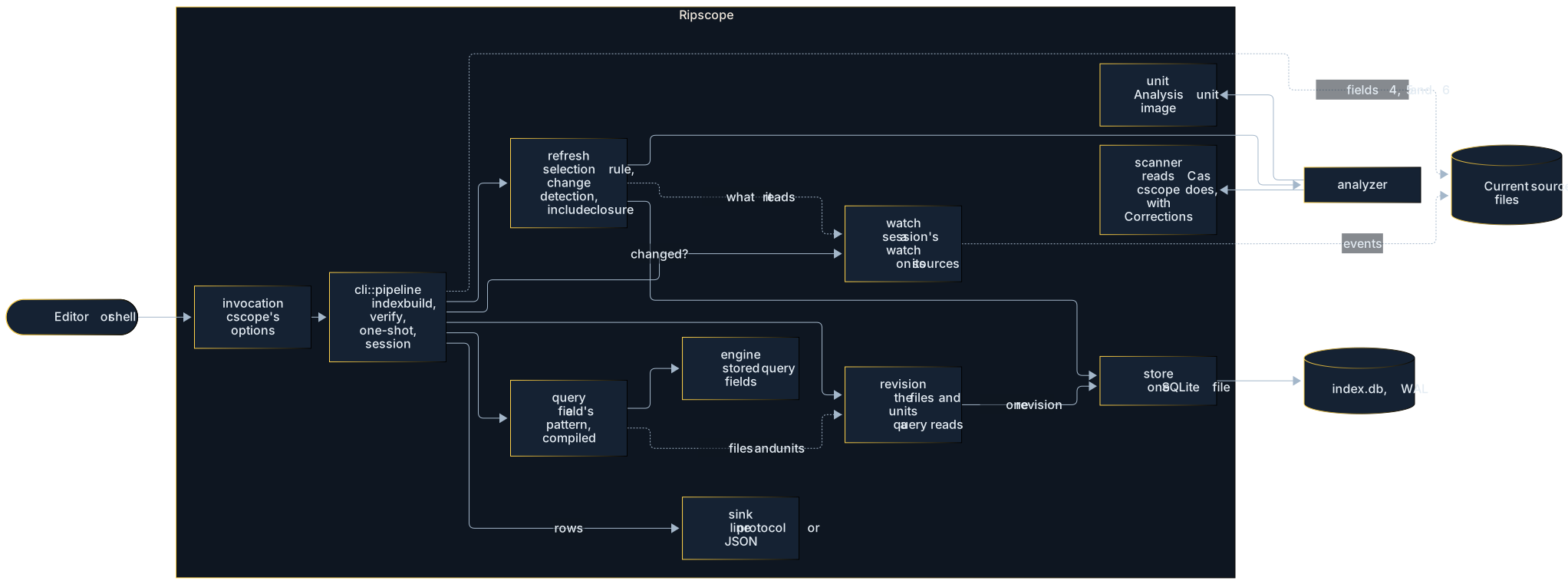
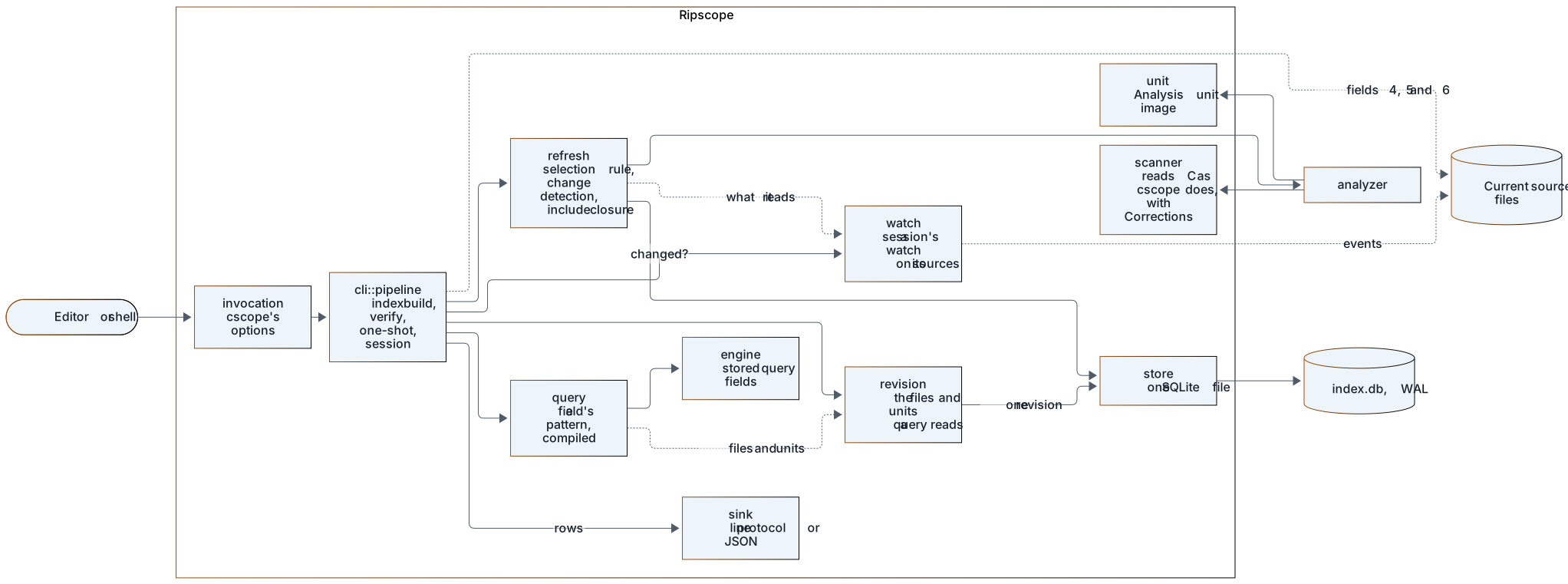
| Module | Responsibility |
|---|---|
invocation | Reads a command line the way cscope reads its options, and refuses what Ripscope cannot honour. |
cli::pipeline | Index builds, --verify, one-shot queries and sessions. Frames answers, prompts and requests that cannot be answered. |
refresh | Applies the selection rule, detects changed files, analyses them and follows #includes, then publishes one revision. |
refresh::includes | Owns effective include search directories and lookup caches for one Refresh, and records what it asked the file system so a later Refresh can ask again. |
watch | A session’s Watch: covers what each Refresh reads before it reads it (inotify on Linux, ReadDirectoryChangesW on Windows) and tells the session before each query whether a Refresh could find anything changed (ADR 0008). |
analyzer | The Analyzer: reads a captured source into its Analysis unit with a set of Corrections, and names itself, so an index knows which analyses it holds. |
scanner | Turns a file’s bytes into cscope’s line records. Corrections are switchable readings at named decision points. |
unit | The Analysis unit: a file’s displayed lines and ordered navigation events, as one validated image. |
store | The one SQLite file: selection rule, files in database order, shared units, include operands. |
revision | The index revision a query reads: the indexed files in database order and their Analysis units, read from the index in one transaction or made in memory for the compass and tests. It is the one place queries read a revision. |
query | Compiles a query field’s pattern with the product’s limits, as a stored query or a live text query, and gives a stored query’s Result rows with their context column. |
engine | Answers fields 0, 1, 2, 3, 7, 8 and 9 over Analysis units with Ripscope’s own query semantics, and keeps cscope’s sequential search as the oracle. |
sink | Encodes, counts and spools result rows in their output order, and places answer warnings for each reader. |
Updating an index
An index build (-b), a query without -d, a session’s r and an updating session’s
query after its Watch reports a change all bring the index up to date the same way: one
SQLite transaction that holds the write lock from start to commit. A Refresh tells the
Watch its rule and starting revision before it reads any file, and what the revision it
leaves holds.
After applying file-list options, Refresh constructs one private Include resolver. Discovery returns canonical indexed spellings in cscope’s build-root and include-directory order, stopping at already-listed paths. It asks the file system only whether a candidate is a regular file spelled exactly (through directory listings on Windows), and its caches start fresh for each Refresh. Each file is read from its own bytes, without the headers it includes (ADR 0003, “Each file is read as written, without a compiler or preprocessor”), so only a file whose bytes changed is analysed again.
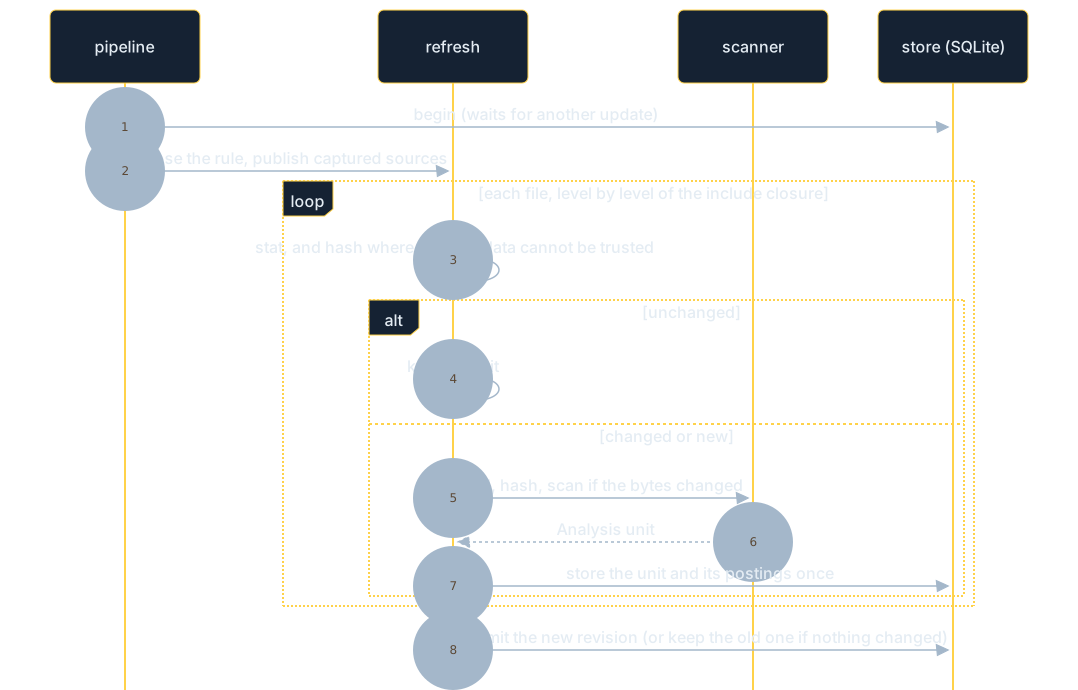
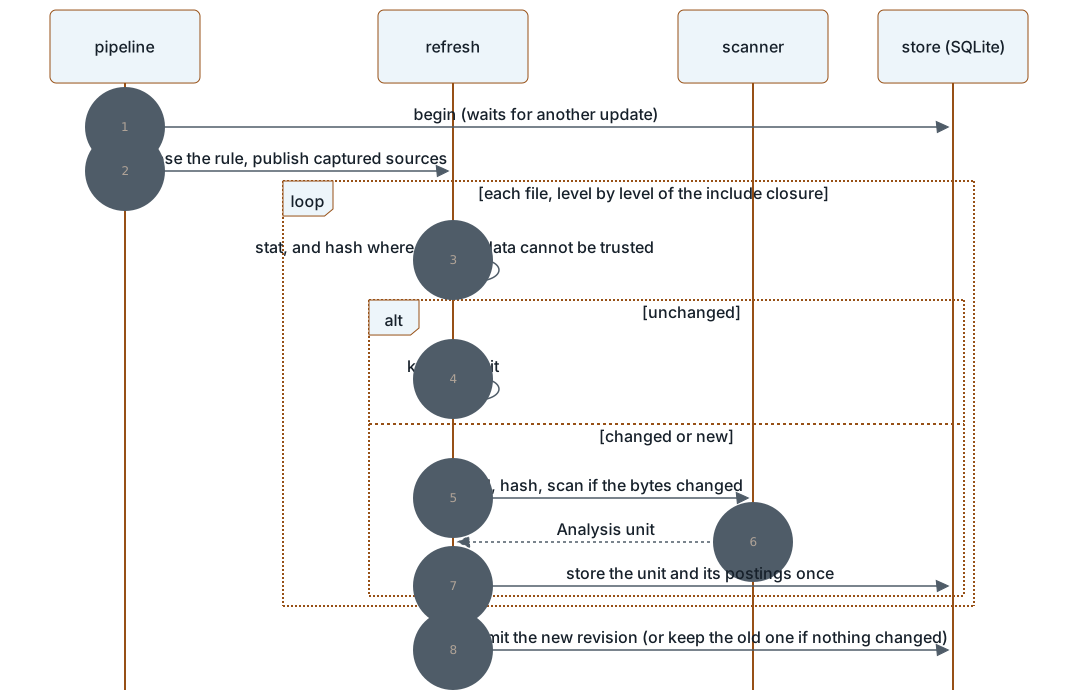
Readers keep the revision they started with while an update runs, and a session sees the new one at its next query.
Answering a query
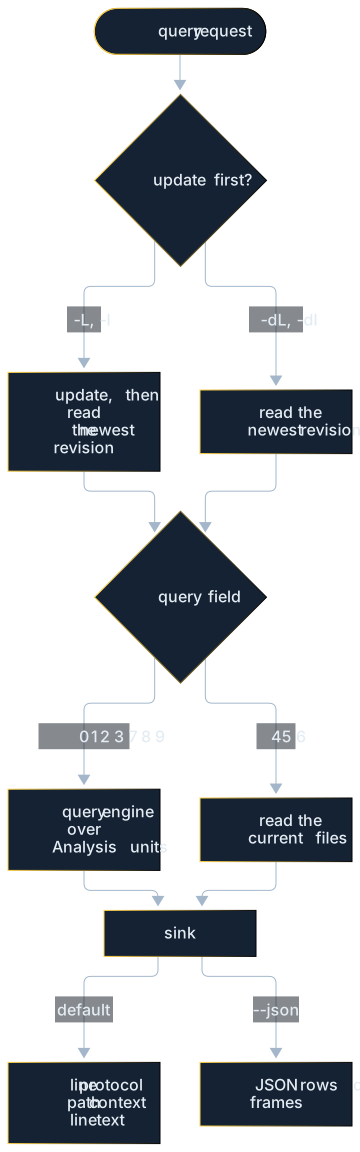
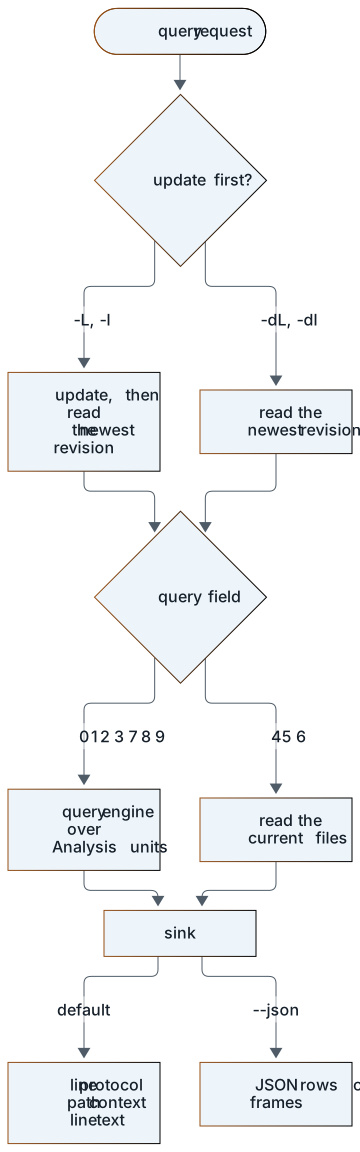
The result sink spools answers, so their row count and any warnings are known before the first row is written. It keeps rows at file scope before the other rows, including when several threads answer parts of a query. Each of its two streams keeps up to 8 MiB in memory for a complete answer, or 1 MiB for a part, then spills to a temporary file.
The transport supplies the result header. The sink writes answer warnings to stderr before that header for line sessions and one-shot queries (including one-shot JSON), or as warning frames after the rows in JSON sessions. Vim’s short notice and RETURN acknowledgement remain session framing. A failure while finding or spooling rows delivers no partial answer, and a failure while writing the finished answer stops delivery.
Where to look in the code
| Question | Start at |
|---|---|
| How arguments are read | src/invocation.rs |
| Index builds, queries, sessions | src/cli/pipeline.rs, src/cli/pipeline/ |
| Reading C | src/scanner/ |
| The index file | src/store.rs |
| Updates and the include closure | src/refresh.rs |
| Query fields | src/query.rs, src/engine.rs, src/query/pattern.rs |
| What a query reads from the index | Reads in src/engine.rs, src/revision.rs |
| Output | src/sink.rs |
Index storage
An index is one SQLite file (ADR 0005), at
the path -f names or ripscope.db. SQLite keeps its -wal and -shm files beside it.
They can remain between queries. Move, copy or delete the complete Index together.
What it holds
| Table | Content |
|---|---|
meta | The revision number, the revision’s indexed paths in database order as one value (each path’s length, then its bytes), which field 7, text searches and a Session’s start read at once, the index’s identity (16 random bytes written when it was created, and again by each update that analyses every file again), the block size, the selection rule (the directory the index is built in, sources, include directories, -k, and INCLUDEDIRS/INCDIR as they were at the index build), and the analyzer’s identity (scanner version, enabled Corrections, image version). After a clean Refresh, a record of what it observed (see below). |
files | The indexed files in cscope’s database order: the path as displayed, its Analysis unit, size, modification and status-change times, file identity, SHA-256 of the bytes analysed, and when they were last read. |
units | Analysis units, keyed by the bytes’ hash, suffix mode and analyzer identity, so identical files share one unit: a file is read without the headers it includes (ADR 0003). Each unit records how many blocks hold its lines. |
blocks | Each unit’s lines in blocks (ADR 0011): runs of consecutive lines, each an Analysis unit image of its own with the macro and the function its first line starts inside. Block n of unit u has the id u << 20 | n, so a unit’s blocks are one range of ids, in order, deleted with the unit. |
operands | Each distinct include operand the units hold, without its delimiters, removed once no include uses it. |
includes | Each Analysis unit’s include operands, as operands ids, with where each sits (block, line, the line’s record in the block and the name’s index) and its includer row (the text it shows and the name its line’s reading resumes at), so an update follows #includes without decoding the units, and field 8 matches each distinct operand once and answers from the includes of those it matches, read from one index, without reading blocks. |
names | The name postings: for each distinct name, the units that hold it, in unit order, with the roles it has in each (the marks of its occurrences, and whether one is assigned) and the blocks a query for it reads there (those it occurs in, and those that start inside its macro’s or function’s body), so a query finds the files that hold a name it asks for, or one its pattern matches, without reading every unit, and for a name it asks for, the blocks. For each unit they also record the rows an exact-name query in fields 0, 1, 2, 3 and 9 answers: each row’s line, block, record and name, and its context as a reference into the block (ADR 0011). |
The application id (RIPS) and schema version (PRAGMA user_version) identify the
file. No source copies are kept: stored queries answer from the displayed lines in the
units, and text searches read the live files.
The names table has a separate primary-key index. Its posting lists stay in table
leaves: putting large lists in the intermediate nodes of a WITHOUT ROWID table makes
unrelated name lookups read those lists too. The separate index repeats the names and
takes more space, in exchange for keeping that cost out of lookups and updates. It also
adds index-to-table consistency checks to SQLite’s full integrity check.
Opening
An index is created only where no file exists, in an empty file, or (by an index build)
over a Ripscope index of another schema version, first written beside the path and then
moved into place. Ripscope creates that file itself, before SQLite writes it, so a new
index gets the permissions the umask gives any new file (SQLite would make it 0644, less
the umask). On Unix an index that replaces another keeps that one’s permission bits, and
its group and owner where the process may give them (a member of the group, or root). Only a
process that may write an index replaces it, and only once the old index’s -wal, -shm
and any -journal are removed, since SQLite would replay them into the new one. On
Windows, where a file another process has open cannot be removed or replaced, the
replacement waits up to ten seconds for them. An index build or update that would make a
new index first checks that its selection rule finds a file, so one that finds nothing
leaves no file behind. Anything else (a cscope database, any other file) is refused
untouched, judged from the file’s first 100 bytes. Readers open it read-only in effect
(query_only), so they can still recover the write-ahead log after a writer crashed. An
index is not created or updated on storage where the write-ahead log is unsafe (network,
cluster and shared-folder file systems, WSL’s view of Windows drives, FUSE mounts no local
disk backs, Windows shares). An index build that makes the index in a folder OneDrive
synchronises warns that OneDrive may lock or copy it.
A query closes its connection after reading one Index revision, leaving SQLite’s WAL companions for the next query instead of checkpointing and deleting them on every close. On Windows an idle Session holds no SQLite connection or file handle, so its Index can be moved or replaced. Writers retain SQLite’s normal checkpoint and cleanup. If a reader outlives a writer, the WAL can hold the newest committed revision even after both connections close. Keep it and the shared-memory file with the main file. Removing companions alone can discard committed changes.
Updating
An update takes SQLite’s write lock (BEGIN IMMEDIATE) for its whole run, waiting up to
60 seconds for another update (a query’s update does not wait: it answers from the last
revision). It then:
- chooses the selection rule after acquiring the lock: the saved rule for Refresh,
or the invocation’s for an index build. It applies the explicit files, the list
(read again), or automatic discovery (
cscope.filesif it can be read, else the directory’s sources). If the selected names and options hash as the last clean Refresh recorded, every file of the current revision is unchanged (as in step 2), and the file system gives every answer that Refresh’s include resolution relied on (which candidate names exist as regular files spelled exactly), it would publish the same revision, and it stops here. The record names the revision and its file rows, and a Refresh that reports missing or unreadable files removes it. - for each file, level by level of the include closure: keeps its Analysis unit when size, times and identity match and the file was last read more than two seconds after its last modification. Otherwise it reads and hashes the file, keeps the Analysis unit if the bytes match, and scans it if not, storing its unit once. A file’s unit depends on its bytes alone, so no other file is analysed again for it.
- follows the discovered Include operands through the directory the index is
built in (for quoted operands), the
-Idirectories, the list’s,INCLUDEDIRSand the system directory, in that order, as cscope does. - replaces the file list, deletes units no file uses with their blocks and name postings (found from each unit’s blocks), bumps the revision and commits, or, if nothing differs, commits nothing.
It stores each new unit as blocks: lines go into a block until their records take the
index’s block size, so a block ends with the line that reaches it, however long, and the
next line starts another, with the scope the lines before leave (a unit needing more
than 2^20 blocks is refused as too large). The block size is recorded when the index is
made: 16 KiB, or one the environment variable RIPSCOPE_BLOCK_SIZE gives (tests store a
block for each line). Every update of the index uses it, so that every unit is split by
one size. When it cannot be read, an update that must store a unit fails, until one that
analyses every file again (-u, or the first after the analyzer changes) records the
size a new index gets. Each update that analyses every file again also gives the index a
new identity, so that sessions stop using the blocks they keep, which another size may
have split.
It collects the name postings of the units it adds and drops, and writes them in batches
of up to 8 million: in each, each name’s list is read, changed and written back once, in
name order, and an index build afresh writes its first batch without reading. When the
analyzer changes, every unit goes first, with the postings, as with -u. A posting list
that cannot be read makes a query for its name, or a pattern that matches it, read every
file, with a warning, and an update that changes it fail until the index is rebuilt with
-bu. A names table SQLite cannot read does the same for any pattern, and for an exact
name whose lookup meets the damage. ADR 0011
records the tradeoffs behind the block size and verification.
A file that cannot be read keeps its last Analysis unit and is tried again next time. An
index build leaves it out. When none of the selected files exists, the update fails and
the index keeps what it had. When the analyzer’s identity differs from the one stored,
every file is analysed again. -u drops every Analysis unit first, so each file is
analysed again.
Reading
A query reads what it needs in one read transaction (src/revision.rs): field 7 and
text searches the paths alone, a query for an exact name the blocks its postings list,
formatting in fields 0 to 3 and 9 only the lines they record,
a regular expression or -C name pattern every block of the files the postings of the
names it matches list (one pass over the names, or for a case-sensitive regular
expression with literal prefixes over those ranges of names alone, decoding only the
lists of those it matches), and field 8 the recorded rows of the matching includes and
no blocks. The blocks of a unit several files share are read once. It never reads
the whole file list with its eight columns. It decodes the blocks a part at a time, a part
ending between files once it holds about 1 MiB of images, which up to three other threads
walk while it reads the next, and lets each part go once it is answered, so a query holds
a few parts’ blocks whatever it reads: the one it reads, one for each walking thread, and
more only while they hold at most 2 MiB of images for each.
Its read transaction, and so the open index, lasts as long as the query takes, seconds for
a common name or a broad pattern on the kernel. On Windows an index build that replaces
the index waits up to ten seconds for it. An index that holds no published revision yet
(one another process is making afresh, or whose first index build failed) is treated as a
missing one: a query fails. A session holds the index open between queries, so that a
query does not open it, read its schema and prepare its statements again. Each query
still reads the current revision in a transaction of its own, and fails, saying why, when
it cannot. On Unix an index another file replaced is noticed before each query by the path
naming another file, and opened afresh. On Windows a held file cannot be deleted, moved or
replaced, so there a session lets go of the index after each query and each update.
It keeps the blocks it decoded,
up to 256 MiB of images, by the index’s identity (a random value written when the index is
created, and again by each update that analyses every file again), each unit’s key and the
block’s number, for the queries after. The first query of a session that reads a unit
whole checks its whole range of blocks, as a query does without a session, and a unit’s
blocks go together, the least recently used unit’s first.
A unit that cannot be read leaves its file out of the fields that read units, with a warning: all of them when the stored analyzer names another unit image version (an index another version made), else the damaged ones, found where a query reads them: a damaged block leaves its file out of the queries that read that block, and only those.
Checking
--verify runs PRAGMA integrity_check and foreign_key_check and checks that the block
size can be read, brings the index up to date reading every file, and reads every Analysis
unit once: its blocks must all be there and decode, and be the blocks that splitting their
lines again with the index’s block size gives, start scopes included. It also checks that
no block belongs to no unit, that the path list holds the indexed files’ paths in order,
that the include records are exactly the units’ includes,
and that the name postings, block lists and answer rows included, are exactly
those of the units. Rebuilding the index with -bu is the repair.
How Ripscope reads C
This page specifies how Ripscope’s analyzer turns one source file into an Analysis unit
(ADR 0004). The baseline, with
Corrections off, targets the pinned reference cscope’s observed reading. The
probe fixtures in tests/fixtures/scanner/ record that executable’s
output on small synthetic files (examples/scanner-probes.rs). The
evidence index describes their scope.
Where this page and the binary disagree, the binary wins, and this page is corrected.
Probe names are cited in brackets, for example [01-basics]. A probe cited as [open: name]
is kept in tests/fixtures/scanner/open/: the reference’s records of a reading the
baseline does not reproduce, where Ripscope defines its own behaviour (ADR 0004).
The page describes behaviour, in Ripscope’s words and in Ripscope’s structure. It is written to be implemented from.
1. Input
-
Bytes. The analyzer reads the file’s bytes. Encodings are not interpreted.
-
Lines. Lines end at LF. A CR is ordinary whitespace, so CRLF files read like LF files [15-crlf]. A missing final newline changes nothing [16-no-final-newline].
-
Line continuation. A backslash immediately before a line end joins the two physical lines for the language, but each physical line still produces its own record. The backslash stays in the displayed text [06-macros].
-
Suffix mode. The file name’s last extension selects a mode:
.lis lex..yis yacc..sdis a state description..bpis a breakpoint listing.- Anything else is C.
See section 10.
2. Tokens
- Identifier: a letter,
_or$, then letters, digits,_or$[14-edge-identifiers]. - Number: an optional
., a digit, then digits,., hexadecimal letters and the suffix letterslLuUxX. A$after a number starts an identifier, so0x1F$gives the plain symbol$[14-edge-identifiers]. - Keyword: one of the C keywords known to the reference, listed in section 8. Keywords are never symbols.
- String and character literals:
- Their contents are opaque: nothing inside is a symbol [07-literals].
- A backslash escapes the next character.
- A literal left open at the end of a line ends there, and reading resumes normally on the next line [07-literals].
- A backslash-newline inside a string literal continues it onto the next line. The reference’s database then holds a raw line break inside the record, and its display drops part of the next line. Ripscope removes only the backslash and newline (a Correction) [07-literals].
- Comments:
- A block comment reads as one blank. A comment spanning lines ends the current record at each line break, except inside a macro definition, where it does not.
- A line comment ends the line [08-comments].
- Whitespace: blanks, tabs, CR, VT and FF. See section 7 for how it is displayed [17-control-whitespace].
3. Records
-
What is stored. A record is stored for a physical line that ends up with at least one symbol. The symbols include empty-named markers:
}function ends, macro ends, and a tag’s mark at a{whose tag was never recorded (its name was a keyword orclass, as instruct class {) [28-class]. A body without a tag (struct {) records no marker [13-structs]. -
Where a name or marker starts. A name starts where the text collected so far ends. Two things leave that position behind: text written in place of a marker (the
}of a function end, the{of a tag marker, a closing%%), and a recorded name, after which the position stays at the name’s start until more text is collected. So a name written directly after a function’s}starts at the brace (}gis recorded as a Global named}g), and a marker right after a name starts at the name. -
Numbering. The record’s number is the physical line where it starts.
-
Displayed text. The record keeps the line’s text as displayed (section 7), with each symbol at its position.
-
Symbol order. Symbols appear in text order, each with a role:
Role Mark Meaning Plain (none) Any other identifier occurrence Define #Macro name in #defineDefineEnd )Macro definition ends Function $Function definition FunctionEnd }Function body ends (empty name) Call `Called name Include ~Include operand, with its opening "or<Global gFile-scope variable definition Member mMember or enumerator of a file-scope aggregate Struct sstruct tag definition Union uunion tag definition Enum eenum tag definition Typedef tTypedef name Class cclass tag definition -
De-duplication on a line. A name already recorded on the same line, with the same role and the same count of function definitions seen so far on that line, is not recorded again [12-dedup]. Empty-named symbols are never de-duplicated. Names compare as the line’s bytes stand at that moment: once a
#defineor#includelater on the line has written its code over the line’s first byte, a name there no longer equals a later occurrence, so both are recorded [27-define-after-name]. -
Where a macro end goes. It is normally a separate marker after the last record of the definition. When the definition’s last recorded name was de-duplicated, it becomes an inline empty-named symbol at the end of the record instead [12-dedup].
4. Scope and state
The analyzer tracks:
- brace depth: it never goes below zero. A stray
}at depth zero does nothing [18-unbalanced]. - parenthesis depth: also never below zero.
- whether it is inside a function body, a macro definition, or the body of a file-scope aggregate.
- the pending declaration context:
- after
extern, until the;at that depth. - after
=at file scope, an initializer, until the next,or;at that depth. - inside
[...], an array dimension. - after
:at file scope, a bit-field width, until,or;. - after
typedef, the typedef state, until the;at that depth.
- after
A } that brings the depth back to zero ends:
- an aggregate body, if one is open.
- otherwise the current function, recording
}[01-basics].
Inside a class body the same applies at depth one.
The private Declarators module holds the form and parameter-list state inside
the cloneable declaration state. It owns bounded pointer-object and typedef
proof composition, deferred list activation and the keyword, delimiter and
statement paths that end those readings. Name preparation installs split-list
evidence before ordinary macro/head decisions. Finishing refines their reading
and handles typedef evidence in the existing order. Scanner callers consume
source, render keywords and emit records. The persistent Bodies and LookAhead
instances keep their own cache and work accounting.
List opening runs before the parenthesis counter changes. Closing runs after it changes. Brace and statement operations keep their own termination phases. Deferred lists activate only at a matching original source position. Macro snapshots contain nesting plus declaration state, including Declarators. Conditional snapshots and joins do not hold its form or parameter-list fields.
5. What each identifier becomes
Deciding a role often needs look-ahead beyond the identifier. The competing candidate shapes are compared by how much text each one matches, and the longest match wins. Among equal lengths, the order below decides. Comments count as whitespace inside these shapes, which can reach unexpectedly far (section 9).
-
Function definition. The name is followed by:
-
a parenthesised parameter list holding only words, numbers, whitespace or comments and
* & [ ] = , . :. The only nested parentheses allowed are a function-pointer parameter (the Debian rule [03-function-pointer-params, 22-nested-parameters, 23-nested-parameters-blanks]), which has exactly this form:(,*, a name and), separated only by blanks, with no line ends or comments.- then blanks and
(. - then any text without parentheses, line ends and comments included, up to
).
Every other nested form keeps the name from being a definition:
(cb)(int),(**cb)(int),(*cb[4])(int),(*)(int), a bare(*cb),(*cb)(int)(int), arguments that themselves contain parentheses, and a line end between the two parts. -
then any run of parentheses and whitespace.
-
then a body-start character:
{,:, a letter,_or#, which admits K&R declarations [02-kr].
It is a Function definition when all of these hold:
- brace depth is zero, or one inside a class.
- the line is outside a macro definition, and it does not start with a directive (section 6 explains a subtlety).
- the file is not in a lex or yacc rules section.
Otherwise the shape is treated as a call.
-
-
Call. The name is followed by
(and argument-like text. It is a Call inside a function body, a macro definition, or a lex or yacc rules section. At file scope the shape instead starts a pending parenthesised form, during which no global definitions are recorded, until the matching), or until a keyword other thantypedef,extern,enum,structandunionappears at the parenthesis depth where the form started. This is not yet probed, and [32-forms] shows how easily a file-scopeNAME(...)followed by a word reads as a K&R function head instead. -
Declarator after a type word. The name is followed by a run of
*and whitespace, then another identifier. The name is recorded as Plain, and reading continues at the next identifier. -
Anything else. At file scope the name is a Global definition, or a Member inside a file-scope aggregate body, unless any of these holds:
- a macro definition is open.
- the line is a directive.
extern, an initializer, an array dimension, a bit-field width or a pending parenthesised form is active.- a function body is open.
In those cases it is Plain.
After the role is chosen:
- Keywords. A keyword records nothing.
typedefstarts the typedef state, andexternstarts the extern state. - Tags and typedefs.
- An identifier that follows
enum,structorunionand is itself followed by{becomes a tag definition. - A tagless
{after one of those words marks a tagless aggregate. - In the typedef state, the names that are neither the type’s first word nor inside an array dimension become Typedef names [10-extern-typedef].
- An identifier that follows
if (.if, then optional whitespace, then(is consumed without looking upifas a keyword, which affects the display (section 7) [19-if-lookahead].- Classes.
class, whitespace or comments, a name, and then only names, parentheses, colons and whitespace or comments up to{, makes the name a Class tag definition. Inside the class body, depth one counts as the top level for function definitions.classfollowed by anything else is an ordinary identifier, and a tag pending fromclassis not taken by a secondclass[28-class].
6. Preprocessor lines
Scan recognizes directives, consumes their source and accounts for physical
lines. Its private ConditionalArms module owns opening snapshots, alternate-arm
restoration and delayed closure, borrowing the live nesting and declaration
state and the existing look-ahead. It consumes no source and emits no Navigation
facts. Saved state is limited to the brace, head, call, typedef-prefix, tail and
structure readings below. Parameter-list state and macro snapshots stay outside
this lifecycle.
- Directive mode. A
#followed by optional whitespace starts one, except in lex and yacc rules sections. #define NAME. Records Define. The rest of the logical line, continuation lines included, is a macro body read in macro context: calls are Calls, and nothing there is a Global. The logical line’s end records DefineEnd [06-macros].#include "x"and#include <x>. Record an Include whose name keeps the opening delimiter, and the file is followed. Text after the operand is read normally.- In the reference’s default database the directive’s first byte is replaced by a
keyword code, so the directive test in section 5 does not see a
#for the rest of that line.
- In the reference’s default database the directive’s first byte is replaced by a
keyword code, so the directive test in section 5 does not see a
#if,#ifdefand#ifndef, each followed by whitespace, remember the brace depth.#elseand#elif. Remember the deepest brace depth reached so far in the group, then restore the depth from before the#if.- A lone
#. A#directly followed by the line end keeps that line end inside the record, so the next line joins it. The raw line end is not displayed. Like a keyword code, it skips the blanks and letters after it, except a keyword that already carries its own code [31-hash-lines]. - The
#definename starts after the last space or tab of the directive, so a vertical tab or form feed after a space becomes part of the name. With neither, it starts after the blank run [31-hash-lines]. #endif.- It sets the depth to the deepest of the arms.
- Pseudo-elif: when the next thing after the
#endifline, skipping only whitespace and comments, is another#if/#ifdef/#ifndef, and no#elsehas been read since the most recent#if(an#elifdoes not count), the new#ifis treated as an#elifof the old group [04-conditionals, 05-banner-comment, 29-elif-pseudo].
- Unspaced directives.
#if(C)is not recognised as a conditional, because whitespace is required. Its identifiers are Plain [04-conditionals]. - Other directives.
#undef,#pragma,#errorand the rest record their identifiers as Plain [06-macros].
7. Displayed text
- Blanks.
- Leading whitespace is dropped, and so is trailing whitespace [09-display].
- Any run of tabs, CR, VT or FF, and any run of two or more whitespace characters, becomes one blank [09-display, 17-control-whitespace].
- A block comment becomes one blank.
- Keyword spacing. It comes from the reference’s database compression, so the
database it compares against must be the default one:
- The keywords
#define,#include,case,char,double,else,enum,extern,float,goto,int,long,register,short,static,struct,typedef,union,unsignedandvoiddisplay followed by exactly one blank, whatever followed them. So(unsigned)xbecomes(unsigned )x, and(void)becomes(void )[09-display]. for,if,switchandwhiledisplay as the keyword, a blank and(, swallowing the source’s own(and the blanks before it:while(x)becomeswhile (x)[09-display].break,continue,default,returnandsizeofdisplay unchanged.- Only keyword occurrences that reached the analyzer’s keyword lookup are respaced.
ifdirectly before(never does, soif(x)staysif(x)[09-display].
- The keywords
- Control bytes. The reference’s database cannot tell a raw control byte (for example a form feed inside a literal, or the line end of a continued string literal) from a keyword code. After one it skips text the way it does after a keyword: blanks, then letters, then the keyword’s own spacing. The continued literal in [07-literals] loses the next line’s first word this way. The baseline reproduces the skip. Ripscope’s own display keeps the text, through a Correction.
- Literal bytes are shown as they are. The reference mangles bytes above 0x7F into digraph pairs. Ripscope keeps them, and escapes control bytes only at the line-protocol output.
How the reference stores a line
The reference stores each line as units, and some details of the display and of field 9 follow from them rather than from the text:
- Units. A blank, a keyword code, a pair of characters packed into one byte, or any
other byte. A blank followed by one of
tnerplais packed with it. While names are still to come on the line, a character fromteisaprnl(of)=cfollowed by one oftnerplais packed as a pair, unless the second character starts a name. Once the last name is written, nothing more is packed. This is why a blank run after a packed character can leave two blanks in the displayed text [09-display]. - After a keyword code or a raw control byte, the stored text continues past blanks,
then past letters (the rest of the keyword, or for a raw byte the next word, stopping
at another keyword’s code), and, for a keyword displayed with a following blank or
(, past the source’s own blanks and(. - A name’s assignment flag (field 9) is decided on the units after the name, within
its own fragment: skipping blanks (where the codes of
else,enumandexterncount as blanks), an assignment is a=not followed by=, a pair starting with=, one of+ - * / % & | ^followed by=, or<<=/>>=[26-assignments].
8. Keywords
The reference’s keyword table, a compatibility fact, has:
- the compressed keywords listed in section 7.
do,auto,fortran,const,signedandvolatile, which are keywords but are not respaced.
9. Look-ahead that reaches far
Whitespace positions in the section 5 shapes, and in the pseudo-elif shape, accept
comments. A block comment shape ends at the first */, except that a comment ending in
exactly **/ is not matched by the reference’s comment shape. The shape then extends to
the next */ anywhere later in the file. That changes which candidate is longest:
- a later banner comment can flip a pseudo-elif [05-banner-comment].
- the same effect decides definitions after a
/** doc **/comment [08-comments].
Ripscope reproduces this without a window. A comment that can end in several places is evaluated once per shape phase from per-file tables built from the last comment end backwards, so each file costs linear time however its comments are arranged.
10. Suffix modes
- Lex (
.l) and yacc (.y):- The file starts outside file scope.
%{enters file scope and%}leaves it.- The first line-initial
%%starts the rules section and records a Function namedyylex(lex) oryyparse(yacc), displayed as%% /* yylex */. In yacc it also records a Call toyylex[20-lex, 21-yacc]. - Inside the rules section,
name(is a Call, and preprocessor lines are not directives. - The second
%%ends the section with a FunctionEnd and returns to file scope. - Files of the other modes treat these markers as a yacc file does:
%{and%}enter and leave file scope, and a line-initial%%opens ayyparsesection that callsyylex[30-sections-in-c].
- State descriptions (
.sd) and breakpoint listings (.bp) are not yet probed. Ripscope reads them as C, except that'does not open a literal in.sdfiles. The reference’s extra rules for them (STATEblocks, breakpoint columns) are not reproduced. These suffix modes are outside Ripscope’s C-only product scope.
11. Limits
-
Long symbols. An identifier is stored whole at any length [40-long-symbols: 249 to 300 bytes]. The reference checks the length of what a rule matched against 250 bytes where the rule reaches
definition:infscanner.l, but an ordinary identifier gets there throughyyless(0), which sets that length to 0. In C only a#defineline arrives with its whole match,define, the blanks after it and the name (in.sdfiles aSTATEline too), and it passes the limit once the three together are longer than 250 bytes: from a 244-byte name after one blank, a 243-byte one after two (a tab counts as one blank, and blanks between#anddefinedo not count). The reference then ends its line buffer 250 bytes after the name’s start, but keeps the name’s own end:- A name longer than 250 bytes is cut to 250, and the stored text after it is written
from there, so the symbol takes in as many bytes of that text as the name had past
250, up to the line’s end (
#define m…x 1with a 251-byte name: 250 bytes of the name and the blank). A name that starts inside the taken-in text is lost, and so are every later name on the line and, if the macro ends on that line, its end, since the reference writes the next symbol only when it reaches that symbol’s start. Otherwise they are kept. Where a name starts exactly at the end of the taken-in text, the empty text between them makes the reference’s queries misread the line: field 1’s row stops after the name, and a match in field 0, 2, 3 or 9 on a name after it aborts the whole query withcannot get source line from database. - A name that passes the limit at 249 bytes or fewer keeps its end, and the stored line holds, up to 250 bytes after the name’s start, the NUL that ends the copied name and then whatever earlier lines of the same file, or of files analysed before it, left in the buffer (undefined behaviour, below). A 249-byte name leaves exactly the NUL, so its record does not depend on what came before. The NUL reads as a keyword code: when nothing but NULs and blanks stand between it and a value that starts with a letter, the rest of the line’s names and the macro’s end are lost. At exactly 250 bytes the reference only warns, and its record is the line as written.
The baseline reproduces neither. It stores every name whole and the line as written, under ADR 0004, and a unit test pins that reading against the reference’s records [open: long-define-names]. Queries treat long names differently too. The reference shows function and macro names cut to 250 bytes in the function column of fields 0, 3 and 9, matches a regular expression against only a name’s first 250 bytes (an ordinary identifier’s too), and refuses a
-Lpattern longer than 250 bytes (a session splits a longer request). Ripscope shows and matches names whole and takes patterns up to 4,096 bytes. - A name longer than 250 bytes is cut to 250, and the stored text after it is written
from there, so the symbol takes in as many bytes of that text as the name had past
250, up to the line’s end (
-
Statement length. The reference’s statement-length check almost never takes effect. Ripscope never drops a line, and its look-ahead costs linear time (section 9).
-
NUL bytes. The default database stores a NUL like a keyword code, so the text after it loses its blanks and letters, and the baseline does the same [probe:
x = 1;\0 y(z);loses the cally]. The reference’s queries then misread the database, which uses NUL as its block sentinel. Ripscope’s queries read it safely. -
Undefined behaviour in the reference. Where the reference hangs (long blank runs) or reads out of bounds, Ripscope’s behaviour is its own, and scanning stays within the line. After a
#definename of 248 bytes or fewer that passes the limit (above), the reference’s stored line holds bytes that earlier lines left in its buffer, so its record depends on the earlier lines of the same file and of files analysed before it. Ripscope stores the line as written. An include operand whose delimiter comes before earlier names on its line (a < b; #include "x/../y.h") leaves the reference showing stale bytes. Ripscope drops the names after the delimiter.
12. Corrections
A Correction reads a construct differently from the reference because the reference’s
reading is wrong (ADR 0002). A clear fix is
enabled once it is measured on the corpus and loses no real definition. A Correction
that trades a correct reading for another stays off. All Corrections below except
return-type-wrappers are enabled. The index is built with the enabled ones, while the
baseline, read without them, stays the reference reading the compass compares with
cscope.
tests/fixtures/scanner/intended/ holds the enabled reading of each probe that reads
differently from the reference’s records in expected/, and every Correction has such
a probe. Linkage-blocks, definition-bodies, directive-continuations, crlf-continuations,
unspaced-conditionals, macro-bodies, initializer-entries, definition-heads,
macro-line-comments and extern-definitions stop “leaks”: readings that set a state
the reference never undoes, or miss a function’s head, so that what follows reads
wrongly. Pointer-declarators, parenthesised-typedefs and typedef-qualifiers read
declarations the reference misreads on their own line: the first two define names the
reference never defines, and typedef-qualifiers stops a false typedef. Each can be
switched on alone for measurement (--corrections NAMES on the hidden --dump-units,
--units-query and --store-build commands, or enabled or all), though several
depend on each other: alone, linkage-blocks exposes misread heads inside the block,
macro-bodies needs macro-line-comments for commented macros, macro-line-comments needs
directive-continuations, definition-heads needs definition-bodies to close the
reference’s false definitions, pointer-declarators needs definition-bodies (alone it
keeps the reference’s parameter Members, and also defines the pointer parameters of a
member’s function-pointer parameter list), and macro-bodies needs extern-definitions
after an extern function definition. Alone, extern-definitions lets the reference’s
other misreadings show where its extern state hid them: a body read at file scope,
designated initializer entries, and file-scope bodies in extern "C" blocks. The other
Corrections stop them.
-
linkage-blocks.
extern, a string literal on one line, and{, with only whitespace or comments between them, open a linkage block. Its{and the}that closes it leave the brace depth alone, and thisexternstarts no extern state, so the block’s contents read as at file scope.extern "C" { struct s { int a; }; /* reference: a plain; corrected: a Member */ int counter; /* reference: plain; corrected: a Global */ int f(void) { g(); } /* reference: f and g plain; corrected: $f, `g, } */ } -
definition-bodies. Where the Function definition shape (section 5) matches, the name is a Function definition only when a body follows its parameter list:
- between the list and
{may come parenthesised declarator parts, words, comments and directive lines, but notstruct,unionorenum. - after a list of plain parameter names there may instead be up to one
;-terminated declaration per name, with{right after the last;(K&R). An entry may be several plain words, a name and a parameter macro (len LOCALE_PARAM), and words other than keywords may stand between the last;and{, a declaration macro (LOCALE_PARAM_DECL) [75-kr-parameter-macros]. - at top level, a list that is neither typed parameters nor K&R names stops at a
following built-in type, separated only by whitespace, closed comments or line
splices: in
FORMAT(2, 3) void logprintf(...) { ... },FORMATis an occurrence and cannot borrowlogprintf’s body. Unknown type names and intervening directives keep their existing reading [60-numeric-prefixes]. - for a head inside parentheses (as in
int (*get(void))(int)), only what lies outside those parentheses ends the declaration or opens the body. - a head on any line of a directive is never a definition, and a head inside the
parameter list of a head already read as a definition is a parameter’s type, a plain
name. Once a head has both a written type prefix and parameter-list evidence,
a later annotation such as the kernel’s
__acquires(lock)cannot replace it. Heads without that evidence remain provisional so wrappers such asFT_LOCAL_DEF(T) get(...)keep their existing reading. Conditional arms restore the head state present before the group, allowing each alternative written head.
A head without a body is a function declaration: it reads as a pending parenthesised form (shape 2) that lasts to a
;or,at its parenthesis depth or outside it, to the)of a parenthesis around it, or to a{. A type or statement keyword at its depth ends it too, and is then also the type word a pendingtypedefwaits for, so after a macro line without;(DECLARE(x)) the nexttypedefstill defines its name. A keyword head without a body is only a keyword, and the same form starts after it. A head in a directive reads as an ordinary form. Outside functions and macro bodies, a(right after a)starts the same form, unless*or^follows it (inMACRO(int) (*hook)(void)that group is the declarator), so the parameter list of a parenthesised declarator ((*name)(int x),(name) (int x), a member’s(*cb)(struct h *h)) declares nothing. For a proven pointer group, the list may start on a later line or after a closed block comment: the scanner remembers its source position and opens this form there (the limits are under pointer-declarators below). This form also ends at a;or}of the block it is in, at any parenthesis depth, so a parenthesis left open by#ifarms cannot carry it on, and at a{outside its parentheses. While a definition’s head waits for its body, a call-shaped name is not a call, except on a directive line (a call in an#ifinside a parameter list is one from that function), in an array-bound expression, or in an explicit attribute’s expression payload. Nested array bounds keep the same rule.int f(int) __attribute__((pure)); /* reference: $f, and what follows is inside f */ int g; /* reference: plain; corrected: a Global */An attribute head (
__declspec,__attribute__or__attribute) is instead a macro among the declaration’s specifiers, an ordinary form that ends with its list. This applies before declarations and function bodies alike: in__declspec(dllexport) int f(void) { g(); }, onlyfdefines a function, and owns the call tog[47-attributed-bodies]. A head without a body is also a specifier when it begins its declaration inside a linkage block (PyAPI_DATA(int) name;). The name after it is then defined [45-specifier-macros, 46-linkage-declarations]. A word at the declaration’s own depth begins it, but not one in a directive, and a;,{or}ends it, except the}of an aggregate the declaration declares. The reference reads such a head as a call one brace deep, and defines the name, only after an innerexterndeclaration: before one, the block’sexternstate hides its declarations. Outside linkage blocks any other head without a body stays a function declaration (API_DATA(int) name;at file scope defines nothing), and so does a head after another word (char *f(int n) ATTR;,static M(T) name;). A trailing attribute cannot be told from a declarator, so in a linkage blockimplicit(int x) ATTR;,M(T) name ATTR;andM(x) struct tag;defineATTR,ATTRandtag(as the reference does after an innerexterndeclaration), and after two macros in a row (A(x) B(y) name;) the name stays plain. An initial specifier whose complete list contains only decimal numeric operands, optionally fractional and comma-separated, does not begin the declaration. ThusDEPRECATED(3.12) API_DATA(int) name;definesnamethrough the same specifier rule. Whitespace, comments and line splices may separate operands and delimiters. Names, types, nested lists, operators, literals, empty lists and directive boundaries keep their reading. This does not identify macro expansions: the existing implicit prototype ambiguity also applies after a numeric prefix, soDEPRECATED(3.12) implicit(int) ATTR;defines the trailingATTR[61-annotation-chains]. The look-ahead reads the parameter list and at most 64 KiB past it. No read, not even one through a comment, directive line or literal, goes past that window. It remembers its last scan, and a head whose parameter list that scan read at the same depth reuses it, so runs of heads such as X-macro lists cost linear time. Once it has read 16 times the file’s length plus 64 KiB, each later head gets a window of 256 bytes. The linkage-blocks, definition-heads and numeric-argument checks read within the same window and count toward the same limit. - between the list and
-
return-type-wrappers (disabled). At file scope, an invocation without a written return-type prefix is a type specifier when its simple type operand is immediately followed by a separate written function head and direct body. The operand contains built-in type words and qualifiers, or one opaque type word with a pointer star. It contains no parameter name, comma or nested group. Whitespace, closed comments and line splices may separate the pieces, but no directive or intervening annotation may. The wrapper’s name is an occurrence, its form closes with its own list, and the following head retains the type-prefix evidence. The whole check fits within 256 bytes and uses the existing direct-head classifier with a separate work tally, so it cannot narrow ordinary definition recognition.
#define API(type) type       /* both readings: a macro definition */
API(int) wrapped(void) { }   /* reference: $API and $wrapped; corrected: only $wrapped */
#undef API
int API(int value) { return value; }  /* both readings: a real $API definition */
int call(void) { return API(3); }     /* both readings: a real API call */
Bare
voidor opaque operands (API(void),API(T)), existing written return prefixes, prototypes, suffix annotations and nested wrapped heads retain their established reading. In particular, a list ending in a named typed inner list is unresolved, preserving the inner-head reading kept under ADR 0002. This rule performs no macro expansion and changes no displayed text [70-return-type-wrappers].A void-only operand can be a real C89 function’s parameter list followed by an empty suffix macro:
API(void) SUFFIX(void) { ... }with#define SUFFIX(arg). PreserveAPI’s definition in that shape. Suppressing it as a wrapper would lose a correct definition. A GNU implicit-int definition with an unnamed non-void parameter can still be lost:API(int) SUFFIX(void) { ... }with the same empty suffix macro has exactly the wrapper shape. The paired fixture intests/fixtures/scanner/proposed/shows that loss. The Correction stays off to preserve that definition (ADR 0002). It remains available for measurements.Ripscope does not read included headers to classify macros, because every unit would then depend on the headers it might include (ADR 0003, “Each file is read as written, without a compiler or preprocessor”).
-
subscript-assignments. A direct written name followed by balanced subscript groups and an assignment operator is assigned, including pointer-indexed storage. Written array initializers qualify too. An empty dimension needs a definition mark or a simple written declaration prefix. All eleven assignment operators qualify, while comparisons and increment/decrement do not. Nested scalar and subscript writes retain their independent flags, and calls and reads inside brackets remain. The suffix, including trivia and operator, fits within 256 original source bytes. A separately bounded preceding span checks declaration prefixes and indirect/member bases. Closed comments, quoted tokens and LF/CRLF splices are handled without joining punctuation across ordinary whitespace or comments. Unfinished delimiters, a brace, statement separator, directive or the byte bound stops recognition. Member, parenthesized, indirect and call-result bases and terminal members are excluded. The flag is recorded before same-line deduplication. An earlier read cannot hide the later store or supply its context [71-subscript-assignments].
-
named-mutations. Direct named prefix/postfix
++and--contribute assigned occurrences, with bounded redundant parentheses and trivia around their operands. Named pointer mutations qualify, including*pointer++. Member, indirect and subscript mutation targets do not. Cast results are not direct named operands. Mutation recognition uses at most 256 original source bytes on each side of the name and retains the actual occurrence before deduplication, independently of definition look-ahead. Longest sign tokens distinguishother+++namefrom a prefix mutation ofname. Incomplete trivia and uncertain window boundaries stop recognition [72-named-mutations]. Written macro and unevaluated operands such assizeof(counter++)qualify. This and subscript assignment follow ADR 0012, “Assignment search includes subscript stores, increments and decrements”. Both recognizers account for comment delimiters formed by LF/CRLF splices. An opener visible in the preceding window without a close before the name cannot establish an assigned occurrence, even if the scanner retained that name. A shared forward cursor remembers the completed lexical span at the window’s left edge. When that edge clips an earlier closed comment or literal, only its remaining bytes are masked for assignment recognition. Target syntax keeps its original byte positions and budget. An unknown preceding operand boundary still stops recognition. The cursor retains constant state and advances monotonically across successive windows. It does not change Displayed text or other marks. -
split-calls. An ordinary expression name inside an established function body can precede
(across line ends and closed block comments. The gap, opening parenthesis and initial argument check fit within 256 original source bytes. A known type or qualifier cannot start a call argument, so an annotation followed by a cast such as(void) expressionkeeps the reading without this Correction. Declaration prefixes keep local prototypes and pointer declarations out. Initializers and array bounds can contain calls. Function heads, macro bodies and directives keep their existing reading, as do line comments and splices in the gap. The rule changes only the called name’s mark, retaining its physical line, Context and Displayed text [74-split-calls]. -
written-head-names. A function head whose name is a macro taking one identifier, directly followed on the same line by the function’s own parameter list (
PRIV(check_escape)(const char *text, int length) {), also marks that identifier as a Function, so it is defined and is the context of the body’s names. The macro stays a Function too. A keyword argument, several arguments and a head without the second list keep the reference’s reading (ADR 0003) [78-written-head-names]. -
conditional-lists. The look-ahead that reads a head’s parameter list and what follows it up to the body, for definition-bodies and definition-heads, reads only the first arm of a conditional group it opens itself: at such a group’s
#elifor#elseline it skips to the line after the group’s#endif, counting groups nested in the skipped arms, within the same window. A group open before the head keeps all its arms, so a macro line ending one arm (IMPL (bzero, 1) #else ... #endif) does not borrow a later function’s body. A scan that skipped an arm is not reused by a later head. A name followed, with only whitespace or comments between, by an#if,#ifdefor#ifndefline whose arm starts with(is a definition head when its body follows, as with definition-heads. So a list or K&R declarations written once per arm read as one head:Balloc #ifdef KR_headers (k) int k; #else (int k) #endif {,connect(int port, #if V5 int flags, int extra) #else int flags) #endif {, andscale(n) #ifdef WIDE long long n; #else long n; #endif {. The reference allows no directive in a definition’s shape, and definition-bodies counts both arms’ declarations, so the function has no definition and its body reads at file scope. At file scope, outside a head, each arm also starts at its group’s parenthesis depth, so of alternative heads whose list goes on after the group (#ifdef R scan2(const char *s, #else scan(const char *s, #endif int *width) {) the last is the function and the context of its body, as with alternative heads whose lists close in their arms. The reference reads every later head inside the first one’s list [79-conditional-lists]. -
alternative-bodies. A function body’s closing
}leaves the function open when an#elifor#elseline follows it, and then{, with only whitespace or comments around the line, in a group opened between the function’s head and its body:void residual(int n) #if SLOW { ... } #else { ... } #endif. The next arm’s body is then the same function’s, and its own}ends it. The reference ends the function at the first body and reads the others at file scope, their locals as globals and their calls without a caller [80-alternative-bodies]. -
closing-arms. The pseudo-
#elif(section 6) does not continue a group when the arm its#endifends closed more braces than it opened, or when the following arm would close a brace before opening one: the two groups are read one after the other. The following arm is read up to its own#elif,#elseor#endif, counting braces outside comments and literals and, in a group nested in it, only in the first arm, within 64 KiB and a look-ahead total of 16 times the file’s length. The group that opens after such a split ends with its first arm’s depth instead of its deepest arm’s, as with every first arm taken. The reference loses the closing brace, so the rest of the file reads one brace deeper (#ifdef ASYNC } while (busy); #endifbefore#ifdef BLINDING), or a later}in the following group ends the function early. Alternative heads written as consecutive groups, whose arms open braces, keep the reference’s reading [76-closing-arms]. -
attribute-expressions. GNU
__attribute__/__attributeand Microsoft__declspecintroducers and their outer labels are ordinary occurrences, never calls or definitions. Calls nested in a label’s expression keep their written function or macro context. An attribute before a function head is at file scope. Attributes between an aggregate keyword and its tag or body do not hide the aggregate, so its fields remain Members. This look uses the function-head work budget and window. Keyword-spelled labels retain their usual displayed spacing. Closed block comments may separate an introducer from its opening parenthesis within the 256-byte declarator window. Spliced, unterminated and longer comment gaps keep the reading without this Correction. The existing whitespace-only boundary is preserved [52-attribute-expressions, 63-attribute-comment-gaps]. -
conditional-comments. A closed multiline block comment starting after
#elseor#endifcannot produce symbols, calls, assignments or include operands. The tail must consist only of whitespace and closed block comments, ending within 64 KiB. Code on the closing line, an unterminated comment, a longer tail or a backslash-newline splice inside a comment keeps the reference reading. Excluding splices avoids mistaking a split*/for a later comment’s end. [53-conditional-comments] -
keyword-macros. A macro’s name is recorded before C keyword lookup, so
#define constand other keyword-spelled macro names are Definitions. Their displayed text retains the reference’s keyword spacing. [54-keyword-macros] -
directive-continuations. A directive’s continuation lines read as its first line does, and so does the rest of its own line where the reference reads code: after an
#includeoperand (#include "a.h" int x;, whose trailing tokens compilers ignore) or a#in mid-line. Nothing on them is a definition. A#right before a line end ends the directive there, though the next line joins its record.#if defined(A) || \ (X < 5) /* reference: X is a Global; corrected: plain */ #endif -
crlf-continuations. A backslash before CR LF continues the line, in code and in literals, as a backslash before LF does. The reference takes the CR for a blank after the backslash, so in a CRLF file a multi-line macro ends on its first line and the rest reads as code at file scope.
-
unspaced-conditionals.
#ifand#elifdirectly followed by punctuation (#if(A),#elif!defined(B)) are conditionals, but#ifdef(and#ifndef(are not. Unlike a spaced#ifright after an#endif, which the reference continues as a pseudo-elif (section 6), an unspaced one opens a new group. -
macro-bodies. A macro definition is read on its own, from a fresh brace and declaration state, and the state from before it returns where it ends. The reference carries a macro’s braces and any
typedef,externor initializer it starts into the rest of the file:#define CHECK(c) typedef int check[(c) ? 1 : -1] #define N 1 /* reference: N is a typedef; corrected: a macro */ int g; /* reference: a typedef; corrected: a Global */An unfinished character or string token cannot extend the replacement list across an unspliced newline. The macro ends there and the enclosing function, aggregate or declaration state returns [62-macro-quoted-newlines]. Closed literals and backslash continuations keep their existing reading.
-
initializer-entries. An
=inside an initializer’s braces leaves the initializer open, so designated entries define nothing.const struct ops o = { .a = x, .b = y, /* reference: b is a Global; corrected: plain */ }; -
definition-heads. A name at file scope, outside parentheses, directives and keywords, followed by a balanced parenthesised list and directly by
{(only whitespace, comments and directive lines between) is a Function definition, also where the Function definition shape rejects the list, unless a definition is already open. The reference rejects lists with nested parentheses or a line break inside a function-pointer parameter, and then reads the body at file scope: its locals become Global definitions and its calls are lost. A second list may stand between the first and{, as after a macro’s argument list (DEFUN ("name", Fname, Sname, 1, 1, 0, doc: /* ... */) (Lisp_Object args) {). The name is then the function, as for a one-list macro head [77-two-list-heads]. Not promoted: an attribute (__attribute__,__declspec), a name right afterstruct,unionorenum, and a wrapper whose list holds a whole function head (UV_UNUSED(static int f(int a)),__NTH (tolower (int c)): no comma of its own, and ending in a name with a typed list), which is left to the reference’s reading of the inner head (the definition, where the inner head’s own shape allows).A direct callback parameter combined with a suffix annotation remains a recognition limit:
int f(int callback(int)) ATTR { ... }can give the body tocallback. Promotingfthrough the suffix could instead hide a real function in the identical outer shape:#define WRAP(x) WRAP_##x #define WRAP_int #define ATTR int WRAP(int wrapped(int x)) ATTR { return x; }Token pasting makes this a definition of
wrapped. The inner-head reading is kept under ADR 0002, “Compatibility with cscope is measured, and its misreadings are corrected”.int count(STACK_OF(X509) *sk) /* reference: plain; corrected: $count */ { int n = 0; /* reference: a Global; corrected: a local */ return total(sk, n); /* reference: plain; corrected: `total */ } /* corrected: the function's end */In the reference’s reading a declaration it takes for a definition stays open until the next body ends, so alone this Correction promotes nothing there. With definition-bodies, such a declaration closes at its
;. With definition-bodies, a head inside a promoted head’s list is a parameter’s type:Py_UNUSEDinf(PyObject *o, void *Py_UNUSED(x)) {, which the reference takes for the definition owning the body. -
macro-line-comments. A line comment on a macro definition’s line ends with the line, and so does the macro, unless a backslash ends the comment (C continues it onto the next line). The reference takes the line end into the comment, so the macro runs on through the next line: that line defines nothing, and its names and calls take the macro’s context. The blanks before such a comment are trailing blanks, so the displayed line is the reference’s display of the line without the comment.
#define LIMIT 16 // entries static int table[LIMIT]; /* reference: inside LIMIT; corrected: a Global */ -
pointer-declarators. The name of a pointer declarator, to a function or to an array, is a Member in an aggregate and a Global at file scope, wherever a bare name there would be one. Its basic one-line reading is
(, one or more*or^with blanks or qualifiers (const,volatile,restrictand their__spellings) among them, the name, any array dimensions,), blanks, then the(of a parameter list or the[of an array (T (*rows)[4];), each part within 256 bytes of the name, so a line of many costs linear time. Its parentheses must be the ones right after a type word (T (,int () that opens the declaration’s form at the statement’s own depth, so a declarator inside a parameter list, even one on the next line, declares nothing. Neither does one in anexterndeclaration, an initializer, after a:, or in a function body, directive or macro. The reference leaves the name plain wherever the word right before the group opens a form: in an aggregate it reads a typedef name before(as a call and defines a function pointer’s parameters as Members instead, and at file scope it readsT (as the head of a functionT(as a call before(), a^group or an array’s[), andint (before a parameter list as a keyword head [41-pointer-declarators]. Otherwise it defines the name, and a function pointer’s parameters too: after a keyword type in an aggregate (int (*compare)(int);), after a keyword type for a pointer to an array at file scope (int (*grid)[4];), after a*(char *(*f)(void);) or after a closed invocation (MACRO(int) (*f)(void);). The parameters are what definition-bodies stops.Decoration words before the first explicit
*or^also count, as inT (WINAPI *fp)(int);orHRESULT (STDMETHODCALLTYPE __RPC_FAR *query)(T *, U);[49-decorated-pointers]. This extension requires aggregate or actual file scope, including when the reference misses a function head and reads its body at file scope. The suffix must start on the name’s line and show a parameter list within the same 256-byte forward window: an empty list, a keyword type (optionally qualified) at its start, or a comma outside nested parentheses and brackets. The comma search stops at comments, literals and declaration boundaries. This keeps type expressions such asTYPEOF(left *right) (alias)from definingright. Unknown one-parameter lists, words after or among the pointer operators, and a word replacing the operator (APIENTRYP) keep the reading without this extension in this object-declarator rule. The typedef-parameters rule below handles proved typedef groups separately. A nested declarator ((*(*fp)(int))(double)) retains the reference’s reading.With definition-bodies, a pointer group’s parameter list may instead start on a later line or after closed block comments [50-split-pointers, 57-pointer-trivia]. Comment gaps stay within the same window and cannot contain line splices. The group must be the outermost parentheses, at the statement’s own depth and outside any enclosing declaration form, in actual file or aggregate scope. Function typedefs keep their existing reading. Members inside a typedef’s aggregate may qualify. The same structural proof must identify the suffix as a parameter list, and the entire list must close within 256 bytes after the name, without braces, comments, literals, directives or semicolons. Inline aggregate bodies are not read this way, so their real members are not lost. Incomplete or ambiguous lists and array suffixes on a later line stay unchanged. With a builtin type or explicit return pointer before the group, a single parameter beginning with a type word followed by a pointer or name (
node *p,size_t bytes) also proves the list. That extra evidence is insufficient after an arbitrary type-expression call such asTYPEOF(*ptr). The declared name becomes a Member or Global, and definition-bodies makes the list’s names and suffix annotations plain occurrences. Its form lasts to the comma or semicolon, so the next declarator still declares normally.struct ops { uint64_t (*hash)(const void *key); /* reference: Member key; corrected: Member hash */ }; size_t (*hook)(void); /* reference: Function size_t; corrected: Global hook */ -
parenthesised-typedefs. In a typedef whose type is a keyword right before a parenthesised declarator (
typedef void (*f)();,typedef int (name)();,typedef int (*A)[4];), the keyword is the type and the declarator’s name is the Typedef. The reference reads such a keyword as a call head wherever its definition shape rejects what follows the group ((), a comment,[4],;), and a keyword that ends such a form does not count as the typedef’s type, so the next name takes the type’s place and becomes a Global [42-parenthesised-typedefs]. The keyword counts when the group holds nothing before the name but(,*,^, qualifiers and blanks, and closes after it on its line (array dimensions allowed), each part within 256 bytes. A word before the name (( __interrupt __far * pxISR ),(RENAME(name))), a name on a later line and a nested declarator keep the reference’s reading. Field 1 shows both Globals and Typedefs as definitions, so changing between those marks alone does not change its result row. -
typedef-parameters. A recognised function typedef’s parameter names and type names are ordinary occurrences, not new Typedefs. The declared name remains a Typedef, and a tag defined inside its list keeps its own mark [48-typedef-parameters]. A direct list must begin with a builtin type keyword or
struct,unionorenum, optionally after qualifiers, within 256 bytes of the name. A leading comment or unknown type word retains the existing reading. A pointer or plain parenthesised group immediately after a builtin type keyword also qualifies (typedef void (*handler)(int code);,typedef int (alias)(node *p);). Both forms cover nested callback parameters once the list is recognised. The pointer group uses the same qualifiers and 256-byte windows as pointer-declarators. Its closing parenthesis and the opening of the parameter list must be on the name’s line. A truncated word at the window’s edge never counts as a type keyword. After the list opens, its matching close ends the parameter reading, so later declarators and declarations retain their names. Directives and macro bodies keep their existing reading.A plain parenthesised alias or a group decorated before its explicit pointer operator also qualifies when a complete suffix is visibly a parameter list: empty, starting with a keyword type, or containing an outer comma within 256 bytes [56-typedef-forms]. The return type can be a typedef name or tag, and groups after a comma use the same proof. Decoration words before the star are occurrences. A tag before a pointer-return function typedef is a type use only when the following declarator and parameter suffix prove it. A conditional aggregate definition keeps its tag. Comments, inline aggregate bodies, nested function-producing declarators and opaque single-parameter suffixes keep the reading without this extension.
typedef TYPEOF(*ptr) (alias);can declarealias, andtypedef int API (*x)(void);can declarex, so neither group is assumed to be a parameter list. These limits preserve real names while correcting the unambiguous forms. The same protection applies to decorated aliases such asTYPEOF(*ptr) (API alias)andTYPEOF(*ptr) (API *alias). Two words or a pointer inside that group do not prove a parameter list after an arbitrary type-expression call.A builtin return type or explicit return pointer before
(decoration alias)also proves the alias when a complete parameter suffix follows [58-declaration-tails]. Exactly one opaque decoration is permitted, whatever its spelling. A named type followed by a parameter name or pointer qualifies here as well. All parts fit the 256-byte declarator window on one line. This coverstypedef void (APIENTRYP callback)(Number x)without macro expansion.typedef int callback(int count); /* reference: Typedef count; corrected: plain */ typedef void (*handler)(const T *arg); /* reference: Typedef T and arg; corrected: plain */ -
typedef-qualifiers. A qualifier (
const,volatile) right aftertypedefis not its type, so the type name after it is a plain name, not a Typedef:foo_tintypedef const foo_t bar_t;, and the tag intypedef const struct tag *tag_ptr;. The reference takes any keyword for the type and defines every later name as a typedef [43-typedef-qualifiers]. The name after the qualifier is the declarator only where;,,,[or)follows it on its line (typedef const x_t;, an implicitint), and a body after the qualifier is the type (typedef const struct tag {} name;). It preserves the intended reading oftypedef const sds (alias);: onlyaliasis a Typedef. The paired [43-typedef-qualifiers] fixture records the reference and intended readings.typedef const png_struct *png_const_structp; /* reference: png_struct a Typedef; corrected: plain */ typedef void (*init_plugin)(); /* reference: a Global; corrected: a Typedef */ -
typedef-decorations. With a word-only type prefix or a completed aggregate, earlier decoration words are occurrences when a later complete written alias is visible within the 256-byte declarator window:
typedef int API alias;,typedef T A B alias;,typedef int API *alias;andtypedef int API (*alias)(void);. Supported arrays and scalar declarator lists, local typedefs and closed comment gaps follow the same preference. Parameter and subscript names keep their own rules. Conditional arms restore their prefix state. Their join retains an opaque prefix or pointer seen in any arm. A pointer already before the candidate (typedef int *API alias;), an unknown type invocation (typedef RET_TYPE(int) actual ATTR;) and incomplete or unsupported groups keep the reading without this Correction. Long or spliced inter-token gaps keep it too. Complete array and parameter suffixes use the existing bounded delimiter reading, which accepts physical splices inside them. The parenthesized-name exceptions above stay unchanged. Known GNU/MS suffix attributes preserve the preceding alias. This prefers the written alias, without expanding macros. It can lose the real alias when an unknown suffix macro expands to an attribute or nothing:typedef int actual ATTR;choosesATTR, even when preprocessing would leaveactual. Probe 64 and stored-query tests pin that ambiguity alongside the corrected prefix readings [64-typedef-decorations]. -
extern-definitions. An
externstill pending when a function body closes at file scope ends there: the one before anexternfunction definition, or an unterminated one before the function, since no body can sit inside anexterndeclaration. The reference keeps itsexternstate until a;at the depth of theextern, and a body’s own;are deeper, so the next declaration afterextern int f(int a) { ... }, up to the next file-scope;, defines nothing [44-extern-definitions]. With macro-bodies, a;in a later macro no longer ends that state either, so without this Correction the loss would run on (the members of Ruby’sst_str_end_keyinregparse.c).extern int second(void) { return 0; } int after; /* reference: plain; corrected: a Global */ -
dereferenced-calls. An explicitly dereferenced written name followed by an argument list,
(*callback)(...), is a Call in an expression. Whitespace and comments can split the form across physical lines. The name’s own line holds the Call. The closing name group and opening argument list must be visible within the 256-byte window. Known type casts and control conditions allow the following expression. Directives preserve the surrounding context, and conditional alternatives restore and conservatively join declaration evidence. Written declaration prefixes protect their complete comma lists, including qualified, array and nested pointer declarators, while initializers and array bounds remain expressions. Plain dereferences and pointer declarations gain no calls. This records the written name, without resolving its runtime target. Member expressions, arbitrary typedef casts and more deeply wrapped callees keep the reading without this Correction [65-dereferenced-calls]. -
c11-expression-keywords.
_Genericand_Alignofare expression keywords, not callable names. Where the reference records either exact spelling as a Call, this Correction keeps it as a Plain occurrence. It changes no declaration state or displayed text and consumes no operand: nested selections, every written generic association and calls in alignment type operands retain their calls. Both conditional arms and macro replacement text remain written-source navigation under ADR 0003, “Each file is read as written, without a compiler or preprocessor”. The attribute-expression path follows the same rule. Similar identifier spellings remain callable. Disabling the Correction restores the reference marks [66-c11-expression-keywords]. -
atomic-types.
_Atomic(type)is a type specifier rather than a function head. A complete operand of type words and pointer stars, including whitespace and closed block comments, must fit within 256 bytes from the keyword’s start. The keyword and operand names are Plain occurrences, with normal displayed text. Keywords in the operand do not change declaration state. The surrounding declaration still controls globals, members, typedefs, externs, prototypes and locals, and the declared name keeps its physical line. The qualifier spelling_Atomic intstays unchanged. Macro replacement text, nested declarators, directives, line splices in comments, incomplete operands and operands beyond the window keep the reading without this Correction. This is bounded syntax recognition, without type resolution or macro expansion, following WG14 N1570 section 6.7.2.4. Disabling the Correction restores the reference marks [67-atomic-types]. -
preprocessor-defined. The exact preprocessing operator
definedin a line-initial#ifor#elifexpression is a Plain occurrence wherever the reference records it as a Call. A small logical-line flag follows the existing directive reader, including backslash continuations and unspaced conditionals. It ends with the directive and adds no look-ahead. Operands are read normally, so nested written calls and every conditional branch retain their contexts and physical lines. Ordinary functions nameddefined, macro replacement text, other directives, mid-line hashes and similar spellings keep their reading. Displayed text and declaration state are unchanged. This recognises the written operator without preprocessing or macro expansion. Disabling the Correction restores the reference marks [68-preprocessor-defined]. -
macro-function-heads. Inside macro replacement text, a written declaration prefix on the same physical line, a complete balanced parameter list and an immediately following
{identify a generated-function head. Its name is a Plain occurrence rather than a Call. The existing direct-head classifier reads at most 64 KiB, falling back to 256 bytes after its work limit. Macro recognition has its own work tally, so it cannot narrow later ordinary definition checks. Closed comments and LF/CR LF splices may separate the parts, but an unspliced newline, including one inside a comment, ends the look. Literal and directive payloads are not parameter lists. Calls in the body retain their macro context, physical lines and displayed text. Actual invocation parameters, generated prototypes, suffix annotations and prefixes on another physical line keep the reading without this Correction. The generated definition’s identity stays unresolved, and no macro expansion or name list is used. Disabling the Correction restores the reference marks [69-macro-function-heads]. A token-constructed head also qualifies when its initial replacement-text prefix fits in 256 original source bytes and contains only macro trivia, optionalstatic,extern,inline,const,volatile,restrict, and either explicit builtin type words or one opaque nonkeyword type identifier. Those type alternatives cannot mix. Pointers, tags, attributes and other intervening tokens invalidate the whole prefix. Recognition never restarts later in the body. A nonkeyword constructor must have exactly two bare nonkeyword identifier operands and then one separate parameter list accepted by the same direct-head classifier, immediately followed by the body. Prefix trivia may cross LF/CR LF splices, including a writtenDatumbeforeCppConcat(...)(PG_FUNCTION_ARGS). Prefix and list scans charge the isolated macro work tally. Prototypes, suffixes, unfinished or additional lists, expressions, out-of-bound inputs and genuine body invocations keep their existing reading. The direct-name rule remains unchanged, including its split-prefix limit. Adjacent splices between a macro’s name and formal list preserve that list’s boundary. Whitespace or a comment there starts object replacement text [73-macro-constructor-heads]. -
bare-directive-words. A single otherwise opaque word at file scope, followed only by whitespace and a directive within 256 bytes, is an occurrence rather than a Global. Declaration evidence continues across lines and is restored for conditional alternatives. Incompatible joins disable suppression. Two or more words can continue a declaration through a directive and retain their marks. For example, the two words below are a type and declarator when
Ais defined,BEGINexpands toint, andTexpands to a comma:#ifdef A BEGIN END #endif T x;Both
ENDandxare real globals in that expansion. This reading is kept under ADR 0002, “Compatibility with cscope is measured, and its misreadings are corrected”. -
opaque-member-tails. At the closing brace of a positively recognised file-scope struct/union, suppress a would-be Member for one word, at least three bare words, or a numeric invocation followed by one word. Known C declaration words and reserved implementation words block this reading, as do words inside an invocation, pointer/array/bit-field punctuation, literals and splices. A two-word type/declarator pair is preserved even across a line break. Only the recognised container’s exact depth qualifies. Nested, enum and uncertain conditional bodies do not. Conditional alternatives carry and conservatively merge the same declaration evidence. The trailing whitespace look is bounded to 256 bytes and no source text changes [59-opaque-boundaries]. The rule has a deliberate limit: macro-expanded types with no final semicolon, such as
TYPE_FROM(0) memberandQUALIFIER T member, can still lose a Member mark. Both readings are pinned alongside preserved explicit types.
The definition-heads rule can replace a provisional macro head only when the current line supplies a return prefix and the new head has typed parameters. This recovers the written function after X-macro heads without lending an earlier type keyword to a trailing annotation [58-declaration-tails]. The pointer-declarators rule also makes a return-type word plain when an explicit pointer, pointer group and complete parameter suffix prove its role. A single named-type parameter is sufficient. The type word itself is never the declared object.
How Ripscope answers stored queries
This page specifies how the query engine (src/engine.rs) answers the stored query fields
over Analysis units. The product answers with Ripscope’s own query semantics
(ADR 0010, “Ripscope’s own query semantics give
each name the context it sits in”). The engine also keeps, exactly, the pinned
reference cscope’s sequential search, the search it runs on a database built without
-q, as the oracle (section 7). The evidence is:
- the query probes in
tests/fixtures/queries/: small synthetic projects, indexed and queried by the reference binary with and without-q(examples/query-probes.rs). Where the product’s answer differs from the reference’s, its intended answer is intests/fixtures/intended-answers.json, with the rule that explains each changed row. examples/support/query_semantics.rs, a second implementation of both semantics written from the rules, with one switch per rule of the sequential search.- the corpus runner’s
enginemode, which compares the oracle’s field streams with the reference’s over real projects.
Where this page and the binary disagree for the oracle, the binary wins, and this page is corrected. Probe names are cited in brackets, for example [01-contexts].
1. What a query reads
-
Files in database order. A query reads the indexed files in the order the reference’s database holds them: the listed files sorted by byte value, then each level of the include closure, each level sorted the same way [04-names].
-
Lines and names. Within a file it reads the stored lines in order, and within a line its names in order. It never reads the displayed text between names: the reference’s regular-expression search can also match that text in rare cases (a continued string literal), and Ripscope does not reproduce that.
-
Which files. A file gives rows only through the names it holds, since nothing carries from one file to the next (section 3), so each query says which files it needs (
Readsinsrc/engine.rs): those that hold a name its pattern matches, in the roles its field reads:- field 0: every name but include operands and function and macro ends, a plain name tried against a regular expression only when it starts with a letter or underscore (section 2).
- field 9: field 0’s names marked assigned.
- field 1: definitions.
- field 2: the function and macro heads that calls sit in, not the calls.
- field 3: calls.
- field 8: include operands, without their opening delimiter.
Field 7 reads the indexed paths alone, and no unit. The oracle’s fields 0, 2, 3 and 9 carry context from file to file (section 7), so they read every file. The index finds the files in its name postings: for an exact name its list, and for a regular expression or
-Cname pattern the lists of the names it matches among every distinct name the index holds. For field 8, it finds them in its include operands. A test (a_query_needs_only_the_files_that_hold_what_it_reads) checks, over the query probes, the captures and each name their files hold, that a query answers over only the files that hold what it reads as over every file, that in fields 0, 1, 8 and 9 each of those files gives a row, and that the postings select exactly those files, for any pattern. -
Which blocks. The index keeps each file’s lines in blocks of about 16 KiB, each with the scope its first line starts in: the macro being defined and the function, all the context a walk carries from line to line (section 3 and ADR 0011). A query reads its files’ blocks in order and walks each from its start scope, so each name sits in the context a walk of the whole file gives it. For an exact name it reads only the blocks the name’s postings list in each file: those the name occurs in, in any role, and those that start inside the body of a macro or function of that name, where field 2’s calls can sit. Any other pattern reads every block of its files, and the oracle every block of every file. Field 8 reads no blocks: the index records each include’s row, the text it shows and where reading resumes on its line, so the query reads only the includes of the operands it matches. In fields 0, 1, 2, 3 and 9 an exact name’s postings also record the rows it answers in each file, with each line’s place in its block and its context, so the query formats those lines and walks nothing. A test (
recorded_rows_answer_as_the_walk_does) answers every name of the C fixtures in each of those fields from the rows and by walking, in blocks of two sizes, and field 8 for each operand and its last part, and requires the same answer.a_query_needs_only_the_files_that_hold_what_it_readsalso answers each query over the units split into blocks of a line, of a few lines and of many, reading the blocks the postings list, and checks that it answers as over whole units. -
In parts. For the same reason a query reads its files in parts, each ending between files once its blocks hold 1 MiB of images, and lets each part go once it is answered, so it holds a few parts’ blocks at a time. The thread that reads the parts walks a query’s only part itself, its rows going straight to the answer’s spools. Once there is a second part, up to three other threads (the cores but one) walk the parts while it reads the next, and hand each part back to be let go. A slow part holds back the answers after it, so the parts out at once, handed to those threads and not yet written, are one for each thread whatever its size, and more only while they hold at most two parts’ worth of images for each thread. A walking thread keeps up to 1 MiB of each of a part’s two spools in memory, and the rest in a temporary file, until the part’s turn comes. Each part’s rows at the file scope are spooled, in the parts’ order, after those of the parts before, and its other rows in a second spool, which follows the first once the last part is answered (section 5). Nothing reaches the reader before then, since the count comes first. The oracle’s fields that carry context read every file in one part. The same test checks that a query answered a file at a time gives the rows it gives over every file.
2. Patterns
Patterns are compiled as the query module compiles them (src/query/pattern.rs):
- Symbol fields (0-3 and 9). Trailing whitespace is ignored. A pattern containing any
of
^ . [ { * + $ | (is an extended regular expression that must match a whole name, after one leading^and one trailing$are dropped. Any other pattern must be a C identifier and matches names exactly. Anything else matches nothing. -Cfolds ASCII case on both sides, and makes every pattern a regular expression.- Files (7) and includes (8). An extended regular expression that may match anywhere in the path or operand.
A regular expression never matches an empty name. A name without a mark (a plain
occurrence) is tried against a regular expression only when it starts with a letter or
underscore [04-names: 0[$].*].
3. Context
Each name sits in a context, worked out within its file:
- the macro being defined, if any: from its definition to its end, or to the end of its line when it has no continuation.
- otherwise the function being defined, if any: from its head to the next function end, where a later head replaces an earlier one.
- otherwise the file scope, shown as
<global>.
A head sits in the context it opens, so a function definition’s own name takes its own
name. An end sits outside the context it closes. Every name updates the context, whether
or not a row matched earlier on its line [05-semantics: 0page]. Nothing carries from
one file to the next: a file that ends inside a function or a macro leaves the next file
at file scope [05-semantics: 3first].
4. The fields
- 0, every occurrence. Every name except include operands, macro ends and function
ends is matched. A line gives at most one row, for its first matching name, with that
name’s context. A macro definition’s own row takes the function it sits in, with or
without
-C[05-semantics:-C 0INNER]. - 9, assignments. As field 0, for names the analyzer marked as assigned (the name is
followed by
=but not==, by a compound assignment, or by<<=or>>=): a line gives a row for its first matching assigned name [02-lines]. - 1, definitions. Names of macros, functions, globals, members, typedefs and struct,
union, enum and class tags. The context column shows the pattern as the user gave it,
after the leading
^and trailing$are dropped (without-C) [02-lines:1^[ab]$]. A row ends the reading of its line. - 8, includers. Include operands without their opening delimiter. The context is the
file scope, also for an include inside a function (cscope’s
-qdatabase shows the function). A row ends the reading of its line. - 3, callers. Each matching call, attributed to the macro it sits in, else to the one
function it sits in. A call outside both gives no row. Where alternative heads under
#ifshare one body, only the last is its caller [05-semantics:3after]. - 2, callees. Each call whose macro, else function, matches, with the called name as
its context, in reading order. A call in a macro defined inside a body belongs to the
macro [05-semantics:
2.*]. - 7, files. Each indexed path that matches, as
path <unknown> 1 <unknown>.
So 2.* and 3.* give the same calls, and a query over several files gives what it
gives over each file alone.
5. Row order and text
- Order. Rows at the file scope come first, then the rest, each group in reading order, whether the files are read whole or in parts. Only fields 0, 8 and 9 produce file-scope rows.
- Text. A row shows its line’s displayed text. Where two names on a line touch, with no text between them, the reference’s display of the line stops after the first: rows for names up to there show the line up to there.
6. Where the reference fails
-
A match after two touching names makes the reference stop with “cannot get source line from database”. Ripscope answers, showing the whole line.
-
The reference’s 8 KiB read blocks break its reading at block ends, depending only on byte offsets in its database file:
- in fields 2 and 3, a line across a block end makes it resume at the wrong place, skipping or repeating calls and leaking callers.
- in field 9, the assignment test reads past a block end: it can take
==for an assignment or miss&=, and it moves the reading to the next block, skipping a macro end there, so that macro’s context leaks into later rows and files.
Ripscope reads every name once. On all 40 corpus projects, the oracle’s field 2 and 3 rows equal those of the reference’s own algorithm walked over the reference’s own database without the block reading, so every remaining difference in those fields is this defect. The corpus runner checks this on each run and classifies field 9’s differences by block position.
7. The oracle: the reference’s sequential search
The hidden developer commands --units-query and --store-query answer with the oracle
unless --own-semantics is given, so the compass compares like with like. It differs
from the own semantics by five rules, the switches of examples/support/query_semantics.rs:
- Consumption (fields 0 and 9). A row ends the reading of its line up to where the
display stops: later names there are neither matched nor allowed to change the context.
So a match on a type in a function head skips the head, and a function that opens and
closes on one line leaves its context in place [01-contexts:
0.*givesb.c f 4 int later = 2;, 02-lines]. After the display’s stop, reading resumes, and the line can give another row. In field 9 a name that is not assigned is passed over without a row, so it consumes nothing. - Carry (fields 0, 2, 3 and 9). The macro context carries over into the next file
when a file ends inside a macro definition [01-contexts:
c.c LAST 1]. The function context starts afresh in each file. In field 3 the macro and the list of open functions carry over too [03-calls:3target,3second_call]. In field 2, a list that runs to the end of a file hides that file’s start from the search, so later rows keep the earlier path [03-calls:2.*]. - Heads (field 3). A call is attributed to each distinct function opened since the last function end, at most nine, in the order opened.
- Own row under
-C(fields 0 and 9). A macro definition’s own name takes its own name as context under-C[01-contexts:-C 0BUMP]. - Listing (field 2). For each matching function or macro definition, every call that follows, up to the function’s end or the file’s end. Once any macro definition has been read before a match, a macro end also stops the list. A macro defined inside the listed body is passed over, calls and all. Function heads inside the body do not stop the list.
Quality and compatibility method
Ripscope keeps cscope’s line protocol, measures its baseline reading against the Reference cscope, and answers queries with its own per-occurrence contexts (ADR 0010, “Ripscope’s own query semantics give each name the context it sits in”). Corrections change selected C readings, and every query uses one complete index revision. This page explains how compatibility and Navigation accuracy are checked separately.
The reference decides baseline compatibility expectations
Expectations are captured from a pinned cscope executable, verified by checksum before each capture (ADR 0001). Reading cscope’s source explains why it behaves as it does, and the executable decides what the output is.
- Scanner probes (
tests/fixtures/scanner/): small synthetic C files, each indexed on its own by the reference. Its database, decoded as cscope displays it, is the expected reading. Where an enabled Correction reads a probe differently, its reading is kept beside cscope’s inintended/. A probe inopen/keeps cscope’s records of a reading the baseline does not reproduce, where Ripscope defines its own behaviour (ADR 0004), and a unit test pins Ripscope’s reading against them. - Query probes (
tests/fixtures/queries/): small projects queried by the reference, every field and pattern kind. The sequential oracle must reproduce the captured answers, and separate intended answers check the product’s own semantics and Corrections through the command line.
The compass
Compatibility is measured against the reference (ADR 0002). The compass compares Ripscope with the reference on declared selections of real C source. Some projects are held out from designing Corrections and only measured. The comparison views are:
units: each selected file’s analysis against cscope’s own database with Corrections off.engine,storeandnames: whole query streams and sampled exact-name queries.fidelity: every stored field, per file and in order.
The evidence index maps each claim to its source inputs, reference captures and independent labels. Captures keep their original bytes and reference identities.
Each Correction is measured on the corpus: rows gained and lost, false readings removed and real definitions lost. A clear fix is enabled once its kept readings are checked and no real definition is lost. A Correction that trades off a correct reading, or changes displayed text or the protocol, is a product decision (ADR 0002, “Compatibility with cscope is measured, and its misreadings are corrected”).
Accuracy independently of the reference
The source-labelled assessment checks exact-name definitions and both call directions against expectations labelled from written source. Its C89, C99 and C11 fixtures keep their expectations even when the product misses a name or invents a call. Pinned samples of real projects check source discovery and index completion separately from navigation accuracy, and audit the answers inside explicitly labelled ranges.
Project workflow assessments also check discovery, all nine searches, source edits, Refresh and editor navigation. A shared Linux and Windows selection keeps source bytes and relative paths identical, and records each platform’s paths, product and editor identities separately.
Tests
| Layer | What it covers |
|---|---|
Unit tests (src/**) | The scanner against every probe in both readings, a seeded totality test over arbitrary bytes, the query engine, the store, refresh, the invocation and the sink. |
CLI integration tests (tests/*_cli.rs) | The real executable: every query field through the command line, sessions with standard output and error in one pipe (as Vim reads them), JSON framing, selection rules, updates and recovery. |
Editor tests (tests/editor/) | Drive real Vim, Neovim and Emacs against a built executable in isolated environments. |
cargo test --locked runs the unit and integration suites on Linux and Windows. Editor
checks and the compass run separately, because they need the editors, the reference
cscope and the corpus sources.
Performance
Session startup and query latency come first, measured against the fastest applicable cscope configuration for each operation. Index build time comes second, and memory, CPU and index size are supporting measurements. The benchmarks page gives the measured search times and their conditions.
Architecture decisions
These records explain decisions that shape Ripscope’s code and would surprise someone reading it for the first time. Each one says what was decided, why, and what follows for the code. A new decision takes the next number. When it replaces an earlier one, the earlier record names its replacement.
Compatibility with cscope
- 0001 A pinned cscope executable defines expected results
- 0002 Compatibility with cscope is measured, and its misreadings are corrected
Reading C
- 0003 Each file is read as written, without a compiler or preprocessor
- 0004 Ripscope’s own scanner reads every file as cscope does
Storage and freshness
- 0005 An index is one SQLite file in Ripscope’s own format
- 0006 One update at a time, and each query reads one revision
- 0007 A refresh re-applies the selection rule and trusts unchanged metadata
- 0008 Sessions refresh when a watch reports a change
Queries
- 0009 Stored queries read the index, and text searches read the files
- 0010 Ripscope’s own query semantics give each name the context it sits in
- 0011 The index keeps lines in blocks with their scope, and records answer rows
- 0012 Assignment search includes subscript stores, increments and decrements
Interfaces and editors
- 0013 A JSON interface beside the cscope line protocol
- 0014 Ripscope ships its own editor integrations, set up in one step
A pinned cscope executable defines expected results
Ripscope answers cscope’s searches, so its expected results come from cscope itself. cscope builds carry different patches and can answer the same search differently, and its source does not always predict what a patched binary does.
Decision
Expected cscope results come from one build: Ubuntu’s cscope 15.9-2build1 for
amd64, run with LC_ALL=C. The tools that run it check the executable’s SHA-256
before every command. cscope’s source is read to explain why it behaves as it does,
but only the executable’s output counts as cscope’s answer. Ripscope’s own output is
never used as its expected result.
Consequences
- Each fixture records where its expectation came from, so a reviewer can tell a captured cscope answer from an intended Correction.
- Output from another cscope build is separate evidence and does not replace a capture from the reference.
- Linux runs the reference directly and Windows runs it inside Ubuntu WSL. The development tools describe the setup.
Compatibility with cscope is measured, and its misreadings are corrected
Editors parse cscope’s output, so its format has to stay exact. cscope also misreads some C, and reproducing every misreading would keep its false calls and lost definitions.
Decision
Ripscope keeps cscope’s line protocol exactly: row format, row order, prompts and messages. Its answers are compared with the reference cscope over real C projects, for every stored query field, file by file and in order. This comparison is called the compass.
Where cscope reads a construct wrongly, Ripscope reads it differently through a Correction. Each Correction looks at most a bounded distance ahead, so reading stays linear in the size of a file. Each has a probe fixture that shows both readings, and each can be switched off, so the compass can measure what it gains and loses.
A Correction is judged by its measured effect across the projects and by sampled examples, not difference by difference. A clear fix is enabled once the measurement shows it loses no genuine definition. A Correction that trades one correct reading for another, or changes displayed text or the protocol, is a product decision rather than a measured fix.
Consequences
- Every difference from cscope has a cause the compass can name: a Correction, Ripscope’s own query semantics or a known cscope defect.
- Without macro expansion some written shapes stay ambiguous. Where a Correction would remove a genuine definition along with false ones, it stays off. How Ripscope reads C lists these shapes and the examples that keep them.
- Some projects are held out from designing Corrections and only measured, so a Correction is not tuned to the projects that judge it.
- The quality method describes the comparison views and the independent accuracy checks.
Each file is read as written, without a compiler or preprocessor
cscope indexes the source text that exists, every conditional branch included. A compiler front end would need flags, generated headers and a working build for each file, and would see only the branches one configuration selects.
Decision
Ripscope reads each file’s own bytes as written. It does not expand macros, evaluate
#if or read the headers a file includes. A file’s analysis unit depends only on its
bytes, its name’s suffix and the analyzer, so files that match in all three share one
unit.
Stored facts are occurrences of written names, kept as their original bytes and keyed by where they occur. Ripscope does not resolve a name to its declaration or a call to its runtime target.
Consequences
- Users need no compiler, flags, generated files or successful build, and inactive branches stay navigable.
- A name that exists only after macro expansion is not a definition. Corrections recognise a few written macro shapes directly, such as a function head whose name is wrapped in a one-argument macro (reading rules).
- An edit, a new
#includeline or a new file means analysing only the files it changed or added. Include resolution only asks the file system which candidate headers exist, as cscope does.
Considered options
- libclang or another compiler front end. It needs a complete configuration for every translation unit and hides inactive branches.
- Reading included headers to classify macros, for example to tell a return-type
wrapper such as
API(int) wrapped(void) {from a function head. Every unit would depend on the headers it might include, so one new#includeline or file would mean analysing the whole selection again, for the sake of a few macro shapes.
Ripscope’s own scanner reads every file as cscope does
To give cscope’s answers, Ripscope reads C the way cscope’s scanner does. That scanner never refuses a file. Code it cannot follow costs accuracy where that code is, and the rest of the file is still indexed.
Decision
Ripscope has one scanner, and it is Ripscope’s own code. With every Correction off, it reads C as the reference cscope does, measured file by file against cscope’s own database. Corrections plug in at named decision points (ADR 0002).
The scanner is written from observed behaviour, not translated from cscope’s source. Its behaviour description is in Ripscope’s own words and backed by probe fixtures of the reference’s output. Its rules, names, comments and module structure are its own. Keyword and delimiter tables and mark bytes are compatibility facts, recorded as observed. Where cscope’s result depends on which of several look-ahead patterns matches longest, a small layer evaluates each group by longest match with rule priority.
The scanner never refuses a file. Linear-time caps bound its work without dropping a file. Where cscope hangs or its behaviour is undefined, as with NUL bytes, and where it truncates long names, Ripscope defines its own behaviour. These cases are listed in differences from cscope.
Consequences
- With Corrections off, a difference from cscope is a scanner bug.
- Every readable file contributes navigation facts, so Ripscope sometimes gives a wrong answer where a stricter reader would give none. Corrections improve those readings where the compass measures them.
- The scanner is covered by Ripscope’s licence alone.
Considered options
- Port cscope’s flex scanner. The port would be a derivative of cscope’s code under
its licence, and would need an emulator for flex’s start conditions,
yyless,unputand jumps between rules. - A grammar-based parser such as tree-sitter-c. Many real files can be parsed only by evaluating combinations of preprocessor branches, which grows combinatorially.
- Refuse a file the scanner cannot read exactly. The file would lose every definition, call and include, and the line protocol cannot show that a result is missing.
An index is one SQLite file in Ripscope’s own format
Editors hand the backend one index path and never read the database themselves. The index has to let one process update it while others query it, survive a crash, and need nothing installed beyond the executable.
Decision
The path given with -f (ripscope.db by default) is one SQLite file with Ripscope’s
own schema. SQLite is compiled into the executable and runs in write-ahead-log mode
with synchronous=FULL. The file holds the selection rule, the indexed files, each
file’s analysis unit and the name postings. It keeps no copies of the sources.
- Integrity rests on SQLite.
--verifyruns SQLite’s integrity checks and decodes every analysis this version stored.-burebuilds everything and recovers a damaged index. - An index is created only at an absent path, in an empty file or over a Ripscope index. A cscope database or any other file is refused and left untouched.
- The write-ahead log needs local file locks and shared memory. An index is not created or updated on network, cluster or shared-folder file systems, on WSL’s view of Windows drives, on FUSE mounts other than a block device’s, or on Windows shares. In a folder OneDrive synchronises, an index build that makes the index warns that OneDrive may lock or copy it.
- An index with another schema version is refused by queries and updates, and the next index build makes it afresh. Indexes are not migrated.
Consequences
- Moving or copying an index means one file, with its
-waland-shmfiles when they exist. - Readers write SQLite’s
-shmfile beside the index, so an index in a directory the user cannot write cannot be queried. - A schema change raises the schema version, and users rebuild their indexes.
Considered options
- cscope’s
cscope.outformat. No editor decodes the database, so byte compatibility would buy nothing while constraining storage, concurrency and recovery. - Publishing each update as a new database written beside the index and renamed over it. On Windows a rename over an open SQLite file fails, and SQLite’s transactions already publish a revision atomically. Only an index build that replaces a whole index works this way.
- LMDB. Its Rust bindings need
unsafecode, which Ripscope forbids. - redb. Only one process can open a redb database at a time, so sessions and index builds would need a broker process.
One update at a time, and each query reads one revision
An index serves editor sessions while index builds and refreshes change it. cscope’s sessions keep reading the database they opened until they are asked to rebuild it.
Decision
Every update is one SQLite transaction that holds the write lock from start to commit. The commit publishes a new index revision. Until then queries read the previous one, and if the update fails the previous one stays published.
- One process updates an index at a time. A second update waits up to a minute for the first to finish.
- Every query reads one committed revision, even if a newer one is published while it runs. A session’s next query sees the newest revision.
- A query never fails because another process is updating. It answers from the last published revision, with a note on standard error, and fails only when nothing has been published yet.
- A refresh keeps the last facts of a file it cannot read and tries the file again next time.
Consequences
- A failed or interrupted update leaves the previous revision in place, with nothing to repair.
- Only the
storemodule opens the index, so its locking and transaction rules live in one place.
A refresh re-applies the selection rule and trusts unchanged metadata
A refresh has to find added, removed, renamed and edited files without reading the whole project each time. The reference cscope misses an edit that keeps a file’s size and modification time.
Decision
The index stores how its files were selected, separately from the resulting list: a file list, automatic discovery with or without recursion, or files named on the command line, together with the include directories. Each refresh applies the rule again, so a list or discovery picks up added, removed and renamed files. Files named on the command line stay a fixed list.
A refresh compares each file’s size, modification time, status-change time and file
identity with what it recorded. On Windows the creation time stands in for the
status-change time, and the identity is the volume serial number and file index
instead of the inode. A file whose metadata changed is read and hashed, and is
analysed again only when its bytes or the analyzer changed. A file modified within two
seconds of its last read is read and hashed even when its metadata matches, since its
timestamps cannot be trusted that close to a change. --verify reads and hashes every
file, and -u analyses every file again.
A file that changes while it is read is indexed as it was read. Its analysis and hash describe the same bytes, so the next refresh sees any later change.
Consequences
- Refreshing an unchanged project costs one metadata call per file.
- On Windows, an edit made in place that keeps the size and restores the modification
time is noticed only by
--verifyor-u. - Without
-d, one-shot queries and sessions refresh when they start.--auto-refreshand--no-auto-refreshoverride-deither way. A session refreshes again when its watch reports a change (ADR 0008).
Sessions refresh when a watch reports a change
A session answers many queries. A refresh before each one would check every file’s metadata each time, which on a large project costs far more than the query itself, and on Windows means opening every file.
Decision
An updating session (-l without -d, or with --auto-refresh) keeps a watch on
what its index was made from: inotify on Linux and ReadDirectoryChangesW on Windows.
Before each query it asks the watch whether anything a refresh reads has changed, and
refreshes only then. The refresh itself is the ordinary one of
ADR 0007.
- Covered before it is read. Once a refresh holds the write lock, and before it looks at any file, it gives the watch the selection rule and the revision it starts from. The watch then covers the directories that hold the indexed files, every include candidate it looked up, found or missing, the file list, the directories discovery walks and the targets of links. Anything the new revision needs beyond that is covered afterwards, and the next query refreshes again.
- Every change made before the query. On Linux inotify queues an event before the system call that made the change returns, so the watch empties its queue. On Windows events reach a watcher thread later, so the watch creates a marker file in the root and waits for that file’s event.
- Only changes a refresh would see. Events for the index and its SQLite files, editor swap and backup files, build output and any other name a refresh would not read are ignored.
- When unsure, refresh. Lost events, a watched directory that moved or was removed, or a revision another process published make the next query refresh. Where no watch can be made at all, every query refreshes, with a note.
- Checks where no watch reaches. Some directories have no watch: on Windows an include directory outside the root or one reached through a junction, and on Linux one outside the root on a network file system. Before each query the names a refresh read or asked about there are checked by their metadata. A directory where many of them are missing is checked by its times instead, which move when a name in it is made, removed or renamed.
Consequences
- A query on an unchanged project answers at once from the published revision. A
query after a change costs what an explicit
rcosts. - Text searches also refresh first after a change, so they search the files selected now.
- One-shot queries refresh when they start, since no process outlives them to keep a watch. The editor integrations use sessions for this reason (ADR 0014).
- inotify reports only changes made through this machine, so sources on a network file
system refresh before every query. So does a tree with more directories than
fs.inotify.max_user_watchesallows. - A tool that sets a directory’s times back after writing into it, such as bsdtar or
7-Zip, hides the names it made there from a directory checked by its times until the
next explicit
r. - Windows needs the
notifycrate’s 9.0 line, which reports a buffer overflow so the watch can rescan. Earlier versions drop it silently. Linux uses inotify throughrustix. - On Windows a build that writes a few hundred files or more into the tree at once can overflow that buffer, and the marker’s event may be lost with the rest. The overflow ends the wait, so the next query refreshes and starts a new watch at once rather than after the marker’s 500 ms deadline.
Stored queries read the index, and text searches read the files
cscope answers its symbol, definition, call, file, includer and assignment searches from its database, and reads the source files again for text and regular-expression searches.
Decision
Ripscope divides the query fields the same way. Fields 0, 1, 2, 3, 7, 8 and 9 are
answered from the index revision. Fields 4, 5 and 6 read the current contents of the
indexed files, limited to the indexed file list, even when -d skips the refresh. In
the line protocol field 5, cscope’s “change this text”, is a text search, as in
cscope.
Consequences
- Stored queries keep working after source files are deleted, so the index stores each line’s displayed text.
- A text search sees a file as it is now, which can differ from the stored facts of the last refresh.
Considered options
- Answer text searches from the index. The index would need a full copy of every source, and a text search would show the text of the last refresh instead of the file as it is.
Ripscope’s own query semantics give each name the context it sits in
cscope answers fields 0 to 3 and 8 in one of two ways, depending on whether its
database was built with -q, and each is wrong in its own way. Without -q, a search
reads the database in order and a matching row consumes the rest of its line. A match
on a type in a function head skips the head, so the body’s rows show the previous
context, and a head still open at the end of one file passes its context to the next.
With -q, an inverted index records each name’s context, but its prefix seek misses
rows. Vim’s :cs find i ^<cfile>$, for example, finds no includers at all.
Decision
Ripscope gives one answer for every index, by its own query semantics.
- Sequential matching. Files are read in database order, lines in order and names in order, so nothing is missed. File-scope rows come out first, then the rest, as in both cscope searches.
- Per-occurrence context. Each name’s context is the macro it sits in, else the function it sits in (the latest head since the last function end), else the file scope. It is worked out within its own file, whether or not an earlier name on its line matched. Nothing carries from one file to the next.
Per field:
- 0 and 9. At most one row per line, for its first matching name, or for field 9
its first matching assigned name, with that name’s context. A macro definition’s own
row takes the function it sits in, with or without
-C. - 3. Each matching call, attributed to the macro it sits in, else to the function it sits in. A call outside both gives no row.
- 2. Each call whose macro, else function, matches the pattern, with the called name as context, in reading order.
- 1, 7 and 8. As cscope’s sequential search. Field 8 keeps
<global>as its context, and field 1 gives one row per line.
The engine keeps an exact implementation of cscope’s sequential search, the oracle.
The query probes test it against captured cscope answers, so the compass can attribute
every difference to one of the rules above, a Correction or a known cscope defect. The
hidden --units-query and --store-query commands answer with the oracle unless
--own-semantics is given.
Consequences
- Answers differ from cscope’s by design. The line protocol stays the same, and only which rows come out and their contexts change.
- Where alternative function heads under
#ifshare one body, such asumainandwmain, a call has only the last head as its caller, and field 2 for an earlier head answers nothing. Crediting the call to every open head, as cscope does, would also credit it to wrapper macros misread as heads. - The index stores each block’s starting scope under these semantics (ADR 0011), so changing them needs a new index format.
The index keeps lines in blocks with their scope, and records answer rows
A rare name in a multi-megabyte generated header would make a query read and walk that whole file to answer one row. Sessions repeat exact-name queries more than any other, so their cost decides how fast navigation feels.
Decision
Each file’s analysis unit is stored as blocks of its lines, about 16 KiB each. Each block records the scope its first line starts in under Ripscope’s own query semantics: the macro being defined and the function, if any.
- Each name’s postings list, for each unit that holds the name, the blocks it occurs in. For field 2, the blocks after a function’s or macro’s head that start inside its body are listed under the head’s name too.
- The postings also record the rows an exact-name query in fields 0, 1, 2, 3 and 9 answers: each row’s line, its block, its place in the block and its context. Such a query reads only those blocks and formats those lines, without walking them.
- Each stored include records its row, so field 8 reads no blocks. Each distinct include operand is stored once.
- Regular expressions,
-C, the oracle,--verifyand an update that drops units read every block of a unit, in order. - The block size is a parameter of the format, so other block sizes need no new format.
Name postings use an ordinary STRICT table with a separate primary-key index. In a
WITHOUT ROWID table, large posting lists can sit in the interior nodes of the name
index, and SQLite reads an overflowing record before comparing its key, which slows
unrelated lookups and updates.
Consequences
- The index is larger, and
--verify, which derives the rows again, is slower. Ripscope ranks query latency above index size and index build time. - The recorded rows repeat what walking the blocks gives, so a change to the walk must change the rows with it. A test answers every name of the C fixtures in each recorded field both ways and requires the same answer. A query whose rows cannot be read walks the blocks instead.
- A block is checked whole when it is read, and
--verifyalso checks the block lists and recorded scopes against the blocks. - Changing the query semantics, or adding to the scope a block records, needs a new index format.
Considered options
- Smaller blocks of about 3 KiB. They cut query work further but add SQLite page overhead.
- SQLite’s
quick_checkin place of the full integrity check. It skips the uniqueness and index-to-table checks that--verifyrelies on.
Assignment search includes subscript stores, increments and decrements
cscope’s assignment search (field 9) finds a name directly followed by an assignment
operator. It misses array initialisers and stores through a subscript, where the
subscript sits between the name and the operator, and counters changed with ++ or
--.
Decision
Field 9 also returns:
- Written array initialisers and direct
name[index]stores, under the written base name, including a pointer base. - Direct named prefix and postfix
++and--, allowing bounded redundant parentheses.pointer++and*pointer++changepointer, and inslots[counter++]the assigned name iscounter.
Member, indirect, call-result and arbitrarily parenthesised subscript targets are not
recognised, and neither are ++*pointer, (*pointer)++ or member and subscript
increments.
These are written sites (ADR 0003), so a macro
operand or sizeof(counter++) counts although it may never run. Each row follows
Ripscope’s own query semantics. The first matching
assigned name on a line supplies the row’s context, and an earlier read on that line
neither hides a later write nor lends it a context. Each part is a switchable
Correction (ADR 0002).
Consequences
pointer[index] = valueis reported as an assignment topointer, though it changes the storagepointerreaches. Telling arrays from pointers would need symbol resolution.- Displayed text and the line protocol are unchanged.
A JSON interface beside the cscope line protocol
cscope’s line protocol separates fields with spaces and has no quoting. A reader cannot tell where a path with a space ends, and a path with a control character can break the row.
Decision
Ripscope keeps the line protocol unchanged and adds an opt-in --json mode. One-shot
rows are [path, context, line, text], and sessions exchange newline-delimited JSON
frames. JSON rows keep every byte, and text that is not UTF-8 is written as an array
of byte values. The line protocol writes paths raw, as cscope does, and skips a row
whose path holds a control character, with one warning per answer that points to
--json.
Consequences
- The Neovim plugin and the Emacs adapter’s sessions use the JSON interface. Vim uses the line protocol through its built-in cscope support.
- Other integrations can use the JSON interface directly.
Considered options
- Escape paths inside line-protocol rows. Unmodified editors would open the escaped name literally.
- Replace the line protocol. It would break every existing cscope integration.
Ripscope ships its own editor integrations, set up in one step
Ripscope is used from Vim, Neovim and Emacs. Their cscope integrations expect an
executable named cscope, ignore its exit status or swallow its failures, and each
finds its database in its own way. Someone trying Ripscope decides in the first few
minutes whether to keep it.
Decision
Ripscope ships its own integrations, pinned to its releases: a Vim plugin over Vim’s built-in cscope support, a Neovim Lua plugin over the JSON interface, and for Emacs a vendored, pinned xcscope with a small adapter that reports the backend failures xcscope would ignore.
Setting an editor up takes one step. A plugin-manager line installs the integration
from the repository’s release branch. The integration then installs the executable
of the same version through the checksum-verifying installer, from a build hook in Vim
and Neovim and from ripscope-setup in Emacs. Run from the checkout with --plugin,
the installer alone decides whether to: it installs the checkout’s version unless the
executable the editors find is that version or newer, or one it did not put there.
Emacs asks it only when the executable is missing or the installer has not yet checked
it for the checkout’s Cargo.toml, so that starting Emacs runs no installer. Alternatively the installer
installs the executable, places the Vim and Neovim plugins where those editors load
packages, and prints the line Emacs needs. Each release moves the release branch to
its tag.
Without configuration, the executable decides where a search belongs, and
ripscope --project PATH reports it. All three editors share this one implementation,
and so one index per project.
- Project. The nearest directory upward from the file that holds
cscope.files, else the nearest Git repository, else the editor’s current directory when the file is inside it, else the nearest existing directory holding the file. The home directory and a file system root are never taken as a Git repository or a current directory, and a project there is read without its subdirectories. - Index. In the user’s cache directory, named after the project directory and the first 16 hexadecimal digits of the SHA-256 of its path with links resolved, so that a project reached through a link shares its index. On Windows the path has forward slashes and is lower-cased first. The project gets no Ripscope file, though on Windows a session briefly makes its marker file there (ADR 0008).
- First search. The editor builds the index when nothing is published in it yet, then searches through a session, which keeps the index current. xcscope runs a process per search and a one-shot query refreshes first, so the Emacs adapter keeps one session per index.
Every explicit setting overrides these defaults. ripscope --project PATH followed by
an index build’s -f and selection options judges publication by that index and those
sources, for an editor whose settings choose them.
Consequences
- Changing how a project or its index name is worked out makes every editor build a new index and leaves the old ones in the cache.
- The Emacs adapter and vendored xcscope are GPL-2.0-or-later, separate from Ripscope’s MIT or Apache-2.0 licence.
- The Emacs adapter stays uncompiled, so a package manager cannot turn its dynamic bindings of xcscope’s variables into lexical ones.
- On Windows, Vim cannot pass an index path with a space to its cscope support, so
RIPSCOPE_CACHE_DIRcan move the cache to a folder without one.
Considered options
- Rename the executable to
cscope, or add a shim on PATH. It hides which tool is running and cannot repair integrations that ignore exit status. - Adapt an existing Neovim plugin such as cscope_maps.nvim. It accepts only
executables named
cscopeorgtags-cscope, and swallows failures. - An index in the project, as cscope’s
cscope.out. It writes into a tree the user may not own or want changed, and shows up in version control. Explicit settings still allow it. - Each adapter finds the project itself. Every adapter would have to agree byte for byte to share an index.
- Plugin managers follow the default branch. Users would run unreleased integration code against a released executable.
Roadmap
Ripscope provides cscope-style navigation over written C source. The quality method explains the separate compatibility, Navigation accuracy and workflow checks.
Implemented
- Every readable file indexed. A new analyzer that reads C the way cscope does, so no file is left out, with Corrections where cscope reads C wrongly.
- Separate compatibility and accuracy checks. Reference captures pin observed readings; independent source labels check selected navigation facts separately.
- An incremental index. One SQLite file, updated in place, with metadata-based change detection and content checks for recently modified files.
- Drop-in command line. The invocations Vim, Neovim, Emacs and cscope scripts
already use, including
cscope.filesoptions. - Editor integrations. Vim, persistent Neovim sessions and native Windows Emacs discovery, with workflow checks on Linux and Windows.
- Scoped evidence. Synthetic reference captures, finite source-labelled inputs and index-lifecycle tests remain available with their stated limits.
Continuing: ordinary unfamiliar-project use
- Keep independent labels and Linux and Windows project workflows current as product behavior changes.
- Improve common recognition defects with bounded reproductions and retained controls.
- Keep conditional-function context limits visible before considering a change to query semantics or stored scope.
Known recognition limits remain explicit; completed index builds and reference agreement do not establish navigation correctness throughout a project.
Later, if there is demand
- C++ support.
- macOS and ARM64 builds.
- An interactive terminal interface.
Have a use case that is not covered? Open a feature request.
Contributing to Ripscope
Thanks for your interest! Bug reports, compatibility reports, documentation fixes and code are all welcome. Ripscope is young, so it is worth opening an issue to discuss a larger change before writing it.
Ways to help
- Try it on your code and report what fails. A wrong or missing result with a small reproduction is one of the most useful reports you can file.
- Report compatibility differences with cscope using the compatibility template.
- Improve the documentation in
docs/. - Fix an issue. Issues labelled
good first issue, when available, are a good start.
Development setup
You need stable Rust and a C compiler (SQLite is compiled from its bundled sources). On Windows, install the MSVC Build Tools with the Windows SDK.
git clone https://github.com/pederbe/ripscope.git
cd ripscope
cargo build --locked
cargo test --locked
Before sending a change, run the same checks as CI:
cargo fmt --all --check
cargo clippy --locked --all-targets -- -D warnings
cargo test --locked
Ripscope forbids unsafe code and pins every dependency to an exact version. Adding
a dependency needs a good reason in the pull request.
To preview the documentation site, install mdBook 0.5.4, then:
scripts/build-site.sh --dev
Where things are
| Path | Contents |
|---|---|
src/invocation.rs | The command line, read as cscope reads its options |
src/cli.rs, src/cli/ | Index builds, one-shot queries, sessions, --verify and the hidden commands the compass uses |
src/analyzer.rs, src/scanner/, src/unit.rs | The Analyzer: Ripscope’s scanner, matched to cscope, the Corrections it reads with, and the Analysis unit it produces |
src/store.rs, src/store/ | The index: one SQLite file |
src/revision.rs | The index revision a query reads: files in database order and their Analysis units |
src/refresh.rs, src/refresh/ | The selection rule, change detection and updates |
src/engine.rs, src/engine/ | The query engine for the stored fields |
src/query.rs, src/query/ | Queries: a field’s pattern compiled with the product’s limits, and Result rows |
src/sink.rs | Result rows in the line and JSON formats |
tests/*_cli.rs, tests/fixtures/ | Integration tests and reference fixtures |
tests/editor/ | Real-editor workflow tests |
plugin/, lua/ | The Vim and Neovim plugin, where plugin managers find it |
contrib/ | The Emacs integration |
examples/, tools/, scripts/ | Reference capture and comparison tools, release builders and their guides, listed in the tool inventory |
docs/ | This documentation site, including architecture and decisions |
CONTEXT.md | The project’s glossary. Please use its terms |
Code, including tests and tools, is Rust. The language check
(tests/language_check.rs) names the only exceptions and the languages each allows.
They are the installers, the editor plugins and the scripts the editor tests run inside
each editor, the C, lex and yacc test fixtures and the demo’s C project, the website’s
scripts with its landing-page check and demo renderer, short build, packaging and
container smoke glue, and the package-manager recipes.
Changing behavior
Ripscope’s contract is cscope’s observable behavior: result rows, order, duplicates, context names, displayed text, diagnostics and exit status. Before changing any of these:
- Check the reference. Expected output comes from the pinned cscope 15.9 executable, not from Ripscope’s current output or cscope’s manual. Include the reference output and the command you used in your pull request.
- Check the known differences. A mismatch listed in Differences from cscope is intended.
- Proposing a new difference needs a minimal reproduction, an explanation of why cscope’s behavior is wrong, and the intended output. It is discussed in an issue first.
- A reading that differs from cscope’s is a Correction. It stays local to the construct, can be switched off, is measured against cscope on real projects, and a probe fixture shows both readings (ADR 0002, how Ripscope reads C). Every file is indexed, and none is refused (ADR 0004).
Add a regression test for every behavior change: a unit test near the code for
internal logic, and a tests/*_cli.rs test for anything a user can observe.
Hard-to-reverse design changes (storage, analyzers, interfaces, scope) get a short architecture decision record.
Pull requests
All changes enter main through a pull request, including the maintainer’s. The
maintainer creates a contrib/ branch in this repository, and other contributors
create a branch in their fork. Open the pull request against main once the checks
above pass, and link the issue when there is one. A pull request merges after the
required CI check passes on Linux and Windows, with the branch current with main.
- Keep each pull request focused on one change, and update the documentation and
CHANGELOG.mdwhen user-visible behavior changes. - Write commit subjects in the imperative (“Preserve UTF-8 literal bytes”), and explain why in the body when it is not obvious.
Contributions are dual-licensed under MIT or Apache-2.0, like the rest of Ripscope,
unless explicitly stated otherwise. The Emacs integration under contrib/emacs is
GPL-2.0-or-later.
Release builds
Ordinary development uses Cargo. The release tool in tools/release prepares candidate
archives and packages with the current Analyzer, warning, stored/live query and
Refresh checks. See the Linux release guide
and Windows release guide for their
pinned profiles and validation limits, and the
tool inventory
for the maintained checks. Publishing a release is a separate manual step.
Code of conduct
This project follows the code of conduct. Report security issues privately as described in SECURITY.md.
How Ripscope is built
Ripscope is designed and maintained by Peder Bergan. It combines a scanner for written C, a SQLite index and cscope’s line-oriented query protocol. The source and documentation explain how a result is obtained and where the reading has limits.
Written source, without a build
The scanner reads files without invoking a compiler or preprocessor. It records
occurrences, declarations, calls and their contexts, including inactive #if
branches. It does not resolve types, expand arbitrary macros or prove which calls
execute. Every readable file contributes the facts the scanner recognises;
uncertainty in one construct does not discard the whole file. See
how Ripscope reads C and
limitations.
A complete revision for each query
The index is one SQLite file. Updates commit through a transaction, while queries
read a complete revision. Stored symbol queries use the index; text searches
read the current source files. Ordinary Refresh uses file metadata and identity,
plus content hashes for recent edits. --verify reads every source file, including
Windows edits that preserve size and restore modification time. The
storage and lifecycle guide explains these choices.
Evidence for specific behavior
- A pinned reference. Baseline observations come from a checksum-verified cscope executable. Source reading explains behavior; the executable supplies the captured output.
- Separate intended readings. A Correction changes a bounded reading where cscope is wrong. Paired fixtures keep both the reference observation and the intended result. Ambiguous cases and disabled candidates stay visible.
- Independent source labels. Navigation expectations from written C check correctness separately from agreement with cscope. Unassessed source remains unassessed, and a retained expectation does not mean the product passes it.
The evidence index links these inputs and their scopes. The proof page gives concrete examples, and quality and compatibility describes how to run the checks. Finite fixtures do not establish arbitrary-C accuracy or current corpus-wide performance.
Implementation and checks
Ripscope is written in Rust with unsafe code forbidden, exact dependency pins
and a locked build. Unit tests exercise the scanner, query engine, storage and
Refresh. Integration tests run the real executable through one-shot queries,
sessions, warnings, JSON output and recovery. Separate editor checks drive Vim,
Neovim and Emacs in isolated projects.
Design choices and their tradeoffs are recorded in the architecture decisions. Start with the architecture overview for the module boundaries, or Contributing to build and test a change.
Website hosting and approval
The website is a static-assets-only Cloudflare Worker. There is no Worker script,
analytics or runtime dependency on another origin. The landing page has a strict
same-origin Content Security Policy. Documentation also permits mdBook’s inline
bootstrap and same-origin contents frame, including its navigation without
JavaScript. Diagrams are static SVGs. Security headers come from site/_headers.
Pushes, repository visibility changes, tags and releases never trigger deployment.
Cloudflare Workers Builds must stay disconnected. workers_dev and preview_urls
are disabled. Running a local build or dry run grants no publication authority.
Local verification
Build with scripts/build-site.sh --dev, then run:
npm ci --ignore-scripts --no-audit --no-fund --prefix tools/site
env WRANGLER_SEND_METRICS=false node tools/site/node_modules/wrangler/bin/wrangler.js deploy --dry-run --config wrangler.jsonc
The manual Website verification workflow runs tooling checks, the combined build, internal link checks and a hosting dry run. Its optional external-link check can fail because of remote availability. It uploads a short-lived verification artifact and never publishes a website.
Future deployment setup
Complete setup only after the maintainer explicitly authorizes deployment:
- Select the reviewed commit on
main. Website changes deploy without a new release, as long as the root package version is already tagged. Building a commit does not deploy it. - Create the GitHub environment named
site-production. Require a reviewer, including the maintainer for this solo-maintained project. Allow self-review (prevent_self_review=false) so the maintainer can approve a manually dispatched deployment. Disable administrator bypass in the environment settings. - Configure the environment’s deployment branch policy to permit the intended
dispatch branch,
main. The selected commit is checked out separately. - Store a scoped
CLOUDFLARE_API_TOKENandCLOUDFLARE_ACCOUNT_IDin that environment. The token needs only the permissions necessary to deploy the approved Worker and its custom domain. Keep credentials out of repository files and build artifacts. - Only after the explicit go, set the repository variable
SITE_DEPLOY_ENABLEDtotrue. It is intentionally unset by default. The deployment also requires a public repository, the reviewed commit’s full SHA, the typed phraseDeploy ripscope.com, and approval insite-production.
The independent preflight job has no environment or provider credentials. It uses the read-only workflow token to fetch the existing environment and verify a valid, nonempty required-reviewer rule. A denied, missing or malformed response fails closed. It does not create or repair protection. Administrator bypass needs a manual settings check because this API response does not reliably expose that setting.
Before the first public deployment, run scripts/build-site.sh --dev --check-external
and inspect its diagnostics. External sites can reject automated requests or be
temporarily unavailable, so this audit is separate from the deployment job’s
mandatory internal-link checks. Verify the owned repository, release downloads
and served installation commands after their access changes; checking HTML links
does not execute or validate download URLs printed inside code examples. Resolve
outstanding destinations before presenting them as available.
After preflight and approval, the deploy job checks out the selected commit,
verifies that it is on main, clean and at a tagged version, builds with
--deploy, checks internal links, and validates the Wrangler configuration before
deploying. Disable the repository
opt-in again when the approved deployment window has ended. Custom-domain routing
can affect DNS; the future authorization must include that change.
Setup is a prerequisite, not a completed deployment. This repository preparation does not configure environments, secrets, provider resources, routes or DNS.
Provider reference: Cloudflare static asset headers. Approval reference: GitHub environment REST response.
Changelog
All notable changes are recorded here. The format follows Keep a Changelog, and versions follow Semantic Versioning. Before 1.0, a minor version may change the index format or command-line behavior, and its entry says so.
Unreleased
0.1.1 - 2026-10-20
Freshness
- On Windows, a session’s next search after a build writes hundreds of files into the project no longer waits about half a second. When the file watcher reports lost events, the session refreshes at once.
Editors
- A project reached through a symbolic link and by its own path shares one index.
:RipscopeInstallandM-x ripscope-installleave the decision to the installer. Run with--plugin(-Pluginon Windows) from a checkout, it installs the checkout’s version unless the executable found is that version or newer, or one it did not put there. A prerelease now counts as older than its release in every editor.- Neovim settings that choose an index or sources build it on the first search until it is published with those sources, not only when the file is missing.
ripscope --project PATHtakes an index build’s-f,-k,-R,-iand files, and judges publication by them.- The Windows uninstaller names the cache folder Ripscope uses when
RIPSCOPE_CACHE_DIRis\cacheor another path without a drive.
0.1.0 - 2026-10-20
The first release. Ripscope answers cscope’s searches over C source from the command line, Vim, Neovim and Emacs, on x86-64 Linux and Windows.
Searches
- All of cscope’s line-mode searches: symbols, definitions, functions called, callers,
text, egrep patterns, files, includers and assignments. They run as one-shot queries
(
-L) or in line-oriented sessions (-l), with cscope’s output format and session protocol.-Cmatches ASCII letters in either case. - Each name takes the function or macro it sits in as its context, within its own file, so callers and callees come from where each call is written.
- Corrections read constructs that cscope misreads, such as
extern "C"blocks, macros with CR LF line endings and pointer declarators. - Assignment search also finds array initializers, subscript stores, and
++and--on a named variable. - Text and egrep searches read the files as they are now.
- An optional JSON interface (
--json) keeps paths with spaces and non-ASCII bytes exact.
See differences from cscope and the benchmarks.
Editors
- Integrations for Vim, through its built-in cscope support, for Neovim, and for Emacs, through xcscope.
- One-step setup. A plugin-manager line (lazy.nvim, vim-plug, or
use-package :vcon Emacs 30 and newer) installs the integration and the executable of the same version. - Each search finds its project: the nearest directory with
cscope.files, else the Git repository, else the editor’s current directory. The first search builds the project’s index in your cache directory, and later searches keep it current.ripscope --project PATHreports the project and its index, andRIPSCOPE_CACHE_DIRmoves the cache.
Freshness
- Index builds from explicit files, file lists (
-i),cscope.filesor directory discovery (-R), following literal includes through-Idirectories. Each update applies the selection again, so added, removed and renamed files are picked up. - An update analyses again only the files whose size, times or identity changed, and commits in one SQLite transaction. Queries read a complete revision while another process updates.
- A session watches the files its index was made from and refreshes after a change, before the next query. No build or compilation database is needed.
--verifychecks the index and reads every file again, and-burebuilds a damaged index.
Platforms
- x86-64 Linux with glibc 2.28 or newer, and x86-64 Windows.
- The index lives on local storage. The limitations list the details.
Installation
install.shandinstall.ps1verify and install the executable, set up Vim and Neovim, and print the line Emacs needs.--uninstall(-Uninstallin PowerShell) removes them again.- Release archives for Linux and Windows, and Debian and RPM packages, each with a SHA-256 checksum.
- Source builds with Cargo.